MM-400A
8. Operation Screens
8-28
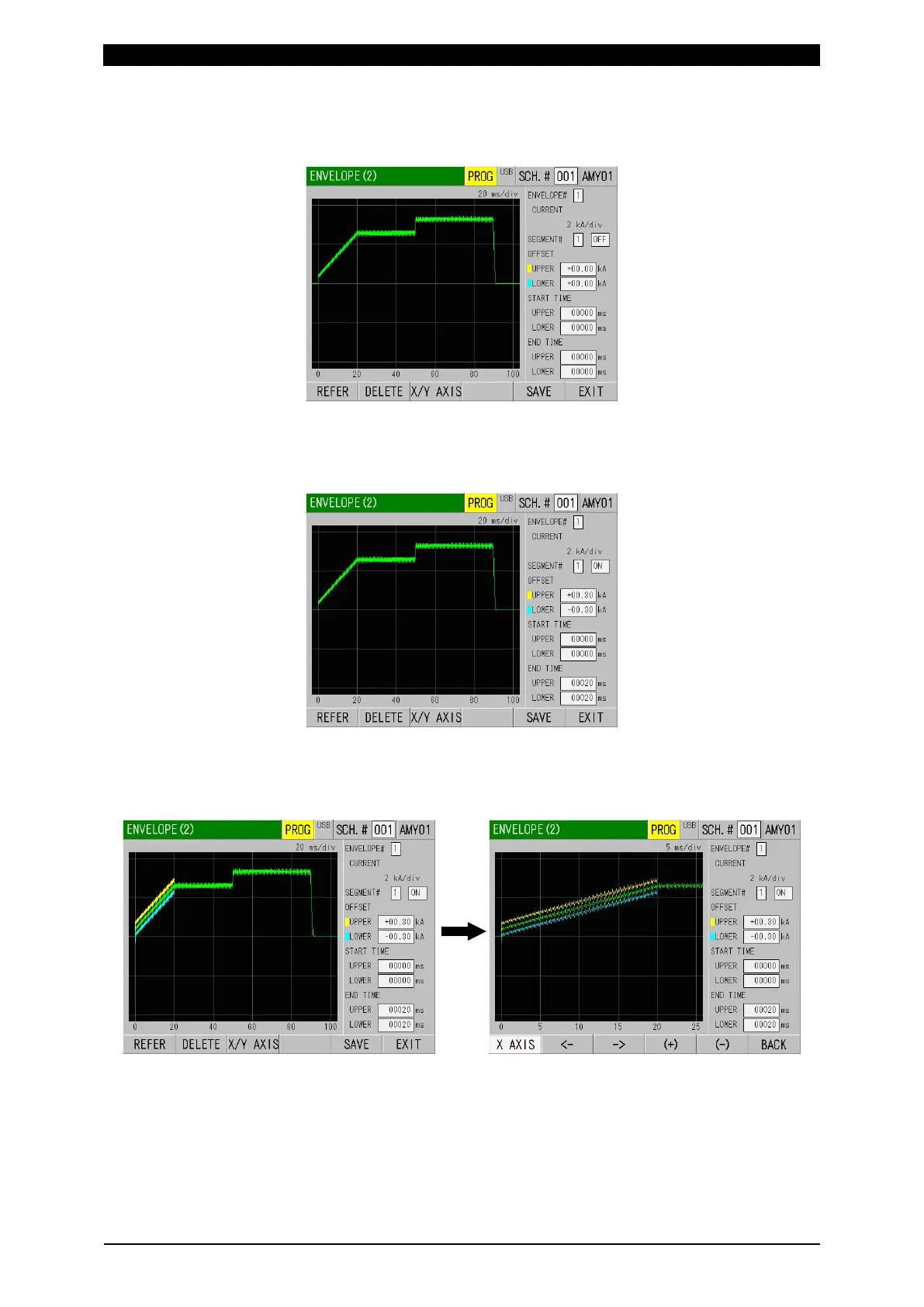
7) Touch the REFER key to take in the reference waveform. The waveform
measured in 3) is displayed. Based on this waveform, set the time range for
upper and lower limits.
8) Select 1 for ENVELOPE#, select 1 for SEGMENT#, and change OFF to ON.
Set upper and lower limit values in UPPER and LOWER of OFFSET. As the
time range to judge the upper and lower limit, set from START TIME to END
TIME. The time range can be set for UPPER and LOWER respectively.
9) Touching the REFER key and selecting YES displays reference waveform and
envelope setting. You can also check the detailed data of time axis and vertical
axis by touching the X/Y AXIS key. After check, touch the BACK key and return
till the REFER key is shown.



 To Next Page