MM-400A
8. Operation Screens
8-29
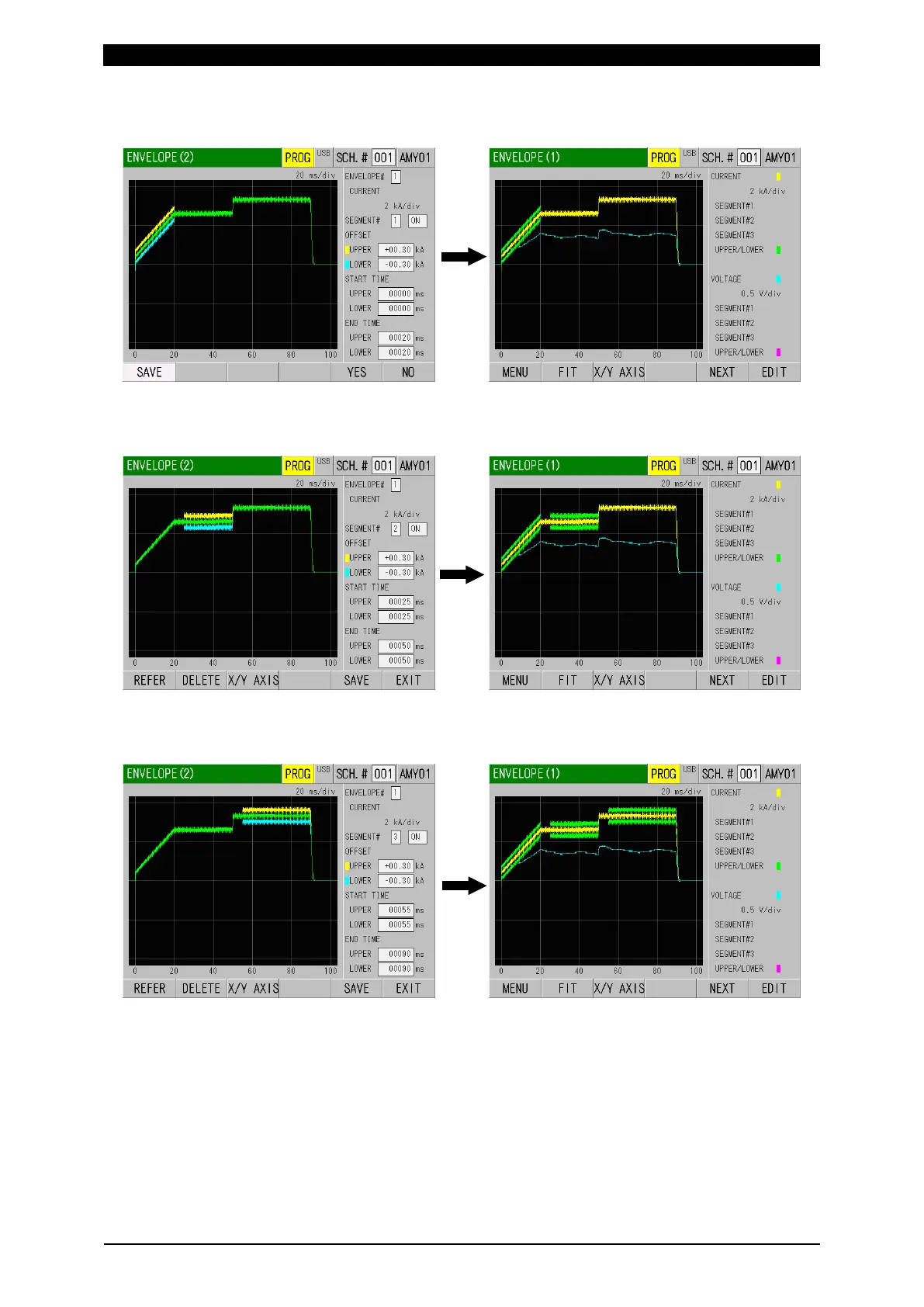
10) Save setting conditions by touching SAVE key. When saved, “SCH” is shown
in orange and return to the ENVELOPE (1) screen.
11) Touch the EDIT key again, select 2 for SEGMENT#, and change OFF to ON.
Perform steps 6) to 10). Be sure to perform from REFERENCE to SAVE for
each setting of SEGMENT.
12) Touch the EDIT key again, select 3 for SEGMENT#, and change OFF to ON.
Perform steps 6) to 10). Be sure to perform from REFERENCE to SAVE for
each setting of SEGMENT.



 To Next Page