MM-400A
8. Operation Screens
8-31
How to create the upper/lower limit threshold based on the optionally created
waveform
Save the measured waveform data in the USB memory, perform statistical
processing on the customer’s side, and create the upper/lower limit threshold. Make
the MM-400A read it in the CSV format again and make an envelope
measurement.
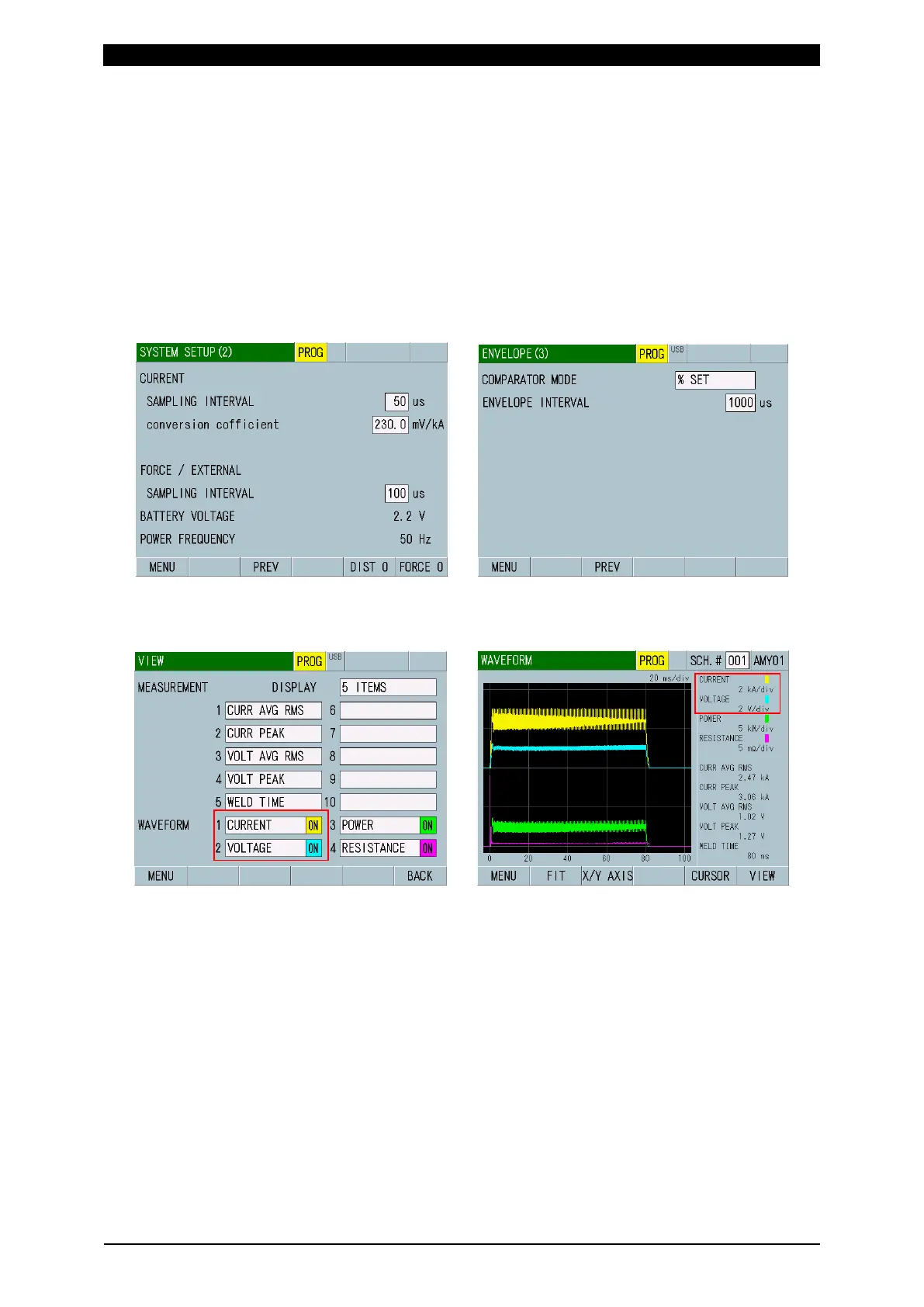
1) Set SAMPLING INTERVAL in the SYSTEM SETUP (2) screen and
ENVELOPE INTERVAL in the ENVELOPE (3) screen. There is a limit for the
envelope measurement. The maximum is 5000 in upper limit and lower limit in
each SEGMENT, respectively. Be careful of settings of ENVELOPE INTERVAL
and time between START TIME and END TIME in each SEGMENT. (Refer to
“f-2. ENVELOPE (2) Screen (Note)”.)
2) Select items to perform envelope upper/lower limit threshold judgment in
WAVEFORM 1 and 2 in the VIEW screen and measure them. (Waveforms for
reference are obtained.)
3) Insert the USB into the MM-400A and select WAVEFORM for ITEM in the
USB screen. Set the interval to sample from waveform data in WAVE
DECIMATION, and then touch the SAVE key. “¥wav” folder is created in the
USB and the waveform’s CSV file (any of “wav-0.csv” to “wav-1000.csv”) is
created in the folder. Confirm that sampled interval time is input in column A
and WAVEFORM 1 to 4 data of each sampled interval are input in columns B
to E. Item names of waveform in the CSV are as follows.
C: CURRENT, V: VOLTAGE, P: POWER, R: RESIST, D: DISPLACEMENT, F:
FORCE, and E: EXTERNAL



 To Next Page