MM-400A
8. Operation Screens
8-35
• Make the waveform type the same as that in the WAVEFORM screen and
the ENVELOPE screen.
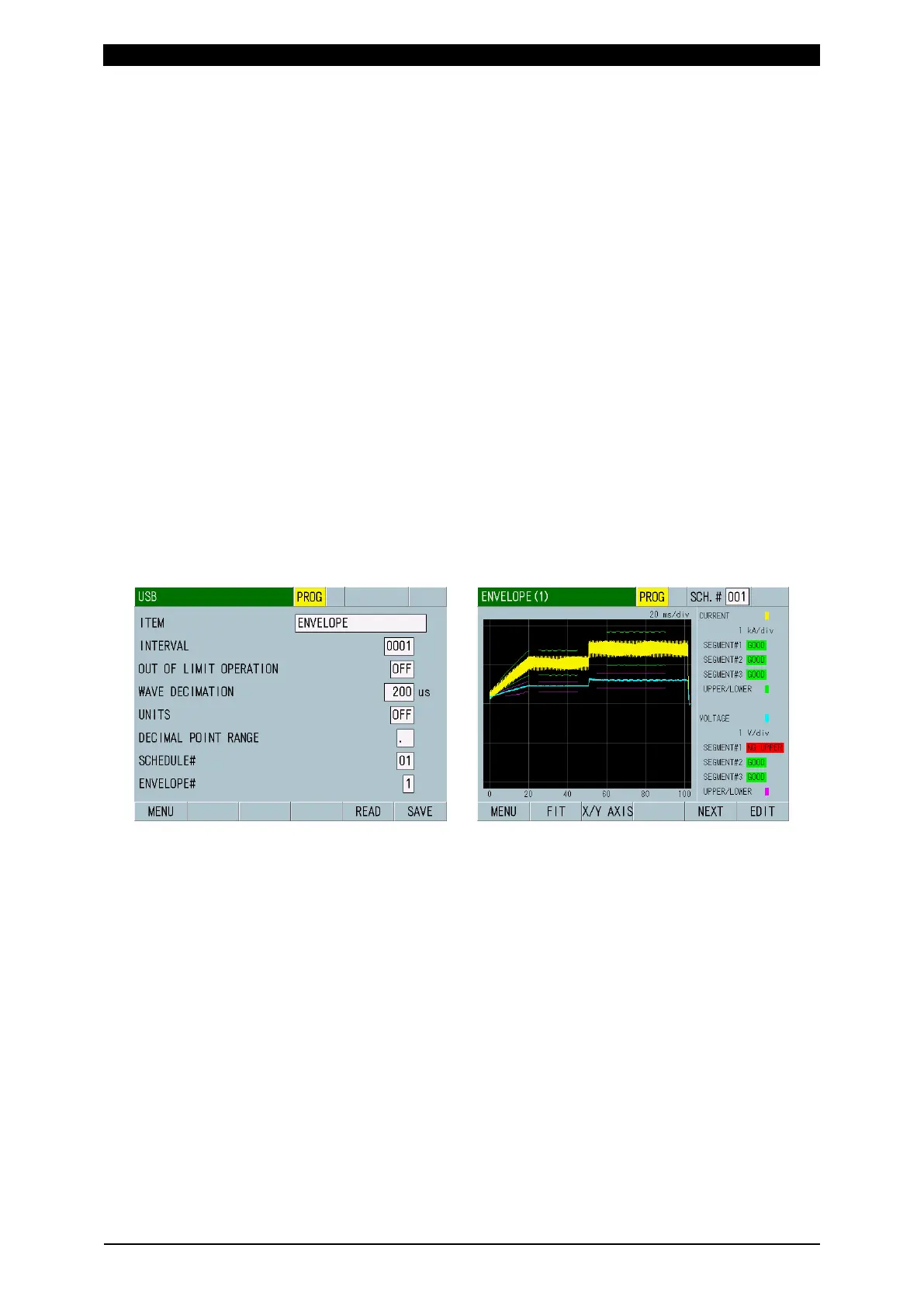
6) Insert the USB which contains data in the MM-400A and select ENVELOPE
for ITEM in the USB screen. Select a file by setting SCHEDULE# (1 to 20) and
ENVELOPE# (1 to 2) and touch the READ key.
In the following example, insert the USB which contains CSV data
(Env01_1_C.csv, Env01_2_V.csv) created in advance into the MM-400A, set
SCHEDULE# to “01” and ENVELOPE# to “1”, and touch the READ key.
After the completion of reading, change ENVELOPE# to “2” and touch the
READ key again.
When moving to the ENVELOPE (1) screen after the completion of reading
and performing measurement, the upper/lower limit threshold data read from
the USB, measured waveform, and envelope judgment result are displayed.
When the specified folder or CSV file does not exist in the USB or the
envelope data to be read is not as specified, “E14: USB ERROR” occurs.
Since the envelope data is not reflected in the settings of OFFSET, START
TIME and END TIME in the ENVELOPE (2) screen when read from the USB, it
may be different from the set contents.
When reading the envelope data from the USB (READ key) or writing the
envelope data in the USB (SAVE key), select OFF for UNITS. When saved
with ON, the envelope data is recognized as character string and cannot be
edited as a numerical value.



 To Next Page