8
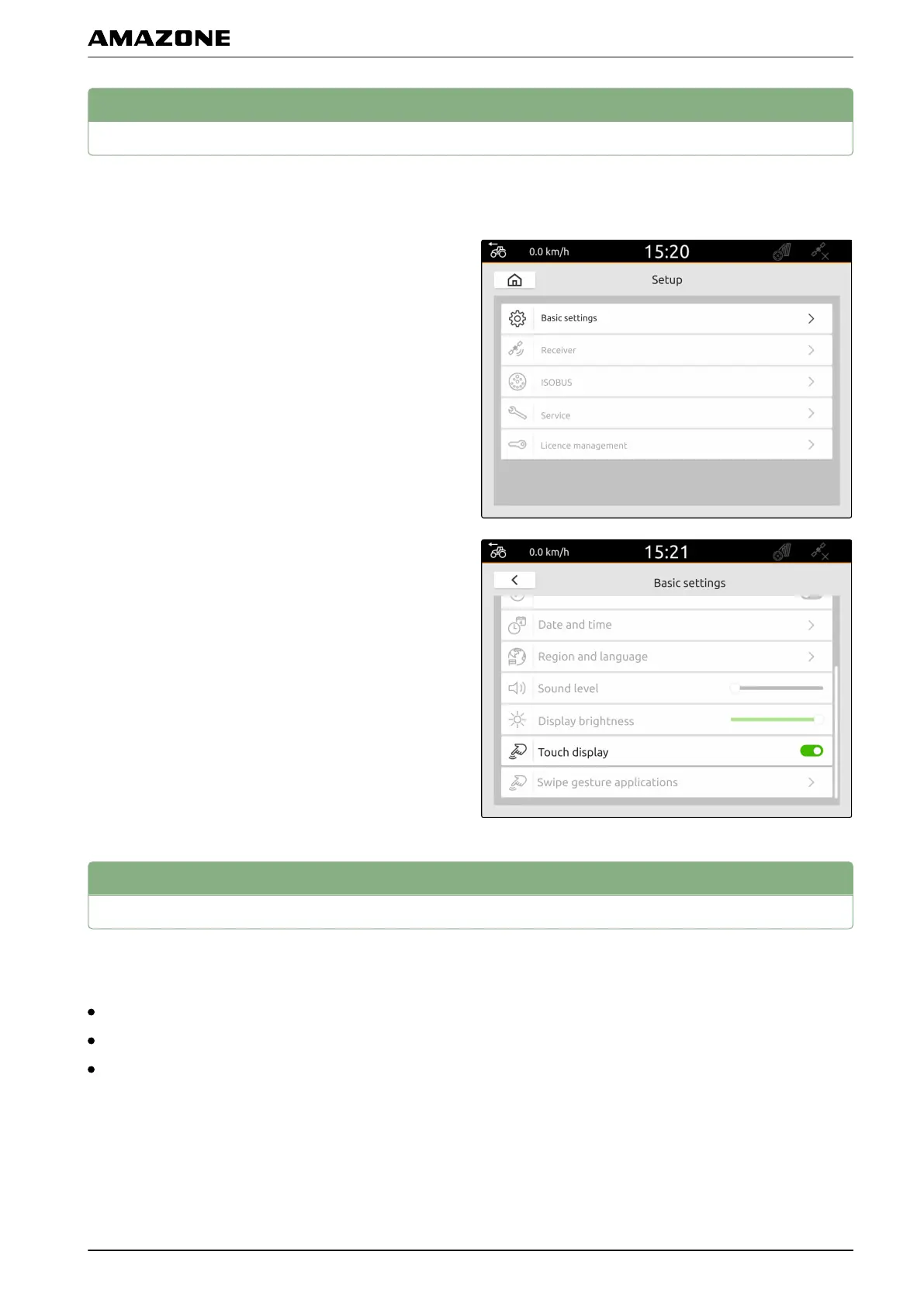
Showing when the display is touched
When this function is activated, a white circle is shown at
the point of contact every time the display is touched.
1. In the Setup menu, select "Basic settings".
2. Activate "Touch display"
or
deactivate.
9
Activating swipe gesture applications
With swipe gestures, you can switch between the
following applications:
Map view
Camera image
Universal Terminal for all connected implements
CMS-T-00000223-C.1
CMS-T-00000224-C.1
F | Entering the basic settings | Showing when the display is touched
MG6010-EN-GB | G.1 | 13.12.2018
27



 To Next Page