Managing headlands
S
1
Creating headlands
REQUIREMENTS
Field boundary has been created, see page 82
1. In the Work menu, select .
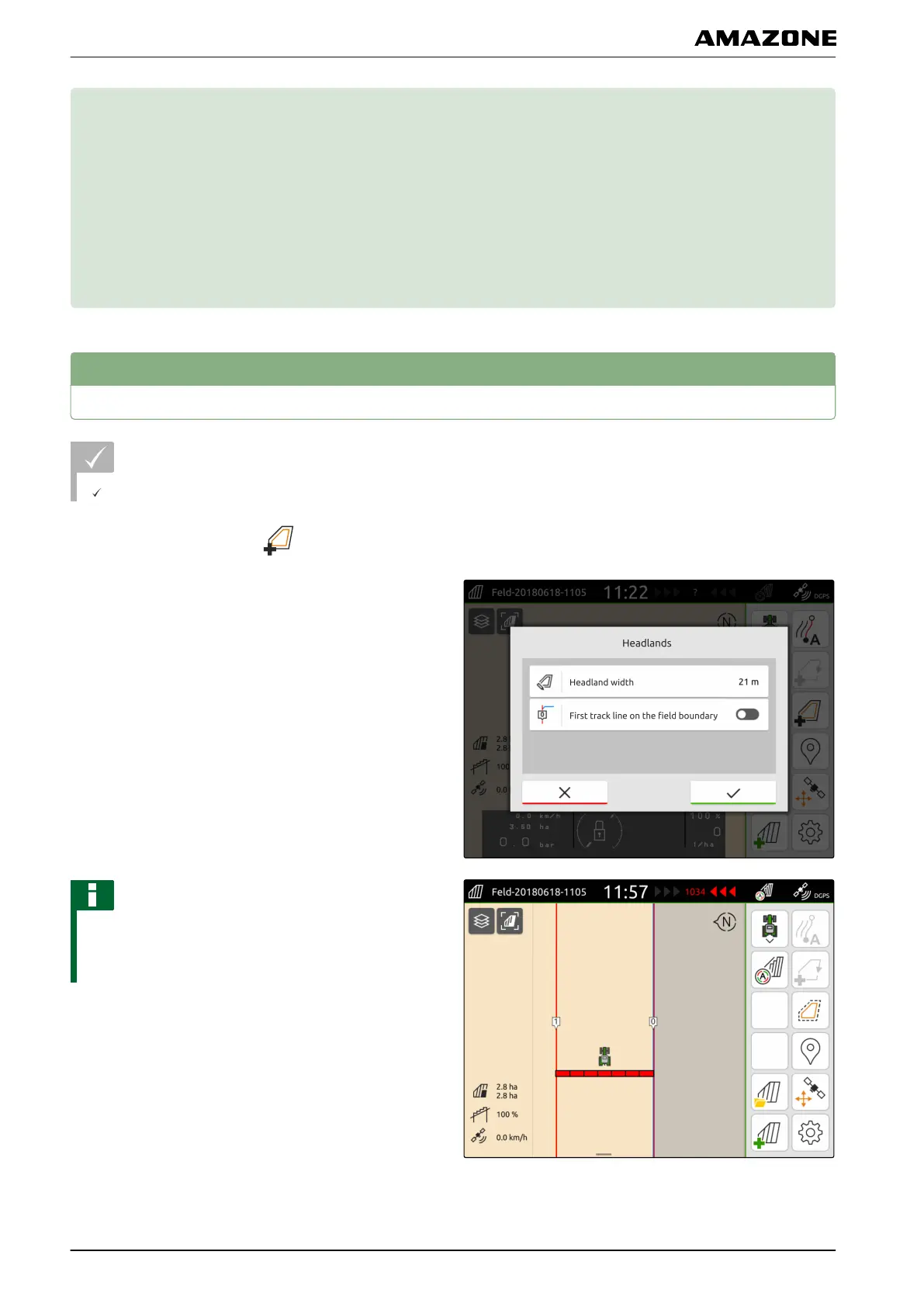
2. Enter the headland width.
NOTE
When the first track line is laid on the field boundary,
the second track line lies one working width away
from the field boundary inside the field.
3. If the first track line should be laid on the field
boundary,
activate "First track line on the field boundary".
CMS-T-00001746-B.1
CMS-T-00000300-C.1
S | Managing headlands |
MG6010-EN-GB | G.1 | 13.12.2018
84



 To Next Page