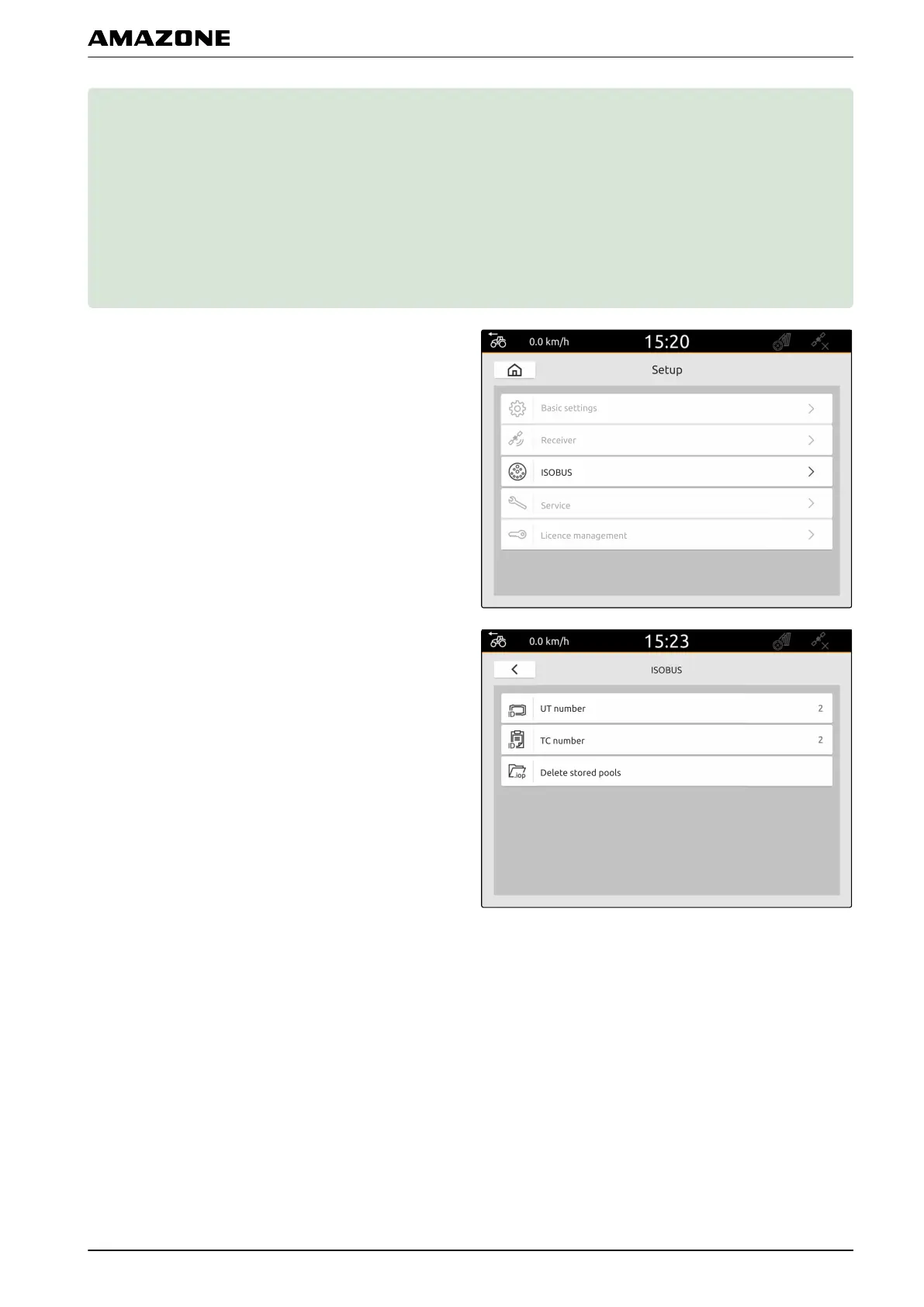
Configuring ISOBUS
H
1. In the Setup menu, select "ISOBUS".
The AmaTron 4 has a clear identification number for the
Universal Terminal, the UT number. If the implement
controls should be displayed on the AmaTron 4, the UT
number must match with the UT number of the
implement. If the AmaTron 4 is the only connected
terminal, the implement automatically adopts the UT
number of the AmaTron 4.
2. Under "ISOBUS-UT number", enter the identification
number for the Universal Terminal of the AmaTron 4.
The AmaTron 4 has a clear identification number for the
job documentation, TC number. If the job documentation
should be saved on the AmaTron 4, the TC number must
match with the TC number of the implement. If the
AmaTron 4 is the only connected terminal, the
implement automatically adopts the TC number of the
AmaTron 4.
3. Under "TC number", enter the identification number
for the Task Controller of the AmaTron 4.
CMS-T-00000281-C.1
H | Configuring ISOBUS |
MG6010-EN-GB | G.1 | 13.12.2018
33



 To Next Page