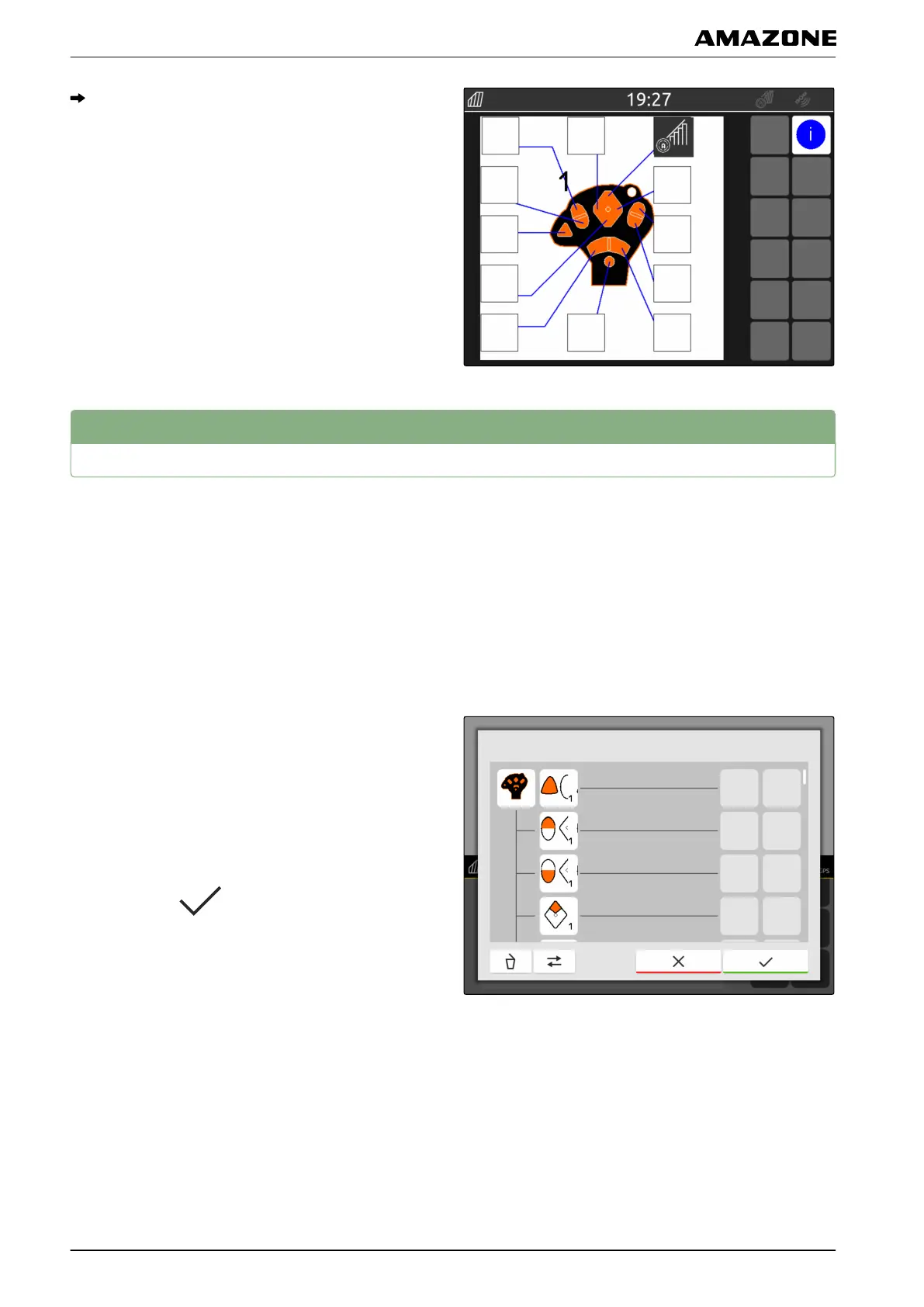
In the overview, the selected function is shown on
the key of the assigned button.
2
Managing preferred assignments
2.1
Confirming the AUX-N assignment
When an AUX-N input device is connected, the AUX-N
assignments for the connected implement must be
confirmed each time the AmaTron 4 is restarted.
The menu for the "Preferred assignment" is
automatically opened.
1. Check the AUX-N assignment.
2. If the AUX-N assignment should be changed,
see page 98
or
If the AUX-N assignment is ok,
confirm with
.
2.2
Changing the AUX-N assignment
2.2.1 Changing the AUX-N assignment using the functions list
For the AUX-N assignment using the functions list, all of
the available functions are listed on the left side. The
CMS-T-00000361-B.1
CMS-T-00000360-B.1
CMS-T-00000365-B.1
CMS-T-00000362-B.1
W | Configuring AUX-N input devices | Managing preferred assignments
MG6010-EN-GB | G.1 | 13.12.2018
98



 To Next Page