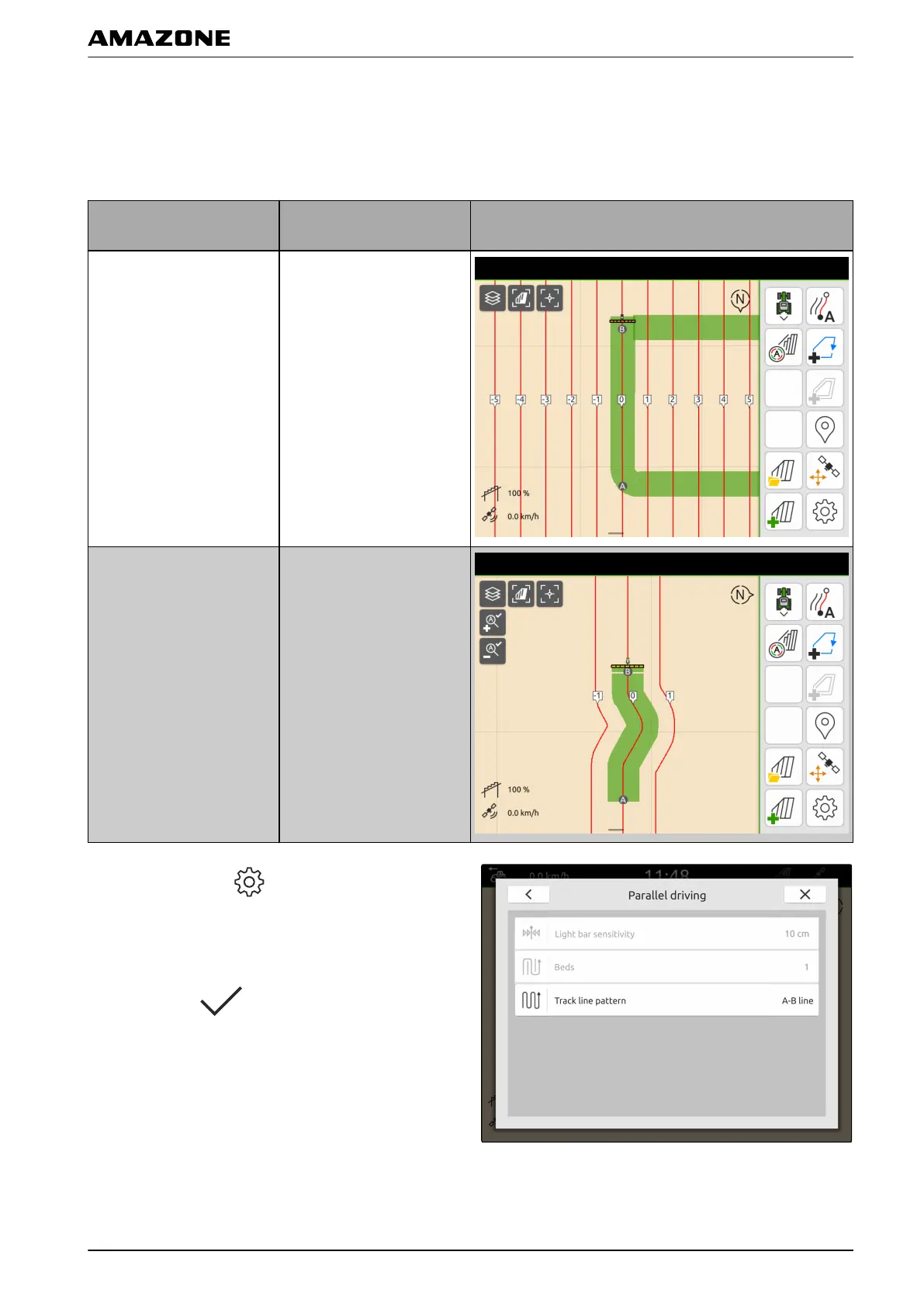
1.2 Selecting the track line pattern
With the AmaTron 4, different types of track lines can be
recorded.
Available track line
patterns
Explanation Figure
A-B
Straight track line that is
laid between 2 points.
Smoothed contour
Curved track line that is
recorded while driving
between 2 points. The
contours will be
automatically smoothed.
1. In the Work menu > select "Parallel driving" >
"Track line pattern".
2. Select the desired track line pattern.
3. Confirm with
.
CMS-T-00000293-C.1
U | Parallel driving | Configuring parallel driving
MG6010-EN-GB | G.1 | 13.12.2018
89



 To Next Page