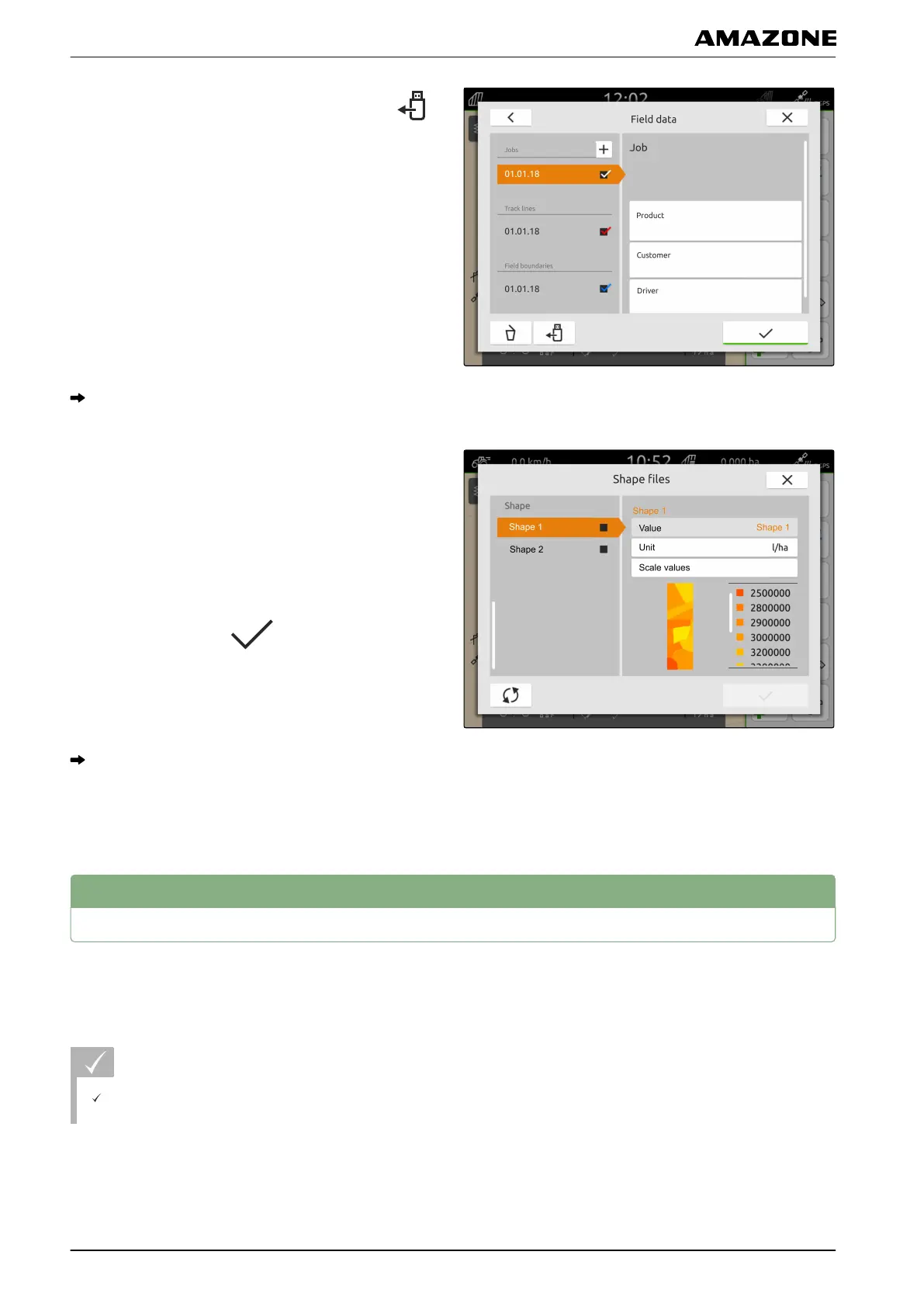
3. In the menu for selecting the field data, select .
The application maps saved on the USB flash drive
are displayed
4. Select the desired application map.
5. To adjust the units for the application rate,
select "Unit".
6. To scale the application rate by a
specific value,
select "Scale values".
7. Confirm entries with .
The selected application maps are included in the
field data under "Jobs". The selected field
boundaries are included in the list of field
boundaries.
5
Creating a new job
When a field was created or imported using job data,
jobs can be created and the field can be assigned to a
job.
REQUIREMENTS
The job data is imported, see page 63 or the field
is created, see page 62
CMS-T-00000326-C.1
P | Working with documentation | Creating a new job
MG6010-EN-GB | G.1 | 13.12.2018
66



 To Next Page