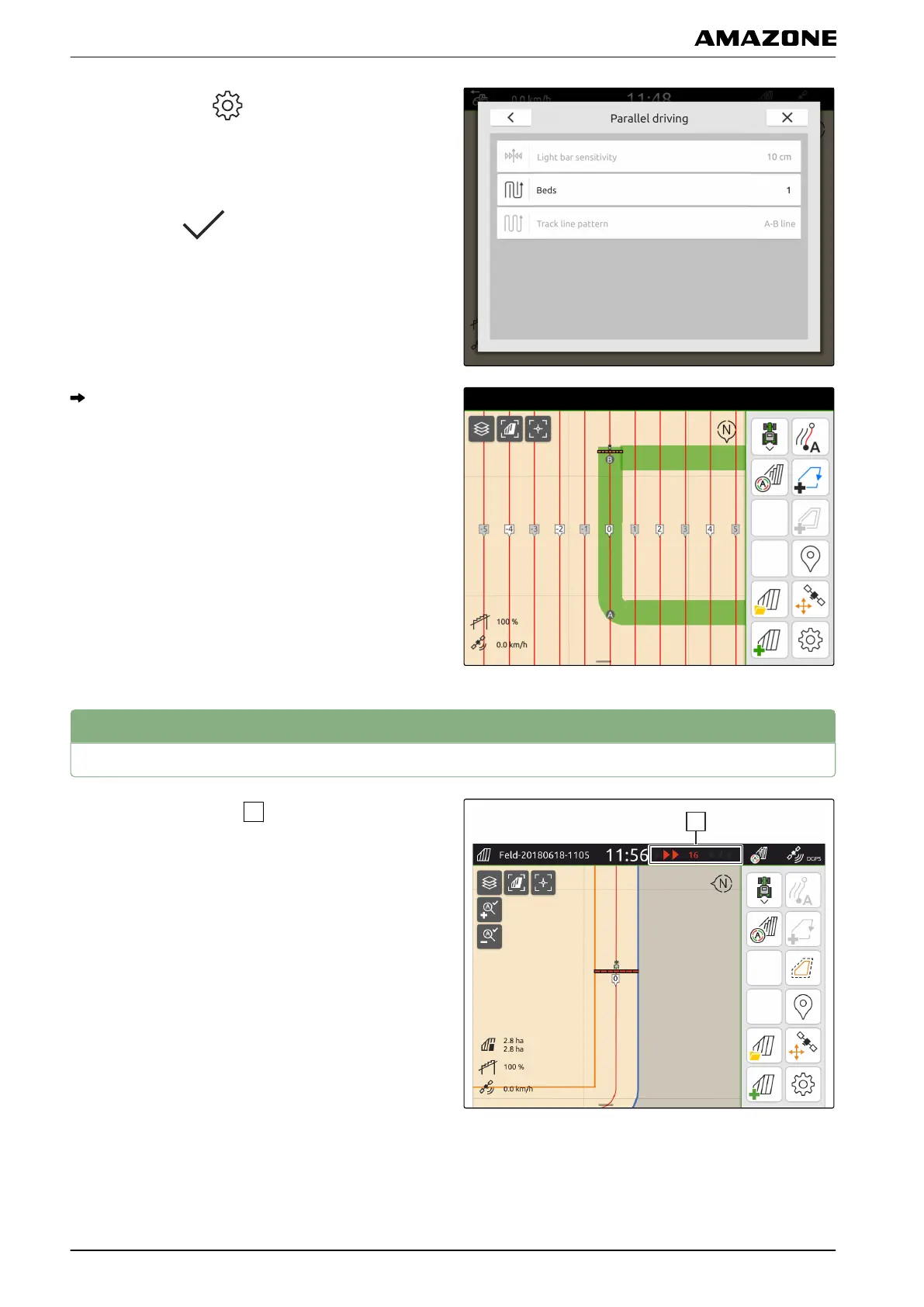
1. In the Work menu > select "Parallel driving" >
"Beds".
2. Enter a value between 1 and 20.
3. Confirm with
.
The track lines will be highlighted in the specified
rhythm.
4
Using a light bar
During travel, the light bar
shows the deviation of the
vehicle from the driven track line in centimetres. When
the track deviation reaches the set value, a triangular
symbol beside the centimetre specification turns red.
This shows the driver the direction in which the vehicle
must be steered.
CMS-T-00000295-C.1
U | Parallel driving | Using a light bar
MG6010-EN-GB | G.1 | 13.12.2018
92



 To Next Page