REQUIREMENTS
Ag-Star receiver is connected
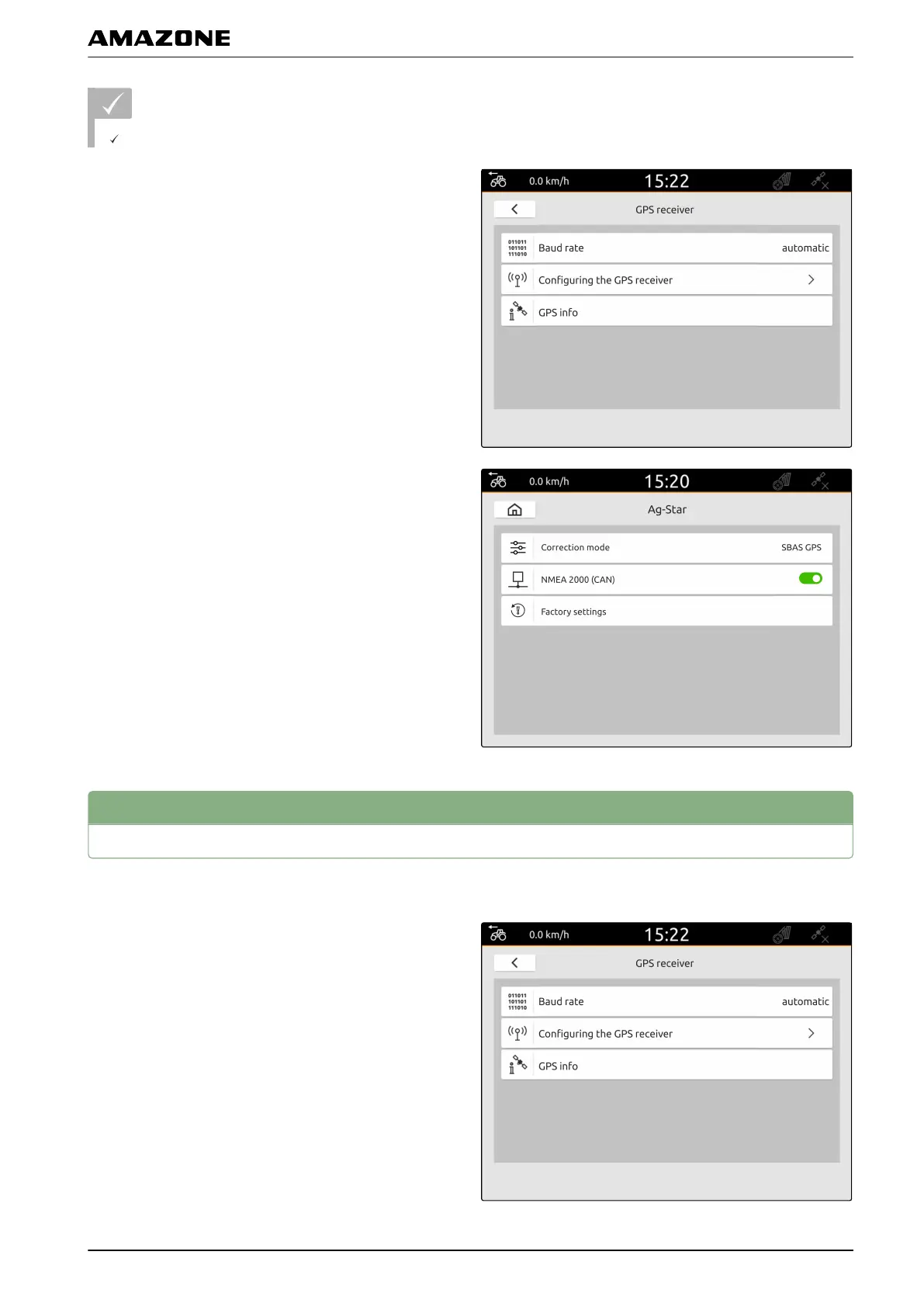
1. In the Setup menu, select "GPS receiver".
2. Under "Baud rate", select "Automatic".
3. Select "Configure GPS receiver".
4. Under "Correction mode", select the desired
correction mode.
5. If the GPS receiver should send the NMEA 2000
data to the CAN bus,
activate "NMEA 2000 (CAN)".
3
Resetting the GPS receiver to factory settings
1. In the Setup menu, select "GPS receiver".
2. Select "Configure GPS receiver".
CMS-T-00001744-B.1
G | Setting up the GPS receiver | Resetting the GPS receiver to factory settings
MG6010-EN-GB | G.1 | 13.12.2018
31



 To Next Page