3
Loading ISO-XML field data
To be able to use imported and created field data, the
field data needs to be loaded.
REQUIREMENTS
ISO-XML job data is imported, see page 63
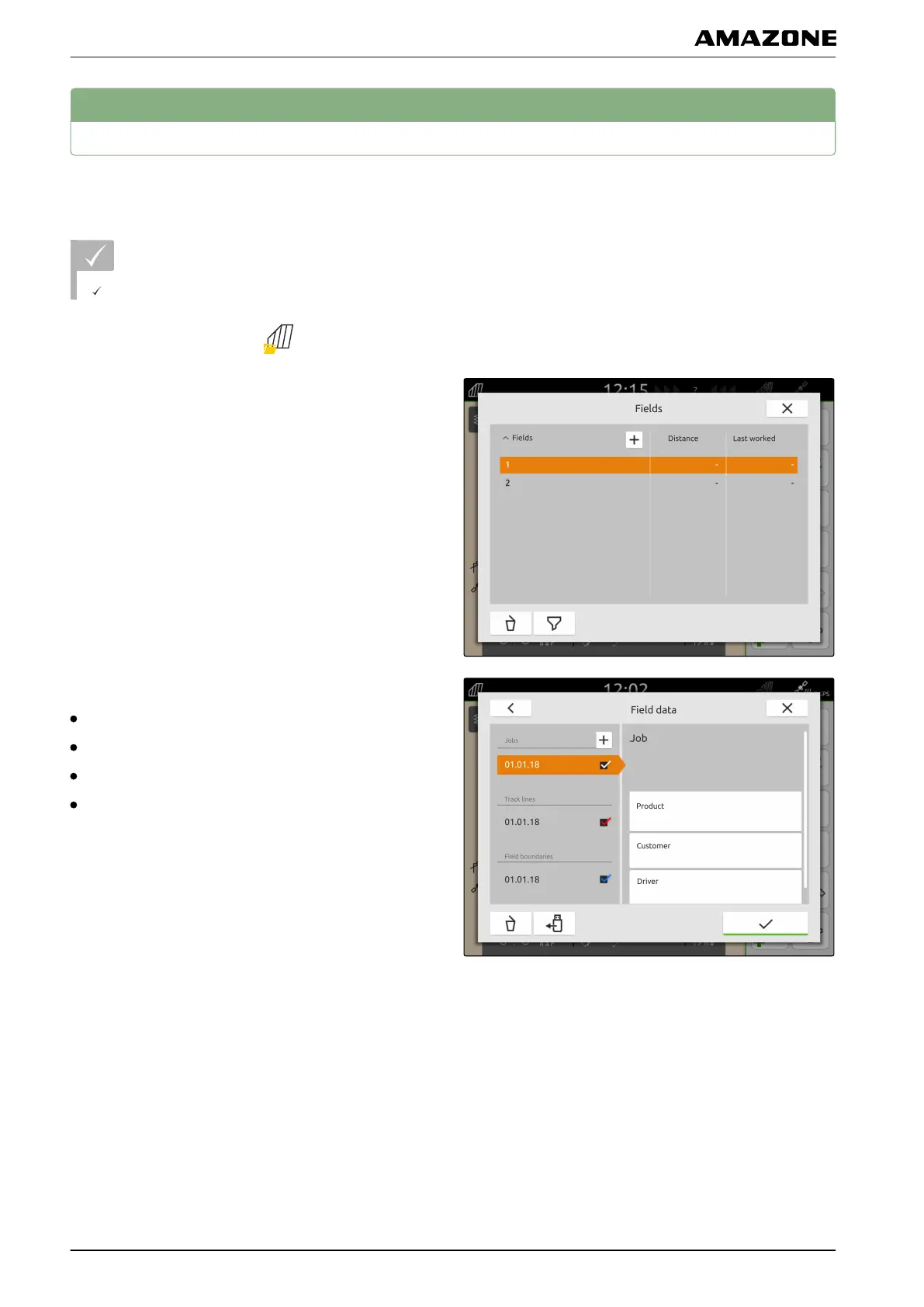
1. In the Work menu, select .
2. Select the desired field.
The field data can contain the following data:
Jobs
Field boundaries
Track lines
Application maps
3. To load a job together with the field,
set the checkmark for the desired job.
4. To load track lines together with the field,
set the checkmark for the desired track lines.
5. To load a field boundary together with the field,
set the checkmark for the desired field boundary.
CMS-T-00000340-C.1
P | Working with documentation | Loading ISO-XML field data
MG6010-EN-GB | G.1 | 13.12.2018
64



 To Next Page