2
Creating track lines
2.1 Creating an A-B line
REQUIREMENTS
"A-B" track line pattern is selected, see page 89
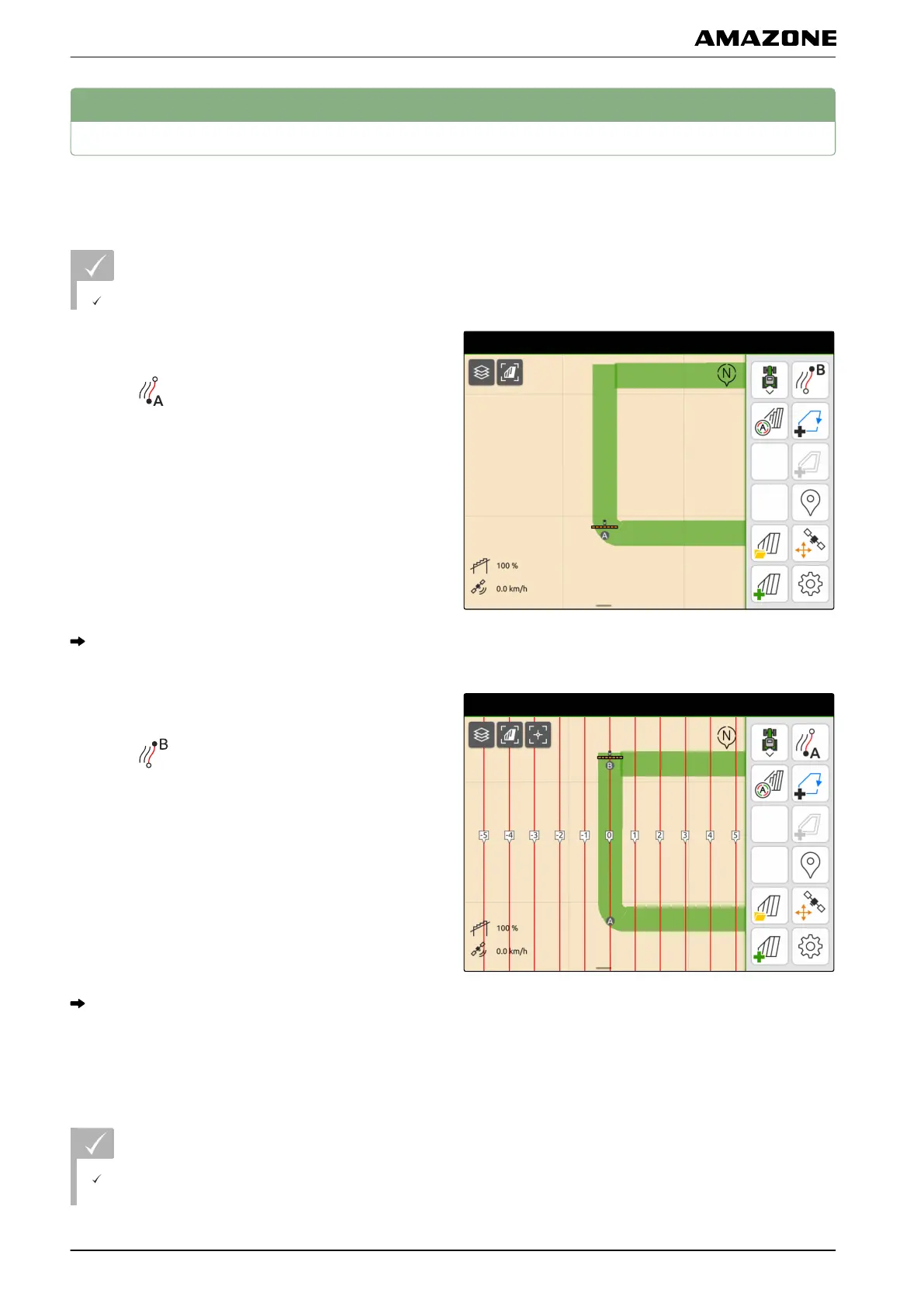
1. Drive to the beginning of the row.
2. select .
The start point of the track line is set on the vehicle
position.
3. Drive to the end of the row.
4. select .
The end point of the track line is set on the vehicle
position. Other track line are added.
2.2 Creating smoothed contours
REQUIREMENTS
The track line pattern "Smoothed contour" is
selected; see page 89
CMS-T-00001688-B.1
CMS-T-00000296-C.1
CMS-T-00000297-C.1
U | Parallel driving | Creating track lines
MG6010-EN-GB | G.1 | 13.12.2018
90



 To Next Page