IMPORTANT
Risk of implement damage
With a swiping gesture, buttons of the
implement controls can be accidentally
actuated.
Start the swipe gesture at the edge of the
display.
4. Press the button for the map view on the AmaTron 4
or
Swipe from the right edge of the screen towards the
Work menu.
NOTE
When the finger is moved beyond the Work menu
towards the centre of the screen, the AmaTron 4
switches between the applications; see page 18.
2
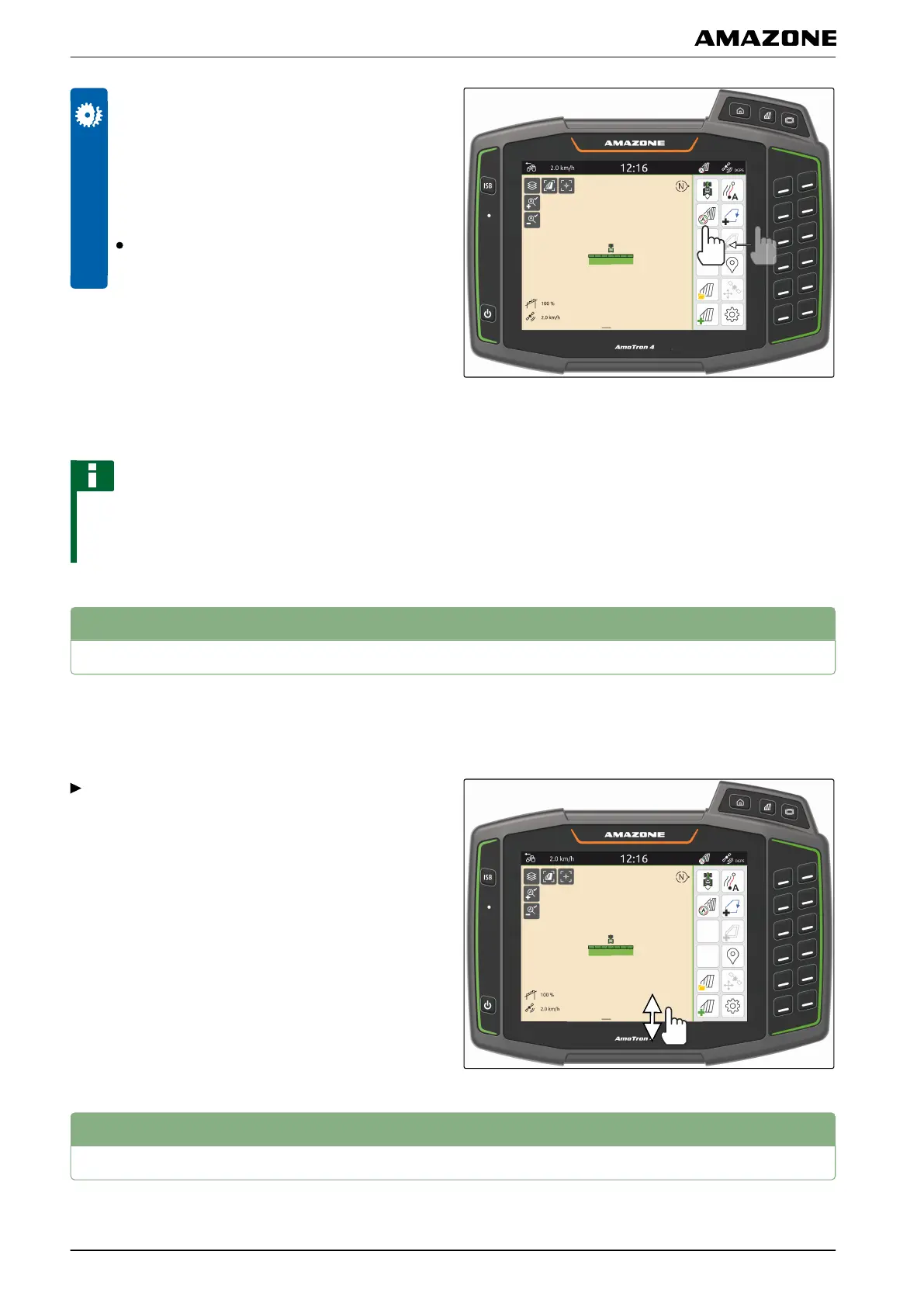
Showing and hiding the implement information
In the map view, the implement information is shown at
the bottom edge of the screen. The implement
information can be shown or hidden as required.
To hide the implement information,
swipe from the implement information towards the
bottom edge of the screen
or
To show the implement information,
swipe from the bottom edge of the screen towards
the centre.
3
Zooming the map
The map can be zoomed using gesture controls.
CMS-T-00000244-B.1
CMS-T-00000245-B.1
M | Using the map view | Showing and hiding the implement information
MG6010-EN-GB | G.1 | 13.12.2018
54



 To Next Page