Setting up the GPS receiver
G
1
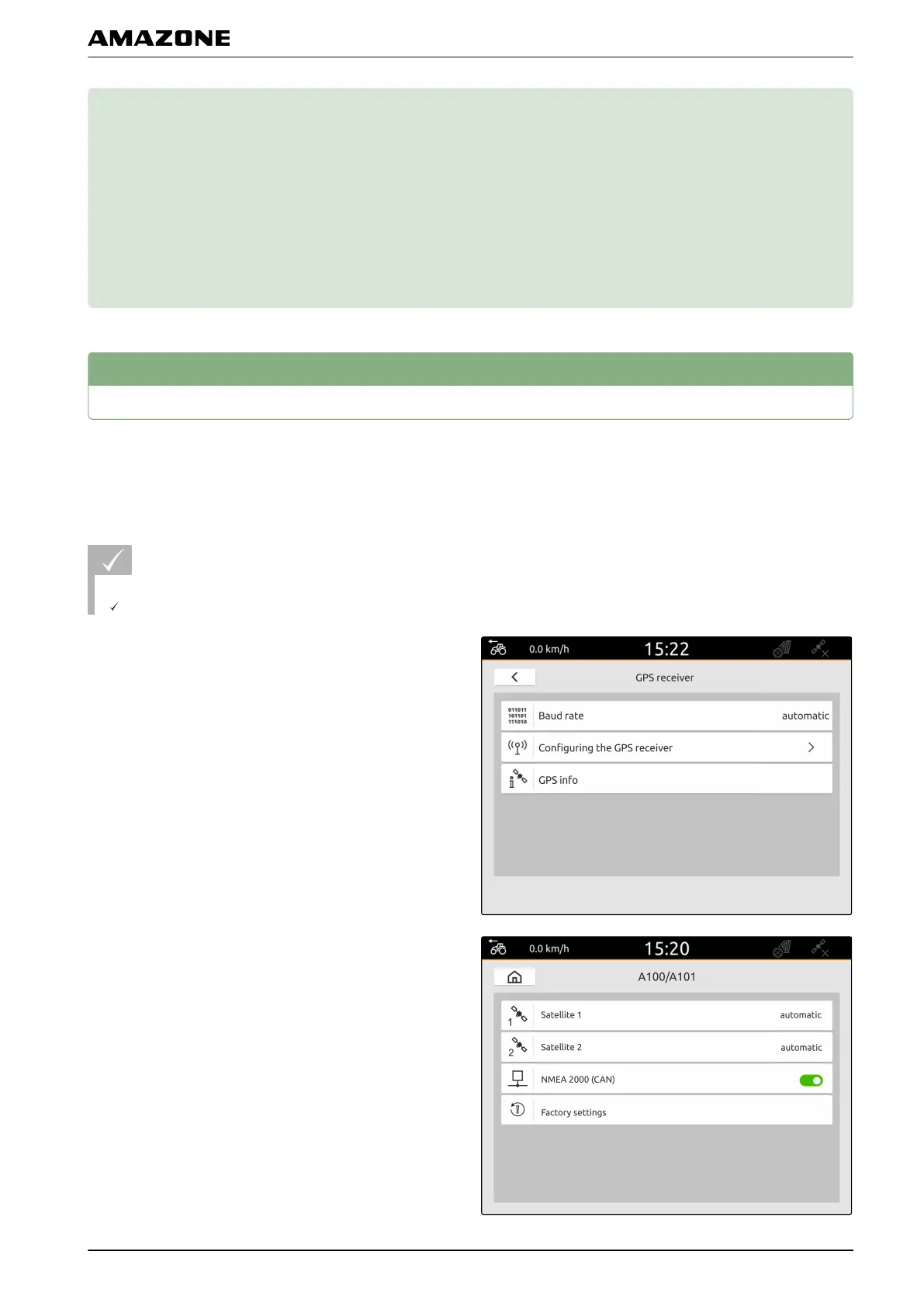
Setting up the A100/A101 receiver
This GPS receiver provides the option of setting both
correction satellites manually. The correction satellites
send correction data to the receivers. The correction
data increase the accuracy.
REQUIREMENTS
A100/A101 receiver is connected
1. In the Setup menu, select "GPS receiver".
2. Select "Configure GPS receiver".
3. Under "Satellite 1" and "Satellite 2", select
"Automatic".
CMS-T-00001689-B.1
CMS-T-00001692-B.1
G | Setting up the GPS receiver |
MG6010-EN-GB | G.1 | 13.12.2018
29



 To Next Page