Functions No licence
GPS switch
basic
GPS switch
pro
GPS maps &
doc
GPS track AmaCam
Shape
application
maps
X
Creating track
lines and beds
X
Show camera
image
X
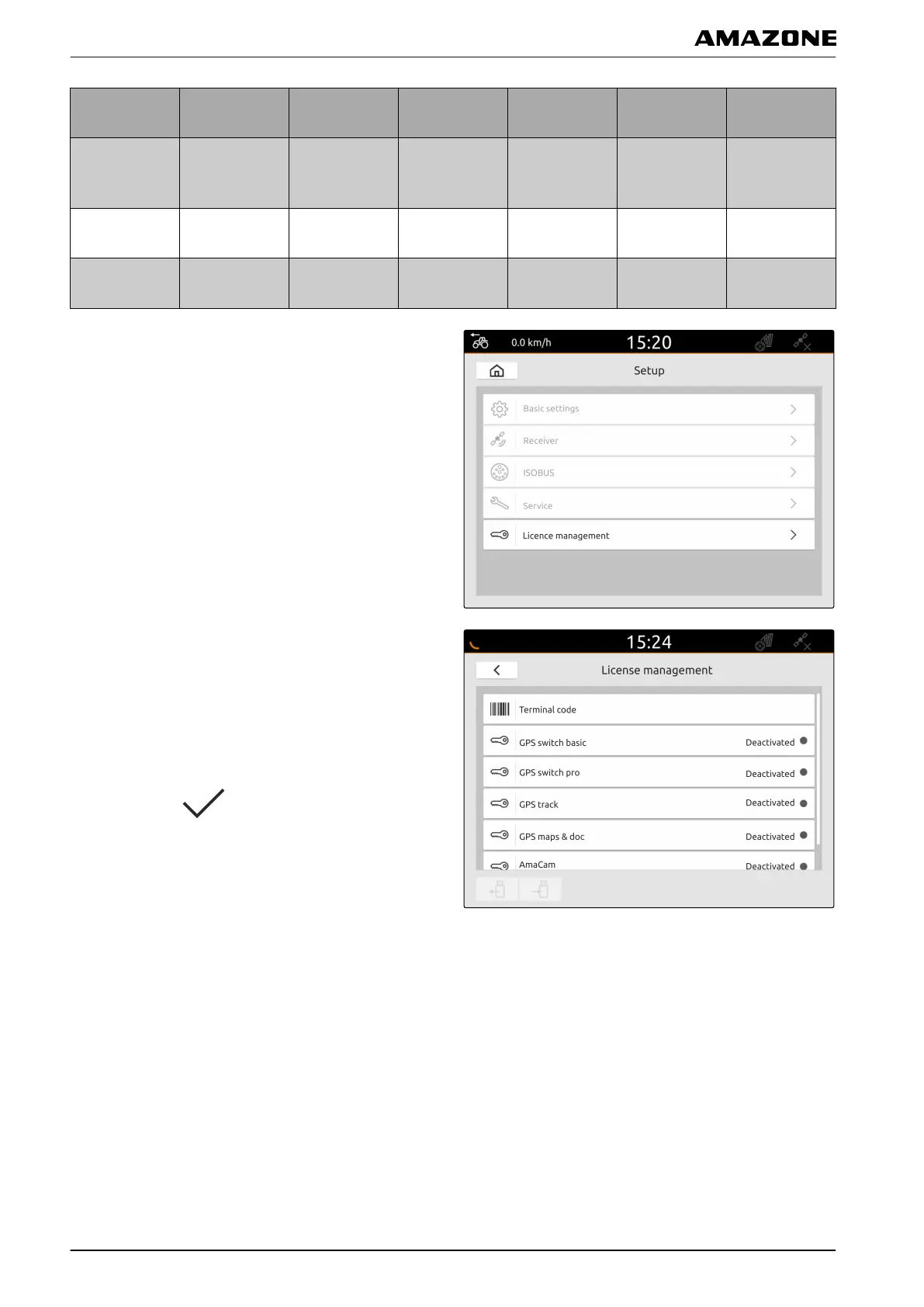
1. In the Setup menu, select "License management".
In the list of applications, the remaining period of use is
displayed for each license or whether the application is
activated or deactivated.
2. Select the desired application.
3. Enter the license key.
4. Confirm with
.
I | Managing licenses |
MG6010-EN-GB | G.1 | 13.12.2018
36



 To Next Page