ANSER CODING INC. 4 X1 User Interface
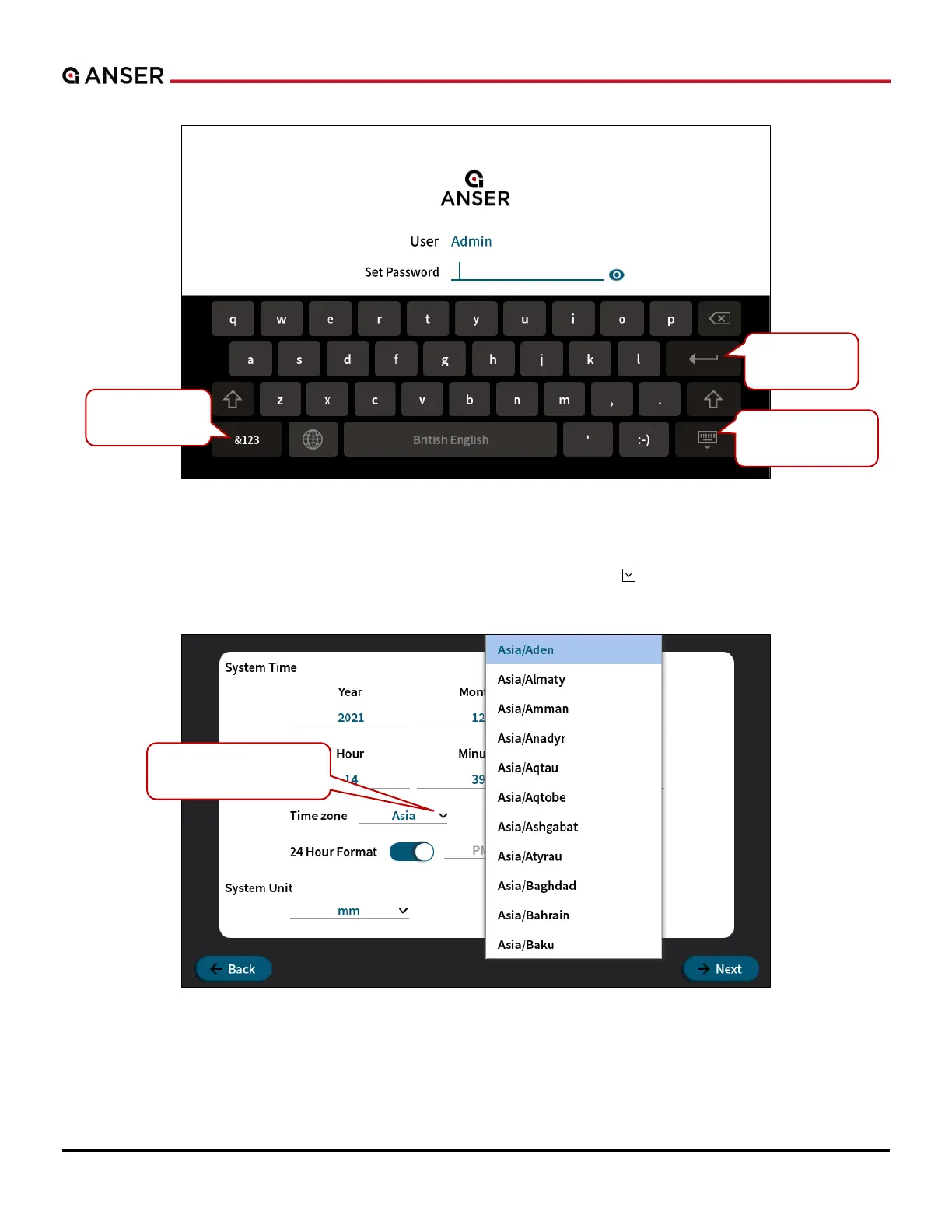
Figure 1-3. Set a Password for the Admin Account
After creating the admin account, the X1 wizard will guide users to configure the system date time and the necessary
settings to start X1, as seen in the following image. Press the drop-down button to select
which area and city you are at.
Figure 1-4. X1 System Initial Setup – System Time
Click Next and OK to complete more initial settings following X1 Wizard.



 To Next Page