ANSER CODING INC. 24 X1 User Interface
1.4.1.1.1 Adjust Size and Position
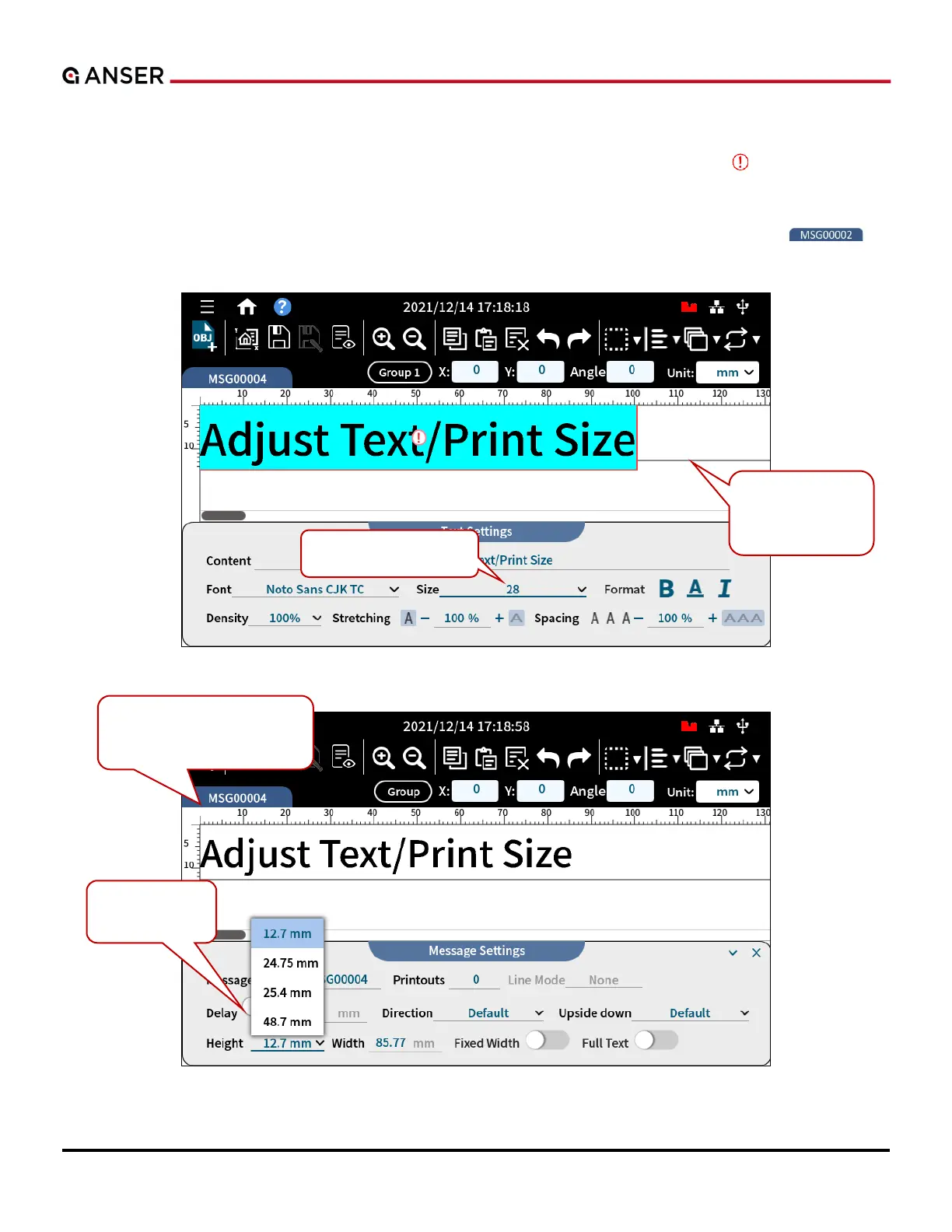
If the size of a text or an object is too big that it goes across the print area, a red warning sign appears to remind
you that a part of the message may not be printed out. A printable message height is based on the type of printhead
used in a print station. For a ½ printhead in a single print station, the maximum message height will be half inch. Use
the Size field in the Text Settings page or go to Message Settings page by pressing Message Name Tab
select a printable message Height, as the following Figure 1-24 shows.
Figure 1-23. Add Object – Adjust Text Size
Figure 1-24. Add Object – Adjust Message Height



 To Next Page