EasyManua.ls Logo

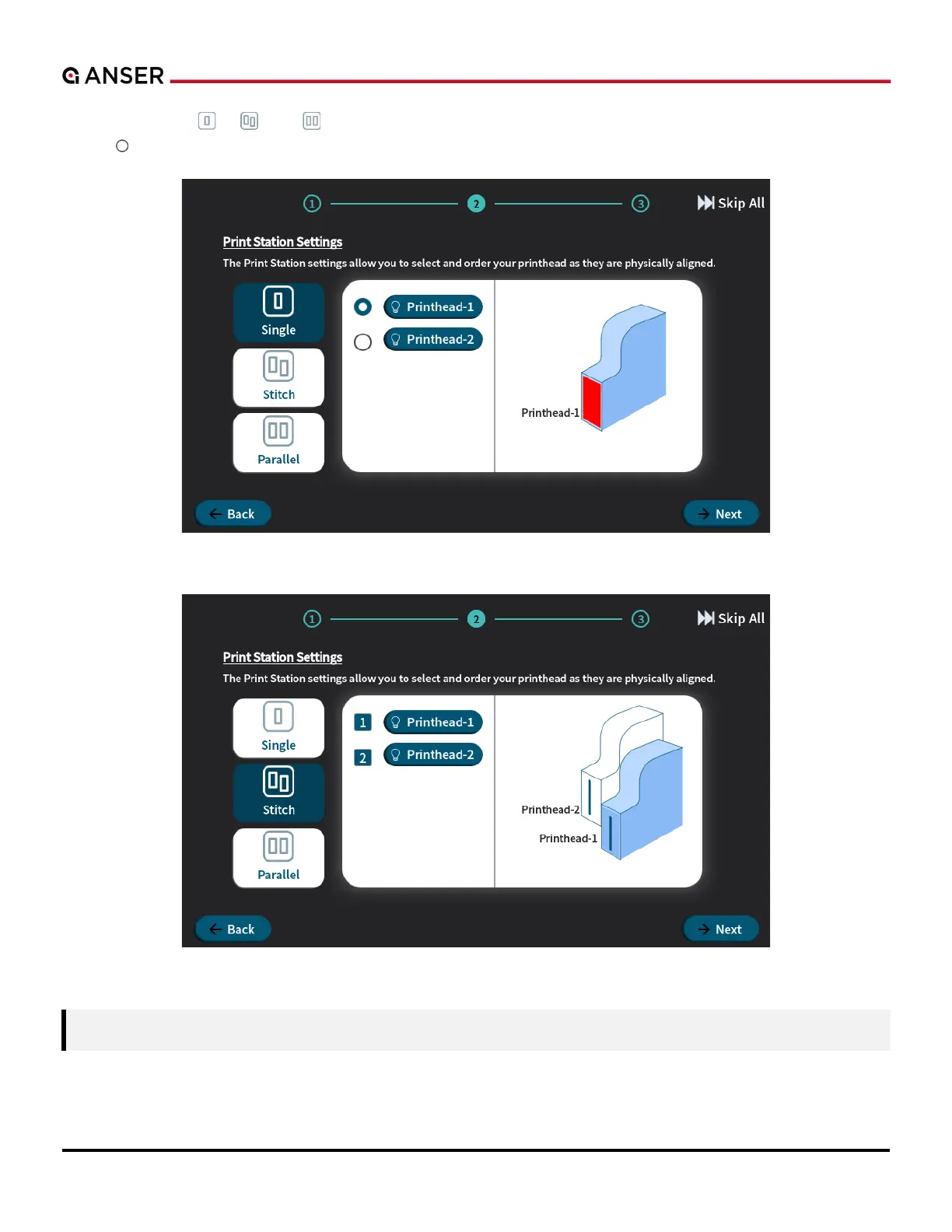
Anser X1 - Figure 1-8. X1 System Initial Setup - Print Station Settings, Printhead Arrangement (Single); Figure 1-9. X1 System Initial Setup - Print Station Settings, Printhead Arrangement (Stitch)

Default Icon
105 pages
Print Icon
To Next Page IconTo Next Page
To Previous Page IconTo Previous Page
Loading...
ANSER CODING INC. 8 X1 User Interface
Press the     that you are using. Press the
cercle the installed printhead(s).
Figure 1-8. X1 System Initial Setup Print Station Settings, Printhead Arrangement (Single)
Figure 1-9. X1 System Initial Setup Print Station Settings, Printhead Arrangement (Stitch)
Note: Printhead-1 is always the printhead at the bottom when using stitch printheads.
.

Table of Contents

Related product manuals