ANSER CODING INC. 43 X1 User Interface
1.5.2 Print Station
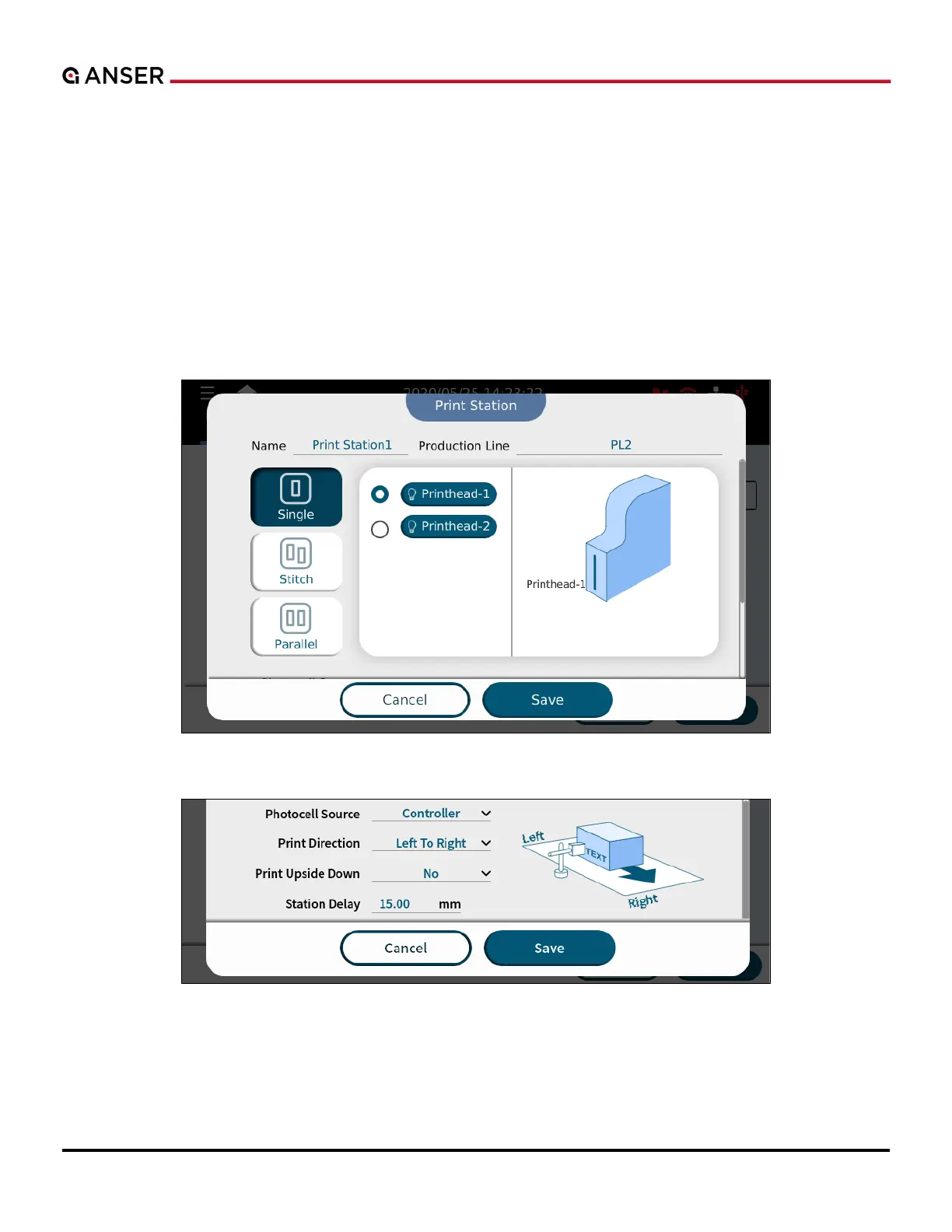
Adding a new print station automatically displays the print station page where the users can assign different print station
modes (Single, Stitch, and Parallel Mode). Swipe up to find settings related to the photocell sensor, print direction, and
print delay.
1.5.2.1 Single Print Station Mode
Some applications require to print content on two sides of a product that is running on one production line. X1 supports
up to two single printheads which means users have the flexibility to set up two single head print stations within the
same production line setup.
Figure 1-52. Add a New Print Station – Single Mode, Top Half of the Page
Figure 1-53. Add a New Print Station – Single Mode, Bottom Half of the Page



 To Next Page