ANSER CODING INC. 28 X1 User Interface
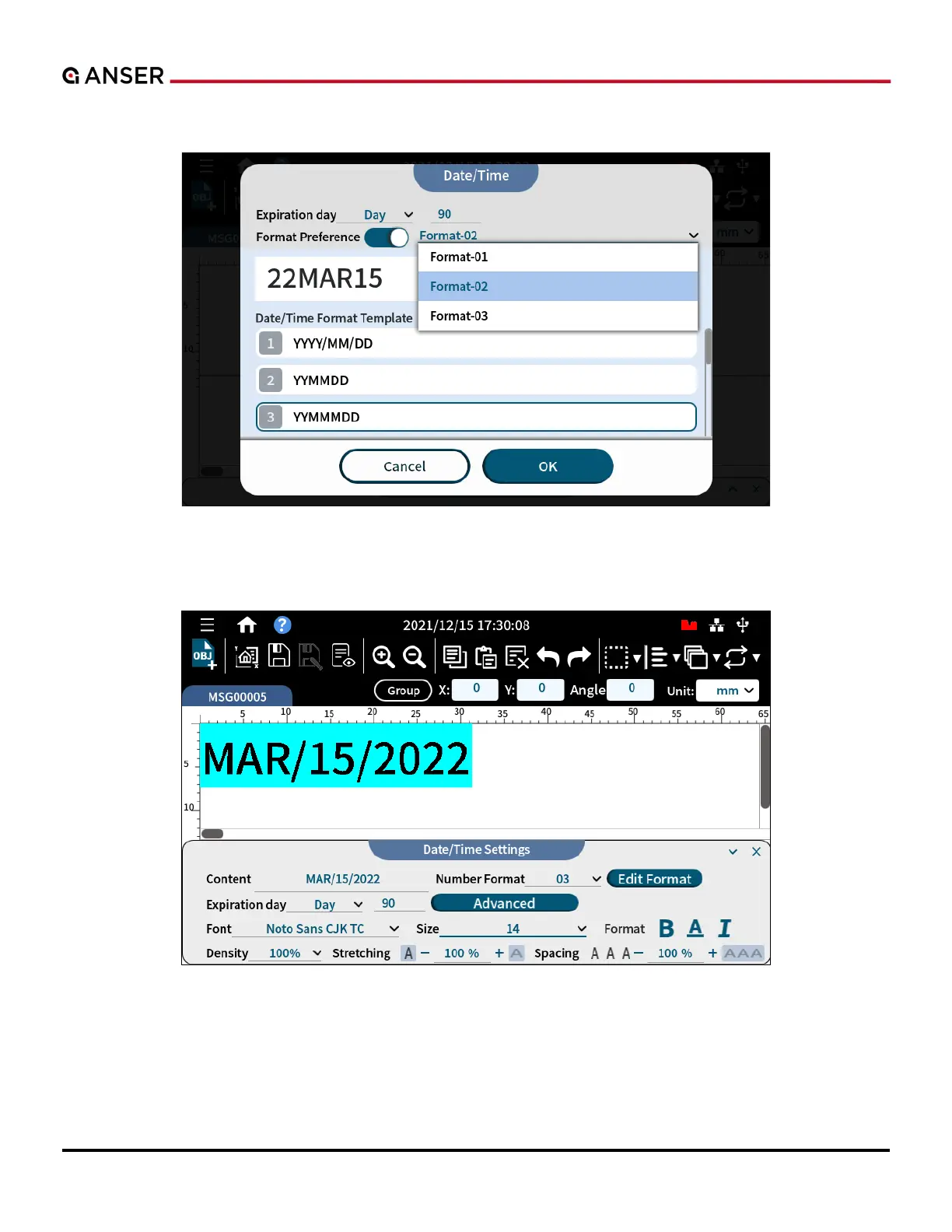
STEP 3: If there is a Format Preference button, press it to select more format options of Date/Time.
Figure 1-28. Add Object – Date/Time Format Preference
STEP 4: Use the below Date/Time Settings page to arrange format and style of your date.
Figure 1-29. Add Object – Date/Time Settings



 To Next Page