ANSER CODING INC. 49 X1 User Interface
Table 1-10. Detailed Printhead Settings Descriptions
The type of cartridge print engine. Switch between options to change printhead type.
Please refer to Section 2.3.
- Select left or right nozzle row
- One-inch printhead only one row available.
- All options alternate between rows while printing.
Vertical resolution. 600 DPI, print HD mode while the horizontal DPI matches the
connected encoder.
Allow the users to configure the printhead to print in continuous mode.
Trigger: Enable to trigger by a photocell sensor or disable to trigger while the encoder is
rotating.
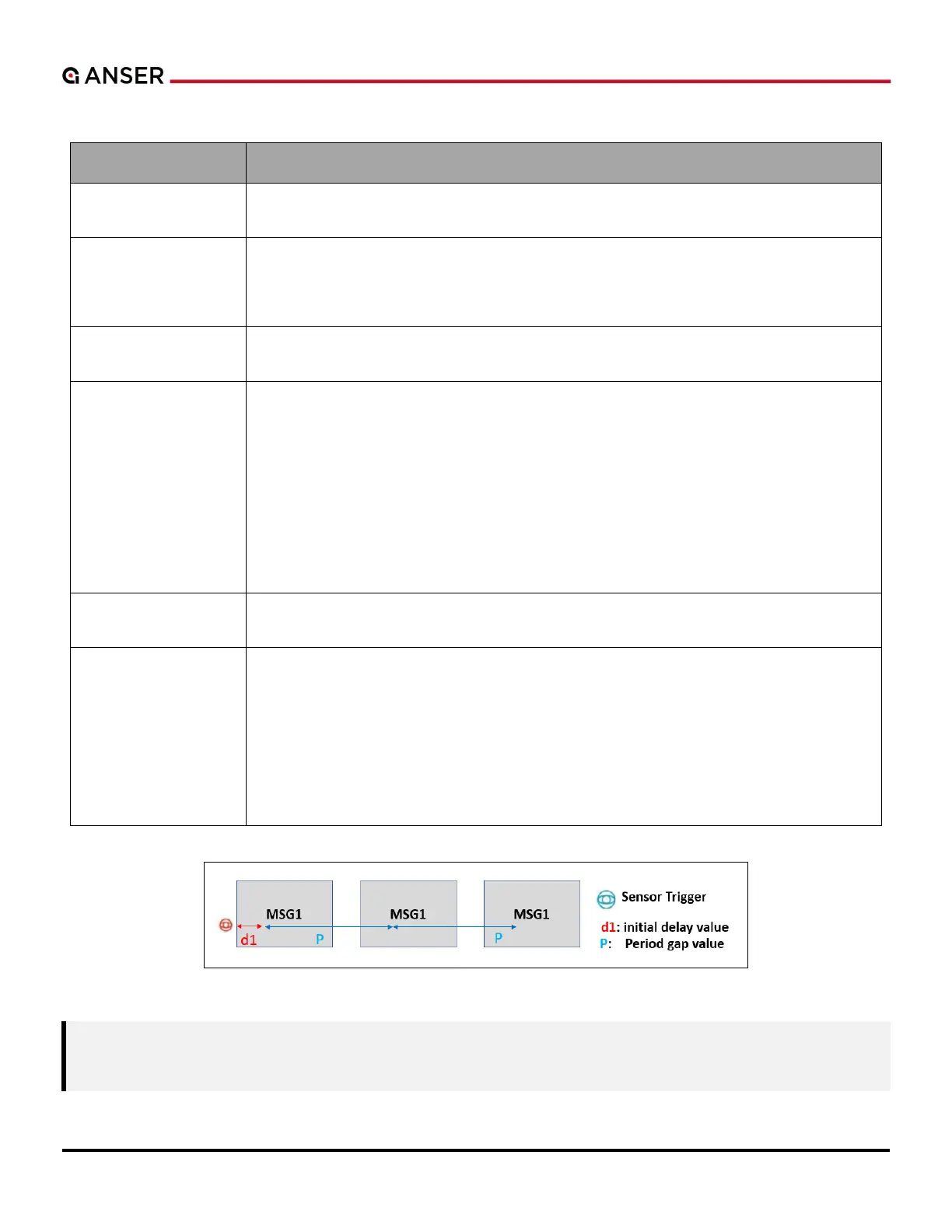
Initial Delay: Set a delay value to the beginning of the first print in the repetitions after
sensor is triggered. Please refer to Figure 1-60.
Period: Message length plus the gap between each repetition.
Infinite: Switch on to enable infinite repetitions.
Count: When infinite mode switches off, set a finite number of repetitions.
Allows the users to perform vertical and horizontal alignment adjustments when using
Stitch mode.
Firing ink drops to avoid nozzles dry out from the result of cartridge short-decap, when
printing in dry environments.
Auto: Automatically determine parameters for the ink cartridge inserted.
Custom: Manually set the time and level parameters to purge the nozzles.
- Interval: The time in seconds to start a purge cycle.
- Level: Refer to the frequency of pre-purge cycle. The higher the level, the shorter time
for each purge cycle.
Figure 1-60. Repeat Print – Initial Delay
Note: 1. Initial Delay has top priority over message and print station delays.
2. Period value must be greater than the printing content total width.
.



 To Next Page