ANSER CODING INC. 83 X1 Operation
An event is a condition or status that will trigger certain action. In I/O management, events include digital signal input,
warnings and status alarms. Events can be logically combined in
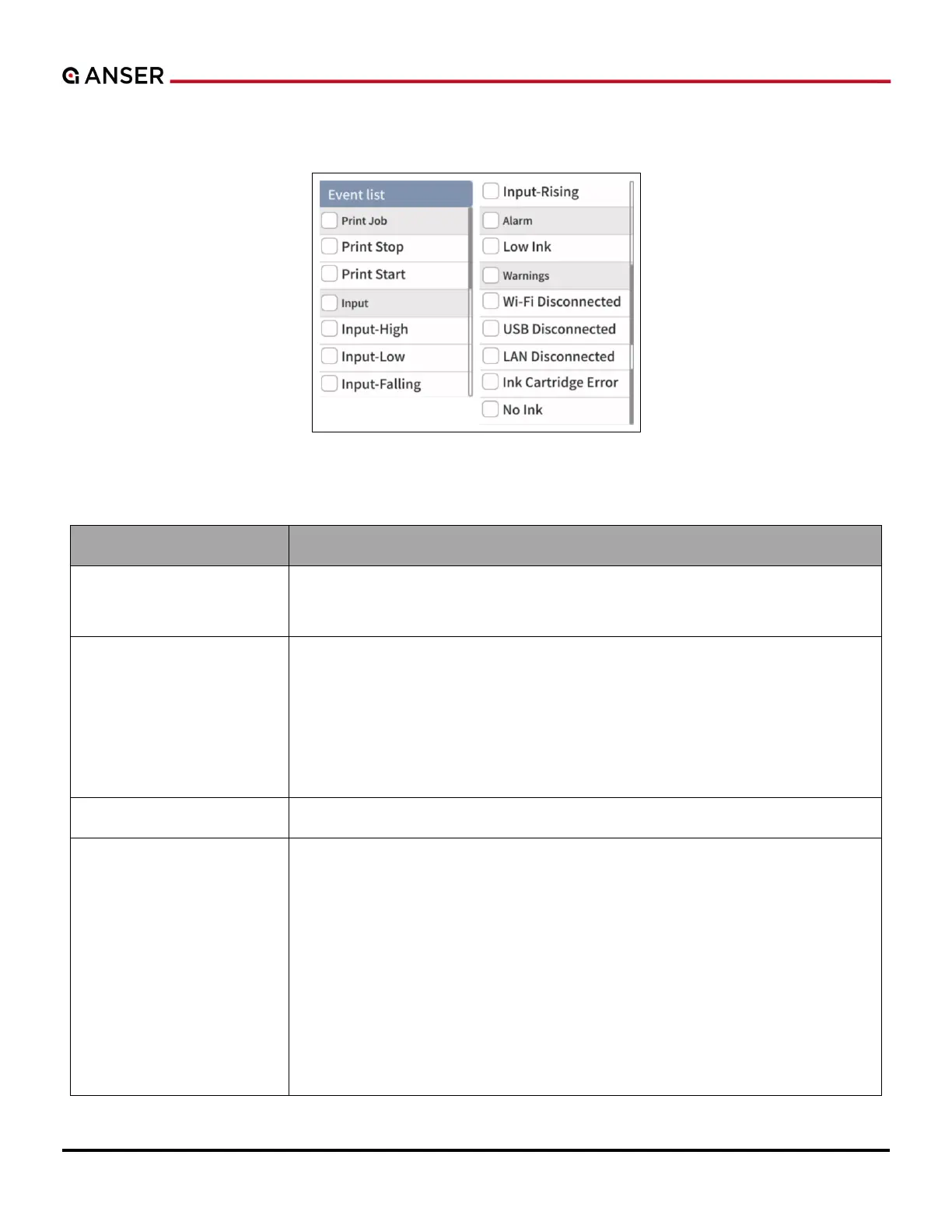
Figure 3-13. I/O Edit Settings Page – Event List (2)
Table 3-3. I/O Edit Settings – Event List Definition
- Print Stop: To monitor if printing has stopped. E.g., pressing Stop button.
- Print Start: To monitor if printing started. E.g., pressing Start button.
X1 M8 8-pin port, pin #8 (DIN). Please refer to X1 Technical Specifications V1.7.
- Input High: To monitor if input signal is high level.
- Input Low: To monitor if input signal is low level.
- Input Falling: To monitor input signal transition from high to low.
- Input Rising: To monitor input signal transition from low to high.
Low Ink: Monitor if a cartridge has reached low ink level.
- WiFi Disconnected: To monitor if WiFi connection is lost.
- USB Disconnected: To monitor if USB is unplugged.
- LAN Disconnected: To monitor if LAN cable is unplugged.
- Ink Cartridge Error: To monitor if a cartridge is in one of the following status
Disc chip errors.
Gate not closed.
No cartridge inserted.
Wipe alert.
- No Ink: To monitor if a cartridge is empty.
.



 To Next Page