ANSER CODING INC. 32 X1 User Interface
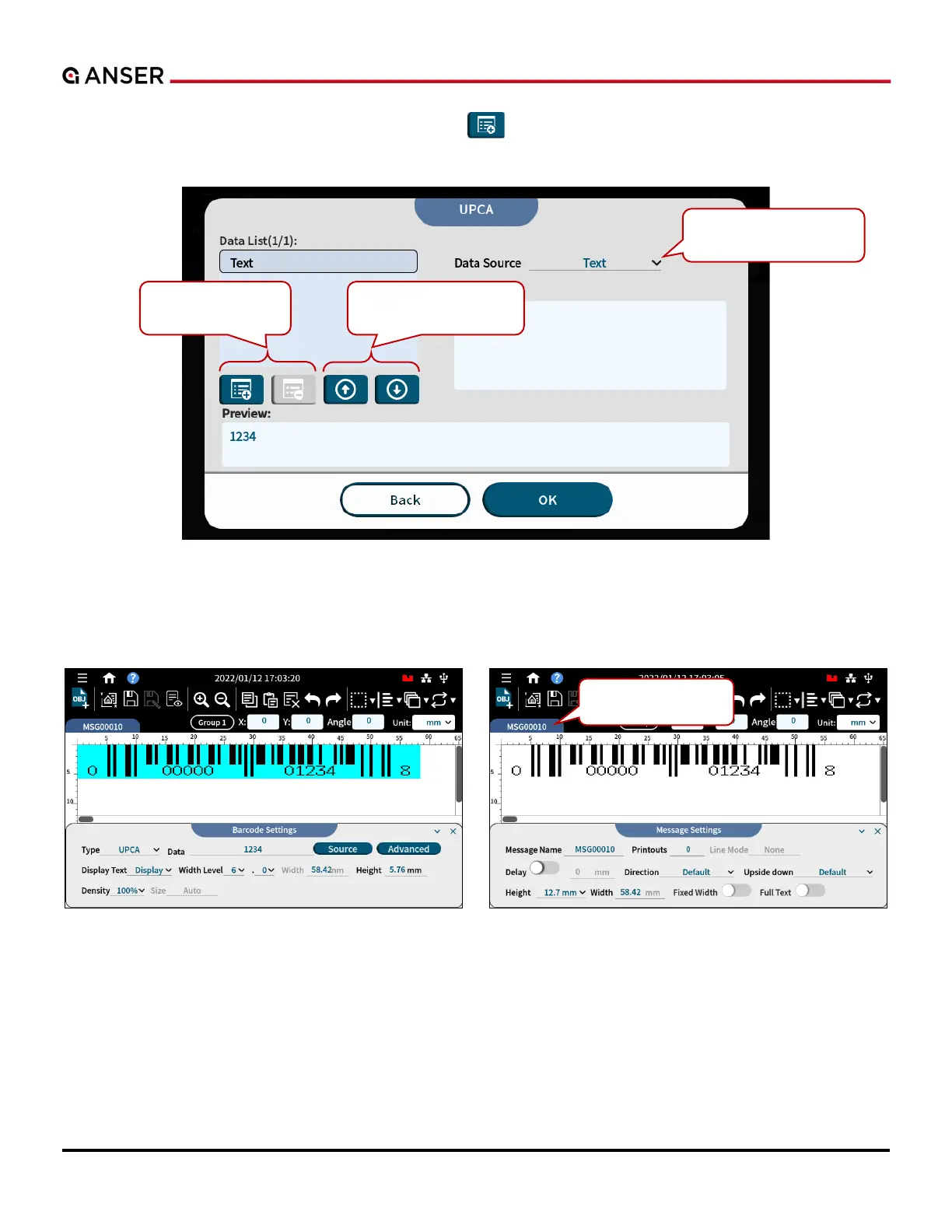
STEP 3: Tap on the content to key in your barcode. P in a barcode. Press the item you want to
edit and use the drop-down menu to select the type of barcode content. After setting, press OK.
Figure 1-36. Add Object – Barcode Content
STEP 4: And the barcode is inserted. Select the barcode to adjust more settings. Press message name tab to change
settings of this message.
Figure 1-37. Add Object – Barcode Message



 To Next Page