EasyManua.ls Logo

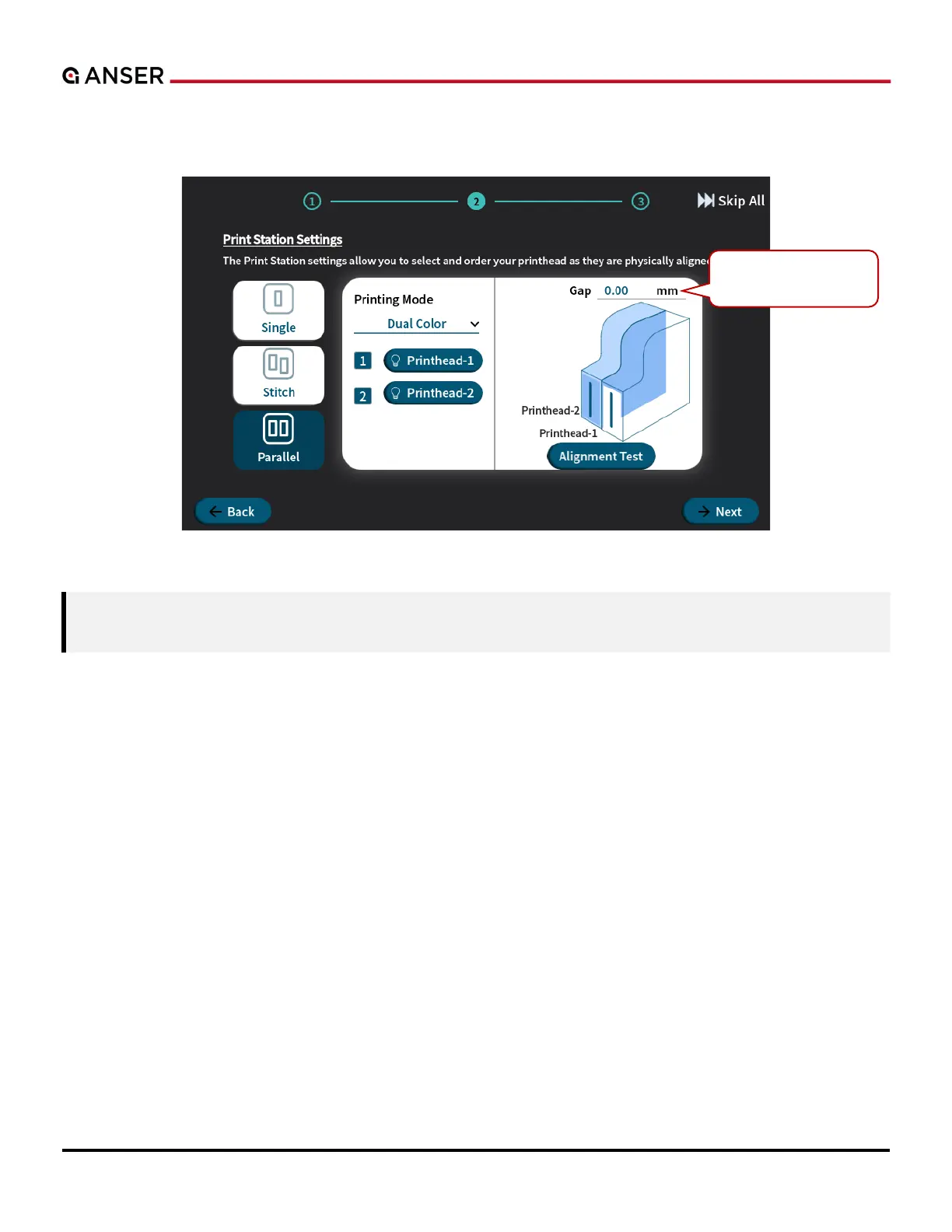
Anser X1 - Figure 1-11. X1 System Initial Setup - Print Station Settings, Printhead Arrangement (Parallel II)

Default Icon
105 pages
Print Icon
To Next Page IconTo Next Page
To Previous Page IconTo Previous Page
Loading...
ANSER CODING INC. 10 X1 User Interface
In Dual Color printing mode, one larger message can be printed in two colors with two printheads printing one right after
the other. Use the pop-up keyboard to enter the actual distance between printhead-1 and printhead-2.
Figure 1-11. X1 System Initial Setup Print Station Settings, Printhead Arrangement (Parallel II)
Note: In order to ensure the printing effect of a dual-color message, please set the gap according to the actual
distance between printheads. Otherwise, the message may be distorted.
The distance between
printhead-1 and -2.
.

Table of Contents

Related product manuals