ANSER CODING INC. 41 X1 User Interface
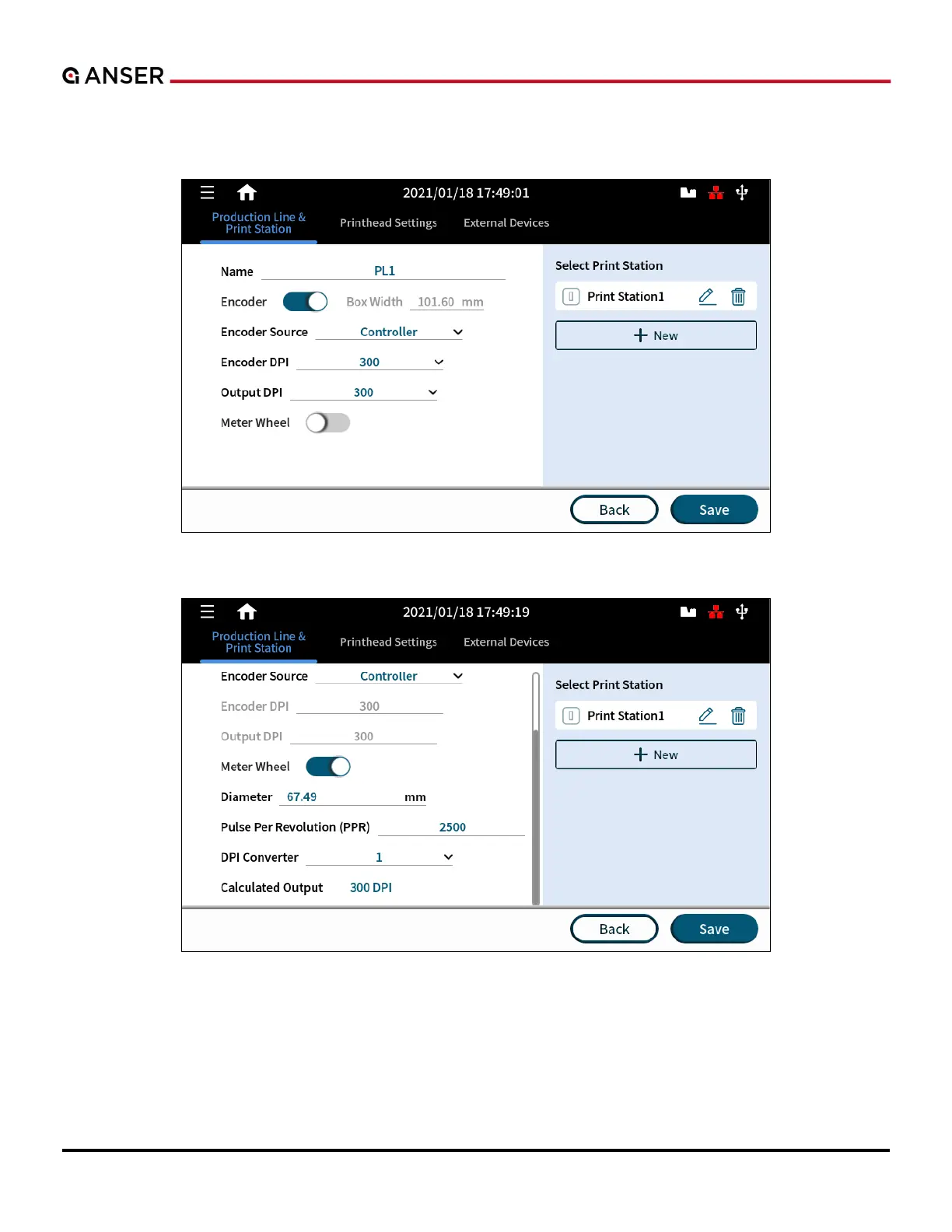
The Production Line & Print Station setting page displays parameters related to the production line on the left side of
the panel. On the right, options of adding a Print Station are listed, as it shown in Figure 1-50 below.
Figure 1-50. Add a Production Line
Figure 1-51. Add a Print Station



 To Next Page