ANSER CODING INC. 30 X1 User Interface
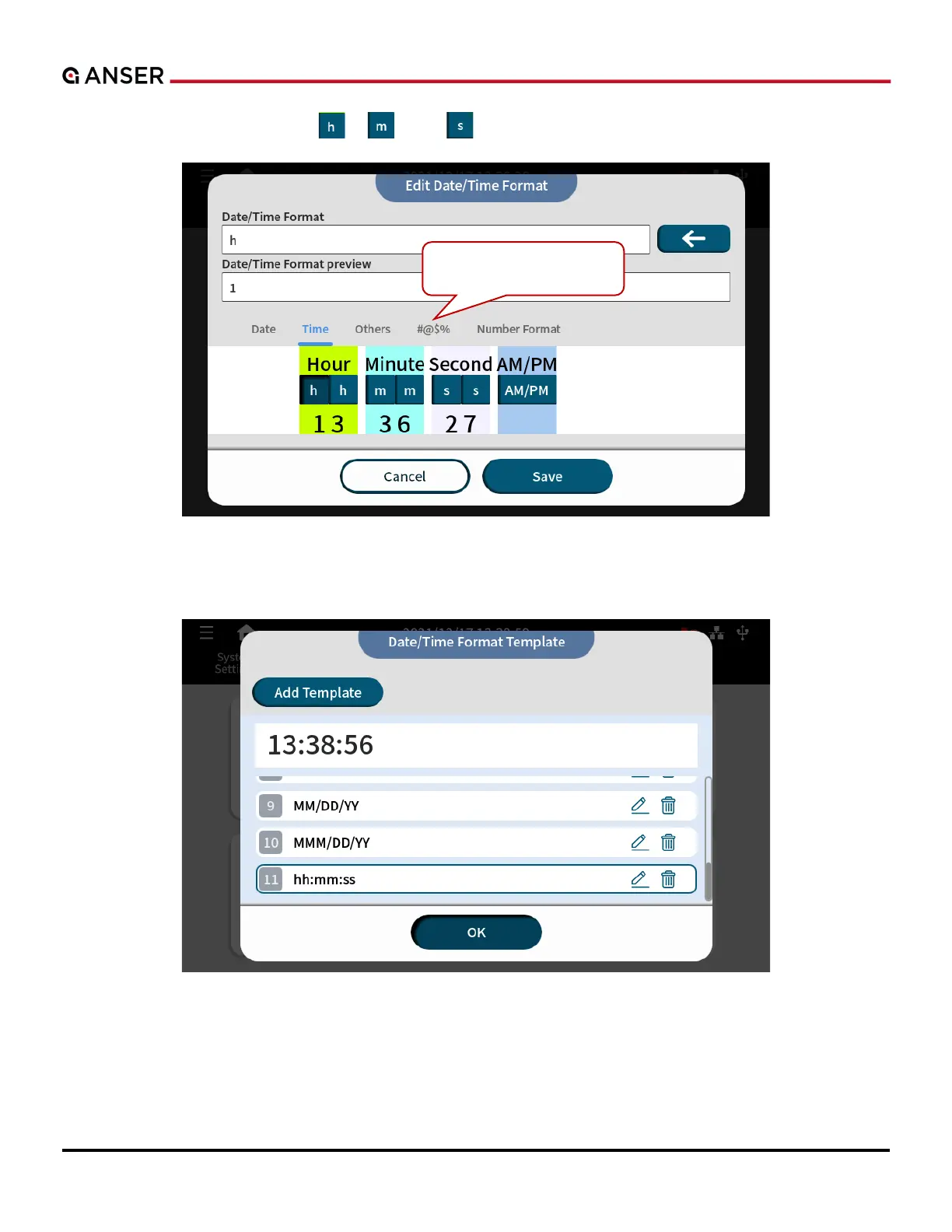
STEP 3: Press Time and the buttons , , and to add desired digit into the template. And press Save.
Figure 1-32. Add Object – Add Time Digit
STEP 4: Now you can select the Time template just created.
Figure 1-33. Add Object – Select Time Template



 To Next Page