ANSER CODING INC. 27 X1 User Interface
1.4.1.2 Add Object: Date/Time
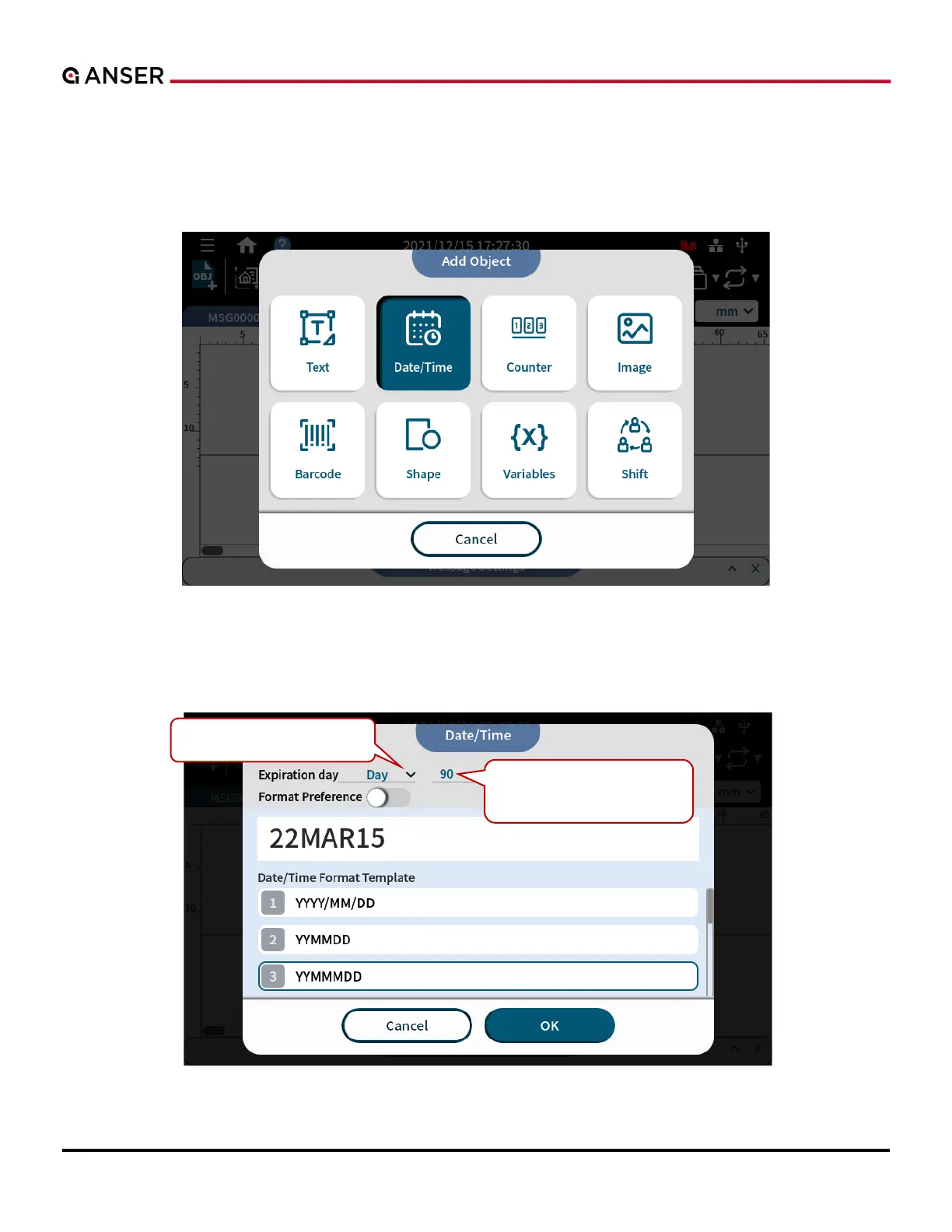
In Date/Time object adding page, users can select existing template that can be used as a production or expiration date.
STEP 1: In Add Object page, select Date/Time.
Figure 1-26. Add Object – Date/Time
STEP 2: Key in expiration day and select a template. Press OK. Expiration day greater than 0 means the selected format
Figure 1-27. Add Object – Select Date/Time Template



 To Next Page