ANSER CODING INC. 40 X1 User Interface
Getting to Know the Device Configuration Page
The device configuration menu is where users find settings related to the production line, print stations, printheads, and
external devices. If initially no setup has been done, users can access this page to set up both of the controller and
printheads. Additionally, settings for serial communication capable devices can be found on the External Devices page.
1.5.1 Production Line Page
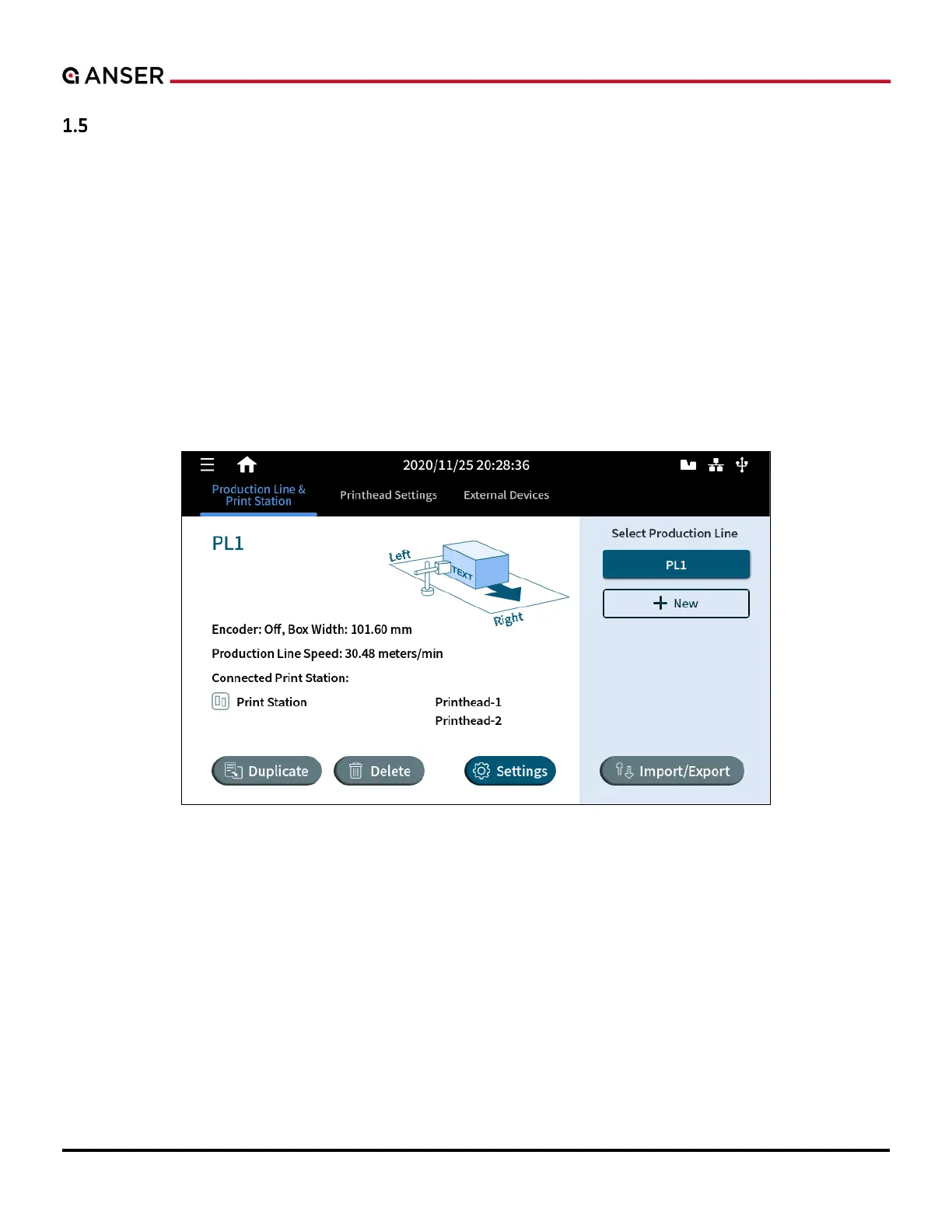
It displays an overview of the production line and allows users to create, edit, and remove production lines and print
stations.
One production line setup can support up to two print stations in single mode, and only one print station in stitch or
parallel mode. Same printheads can exist within multiple producti
same printhead simultaneously.
Figure 1-49. Production Line & Print Station Page
The production line and print station page allow users to perform the following:
• Create a production line.
• Access production line settings.
• Delete or duplicate a production line.
• Import or export production line.



 To Next Page