ANSER CODING INC. 37 X1 User Interface
1.4.2 Message Related Settings
Table 1-7. Message Related Settings
Default system message or custom input by the users.
Set a maximum number of prints for the message. The value zero means no limit.
Enable repeat print settings for the message. Repeat print settings can be found in
printhead settings.
Add editing guidelines to message editor. It is useful when creating a message with
content spread in multiple lines.
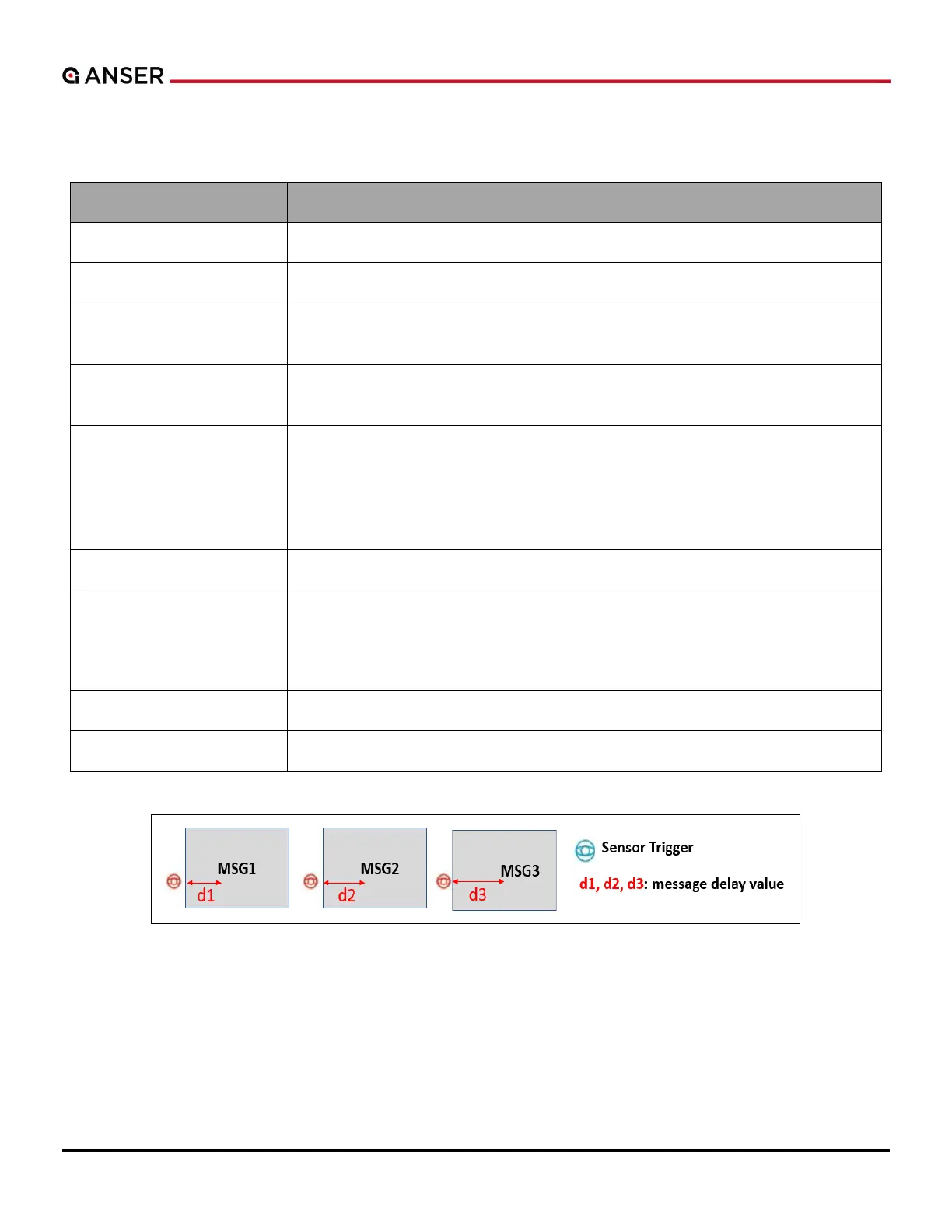
It represents the distance (unit: mm or inch) from the sensor to the printhead
cartridge nozzle, i.e., the distance between product detected by the sensor and the
desired spot of a message. Each individual message can have its own delay value.
Please refer to Figure 1-44. When it is enabled, it overwrites Print Station Delay (see
Figure 1-54).
Message printing direction, as a default, follows print station Print Direction.
Default: Follow the print station setting.
Normal: Overwrite the upside-down printing settings in the print station.
Upside Down: Print the message upside down.
Message height based on the printhead height.
Display the total width of the current message.
Figure 1-44. Message Delay
.



 To Next Page