EasyManua.ls Logo

Anser X1 - Page 67

Default Icon
105 pages
Print Icon
To Next Page IconTo Next Page
To Previous Page IconTo Previous Page
Loading...
ANSER CODING INC. 56 X1 User Interface
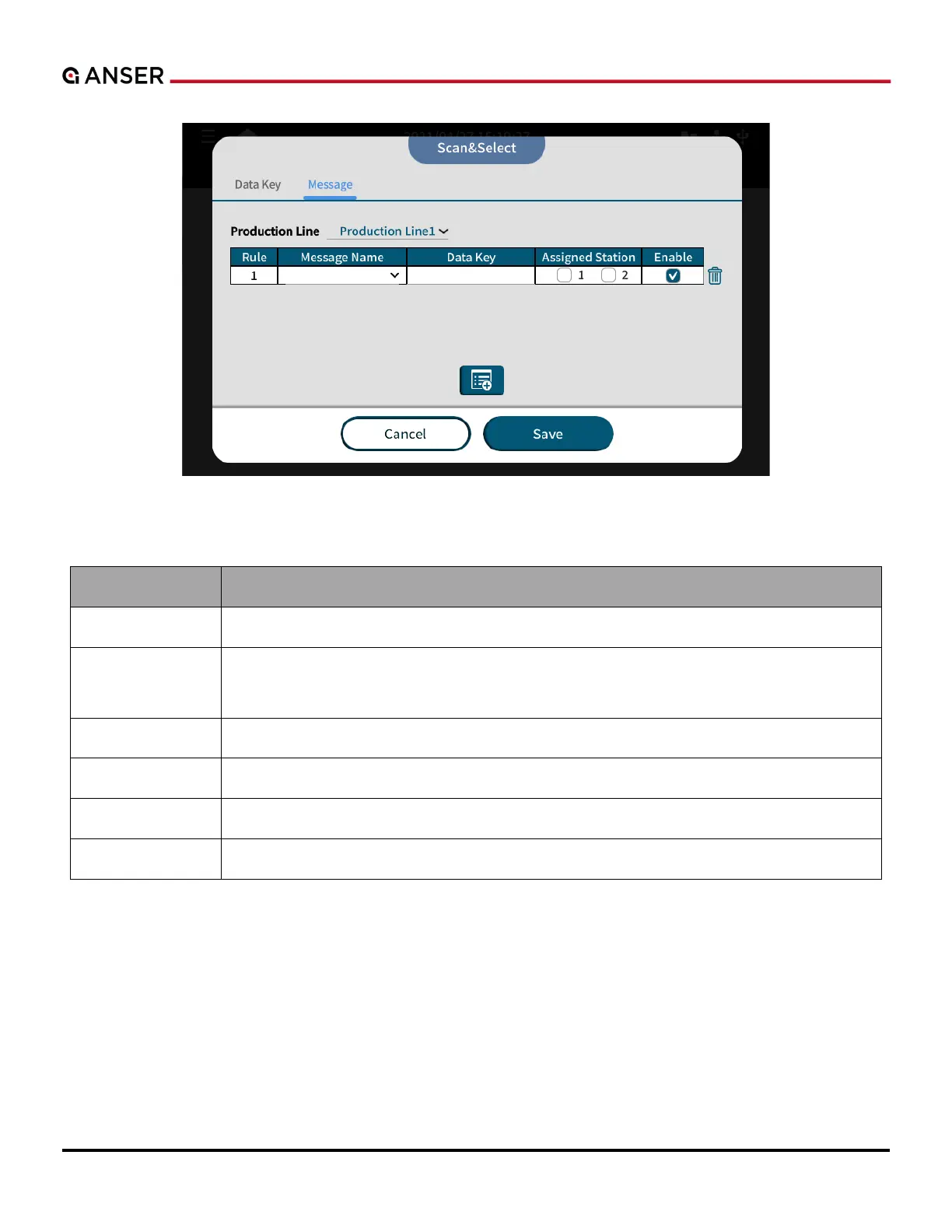
Figure 1-63. Scan & Select Page Enable Rule
Table 1-12. Scan & Select Settings Definition
Parameter
Definition
Rule
Index for the scan and select conditions.
Production Line
Select the production line where users want to assign the selected message.
Note: Only one production line can be selected.
Message Name
Select the message that will be selected if the Data Key matches the scan data.
Data Key
The data that is expected to be contained in the scan stream.
Assigned Station
Select one or two stations where users assign the message.
Enable
Check to enable the rule conditions.
.

Table of Contents

Related product manuals