6.5 Set Back Light 37
6.5 Set Back Light
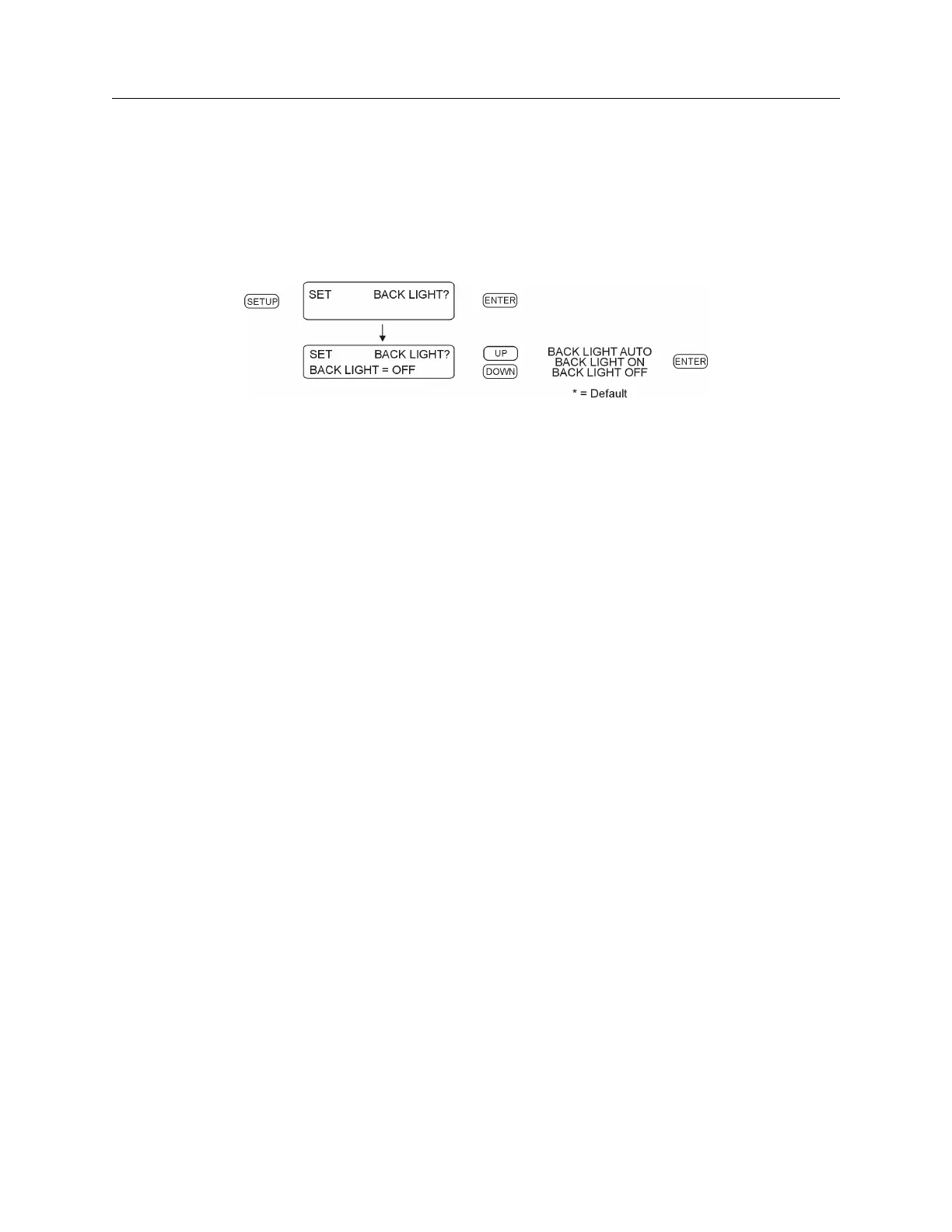
If the optional LCD back light (Option 01) is installed in the clock, use the “Set Back Light” menu
to configure how the back light operates. If back light is not installed, then the “Set Back Light”
menu will have no effect. Settings are either (1) Back Light OFF, (2) Back light ON, or (3) Back
light AUTO. In the Auto setting, the back light will operate for approximately 30 seconds before
switching OFF. Use the Auto setting to extend the life of the LCD. RS-232C: see Section 9.2.5.
Figure 6.7: Back Light Setup


 To Next Page