i2000SR interface module Service Manual
Page 108 of 212 625798100.APS.5.doc
STEPS REFERENCES
28 Belt 4 Replacement – PFD0303
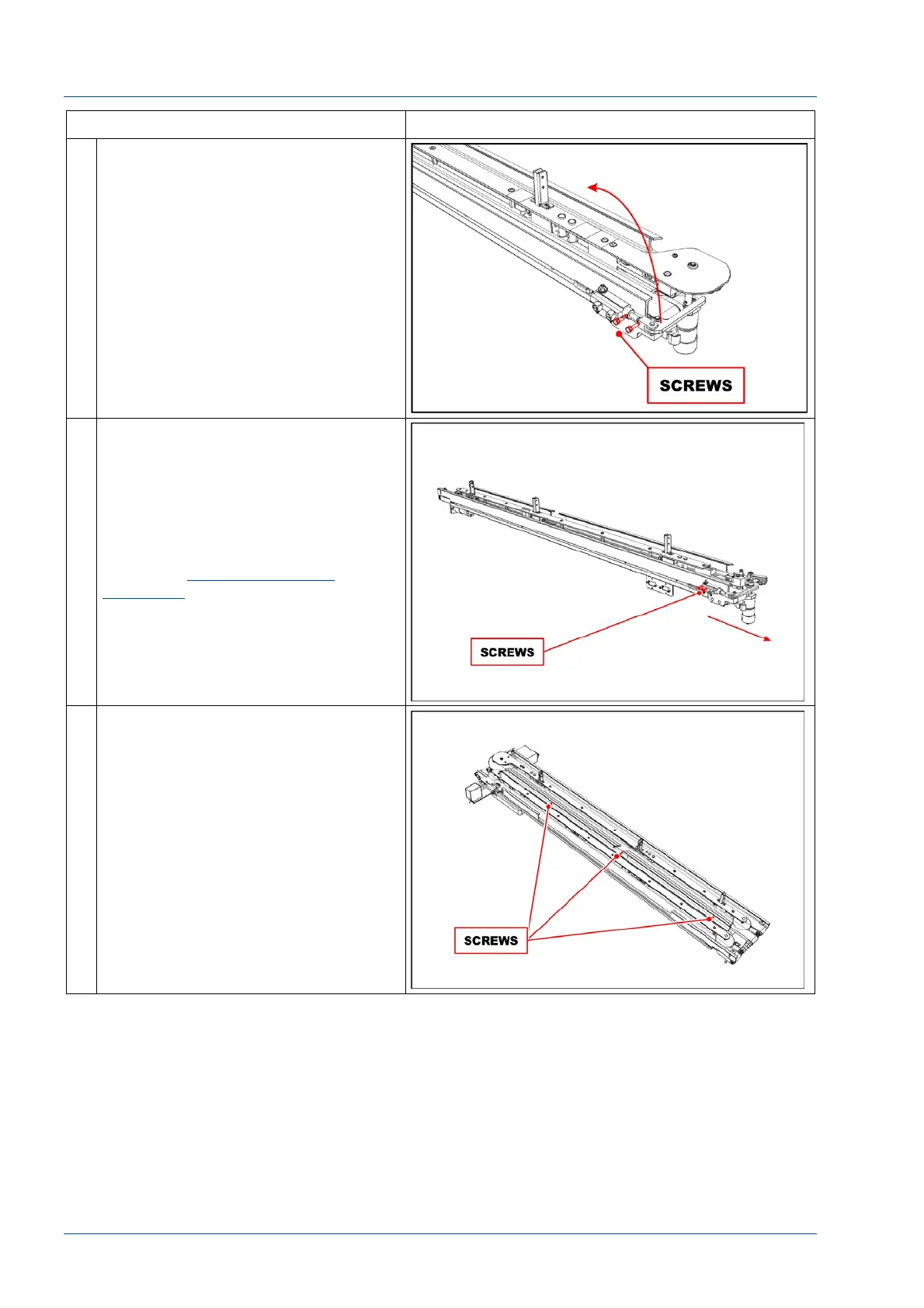
Remove the two screws that fasten
Lane 4/Track Diverter Group and
remove it.
29 Loosen the screws shown in the
figure to remove the tension from the
Lane 4 belt and replace it.
Belt 4 Tensioning
Install the new belt and use the
screws shown in the figure to apply
tension to the belt of Lane 4.
Follow the
Verification of belt
tensioning
procedure to verify the
belt tension.
30 Replace the switch cover.
Raise the 2nd line belt to access the
three holes and place three screws
into the holes shown in the figure to
secure the Lane 1-2 section to the
Lane 3-4 section.
Assemble the Belt 3& 4 motor and
the pneumatic multi connectors.



 To Next Page