i2000SR interface module Service Manual
Page 138 of 212 625798100.APS.5.doc
STEPS REFERENCES
1 Perform the controlled shutdown of
the Workcell
Refer to the “Operations Manual – SECTION 5 –
Operating Instructions” to execute the “Controlled
power shutdown” of the Workcell.
2 Disconnect the Workcell and i2000SR
IM from the AC power source.
3 Label the power connection to
indicate that service is in progress
and power must remain
disconnected.
4 At the Workcell I/O module Track
locate and turn OFF the track air tank
valve.
5 Follow Replacement of i2000SR IM
procedure to remove the i2000SR IM
Track.
6 Then move the assembly on a
suitable working table.
7 Follow i2000SR IM belts replacement
procedure to separate the two spur
sections.
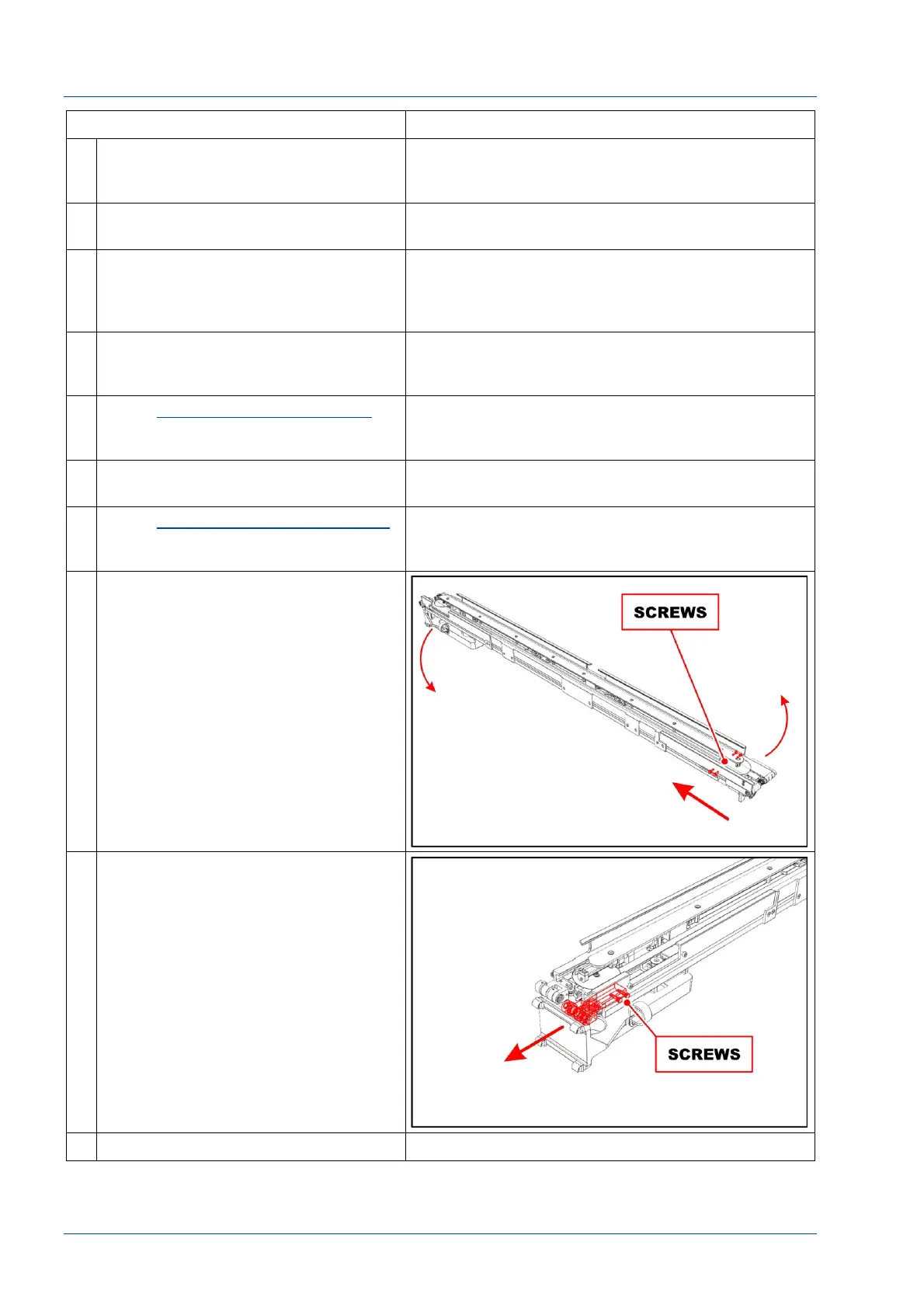
8 Loosen the four screws to move the
belt 1 & 2 drive group in the direction
of the arrow.
Remove belts from lane 1 & 2.
9 Remove the two screws shown in the
figure to remove the belt 1 idler
pulley group.
10 Install a new assembly.



 To Next Page