Service Manual i2000SR interface module
625798100.APS.5.doc Page 139 of 212
STEPS REFERENCES
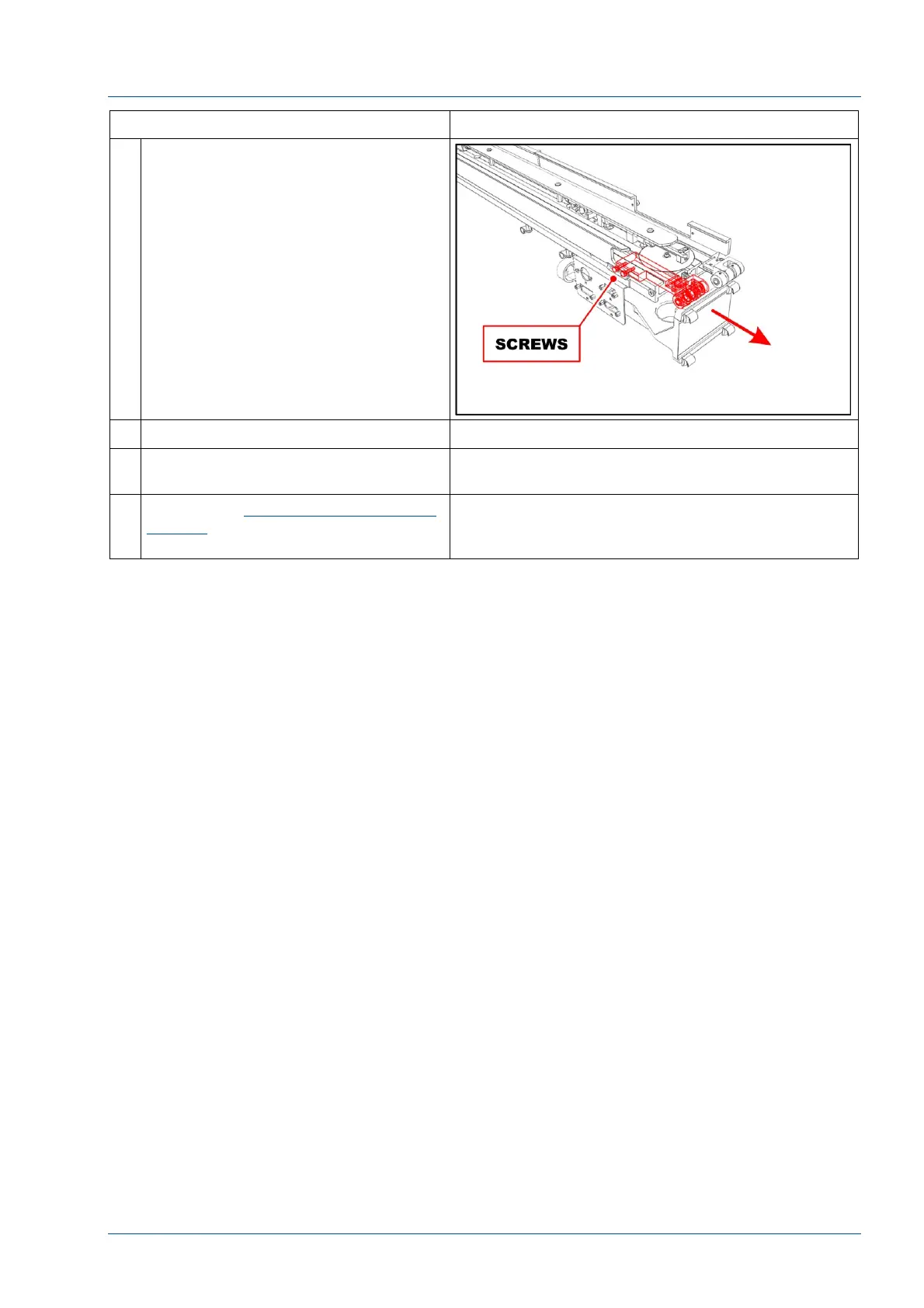
11 Remove the two screws shown in the
figure to remove the belt 2 idler
pulley group.
12 Install a new assembly
13 Perform the steps above in reverse
order to reassemble the i2000SR IM
14 Refer to the Replacement of i2000SR
IM belts procedure to set belts
tension.



 To Next Page