i2000SR interface module Service Manual
Page 146 of 212 625798100.APS.5.doc
STEPS REFERENCES
1 Perform the controlled shutdown of
the Workcell
Refer to the “Operations Manual – SECTION 5 –
Operating Instructions” to execute the “Controlled
power shutdown” of the Workcell.
2 Disconnect the Workcell and i2000SR
IM from the AC power source.
3 Follow the belts 3 & 4 drive group
replacement procedure and go to the
next step.
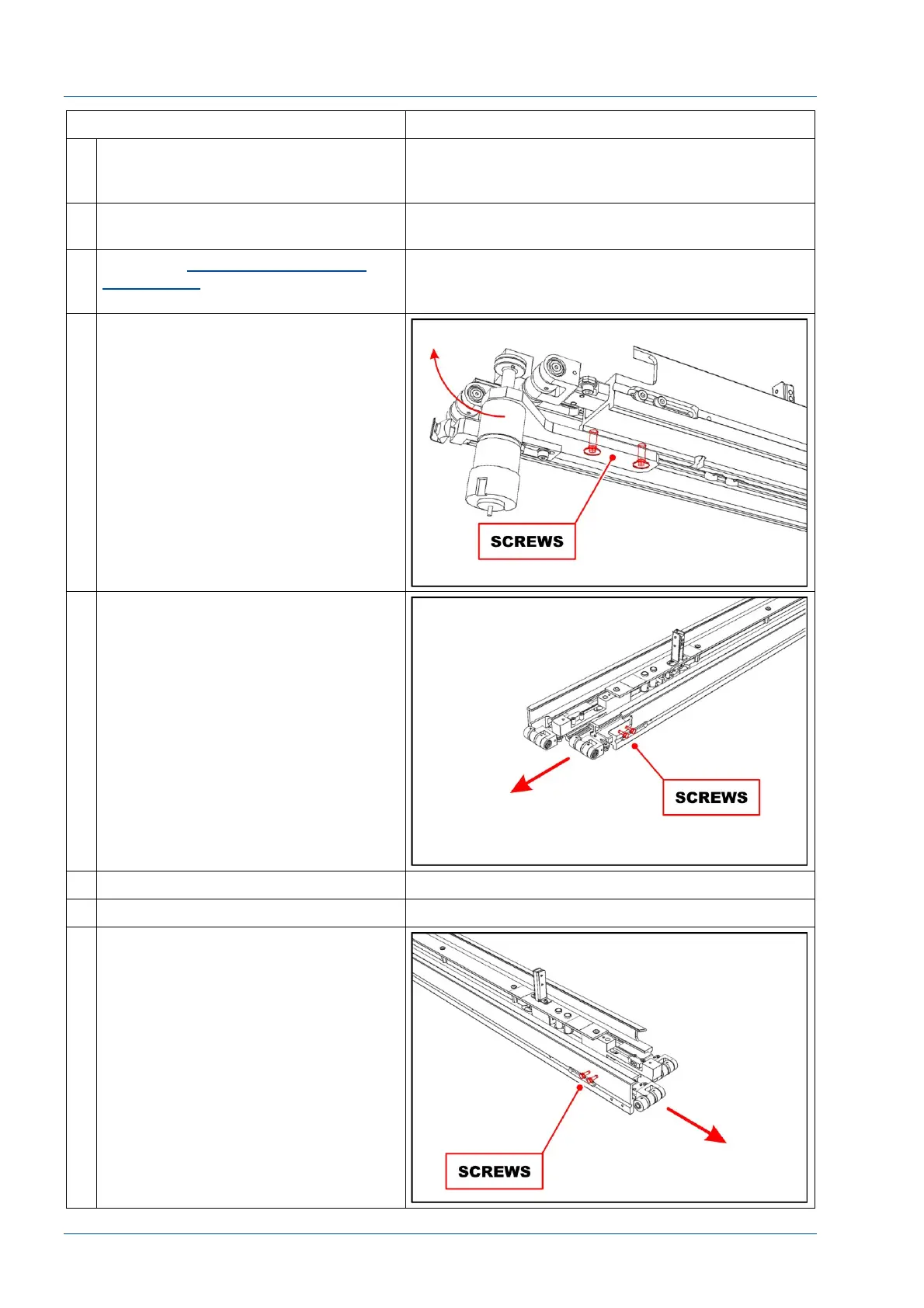
4 Remove the two screws shown in the
figure to remove disk motor group.
5 Loosen the two screws shown in the
figure to remove belt 3 idler pulley.
6 Install a new assembly.
7 Reassemble the disk motor group.
8 Loosen the two screws shown in the
figure to remove belt 4 idler pulley.



 To Next Page