Service Manual i2000SR interface module
625798100.APS.5.doc Page 161 of 212
STEPS REFERENCES
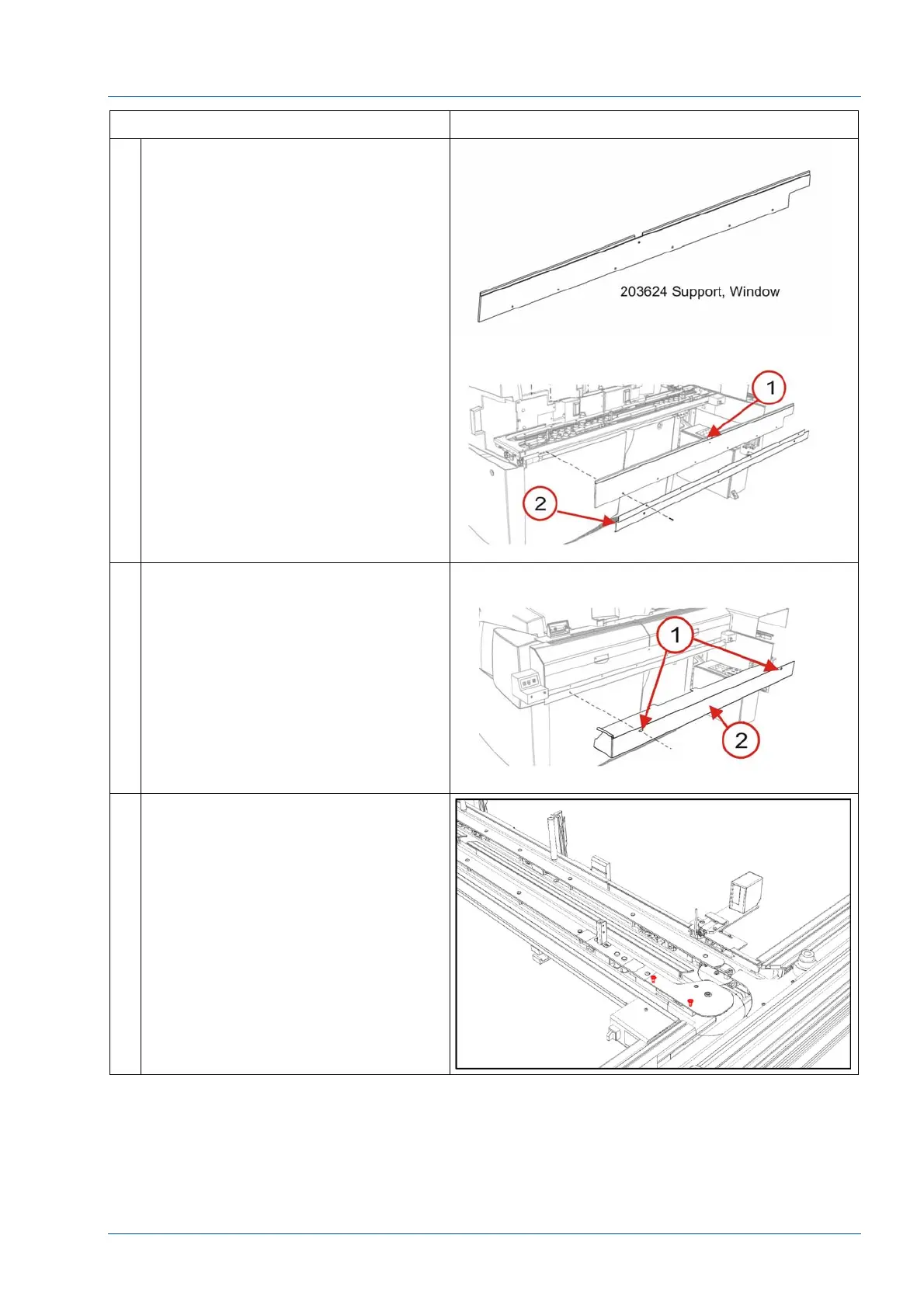
6 At the front of the i2000SR IM,
remove the six (6) 100474-001
screws used to mount the 203624
Window Support [1] and 203718
Bracket Lower Closeout.
7 Remove the two (2) screws used to
secure the 203717 Lower Closeout to
the Window Support.
8 Remove the two screws to remove
the disk top cover.



 To Next Page