Service Manual i2000SR interface module
625798100.APS.5.doc Page 167 of 212
STEPS REFERENCES
11 Access the rear of the carrier
spinning group.
NOTE:
This task may require the removal of
the i2000SR.
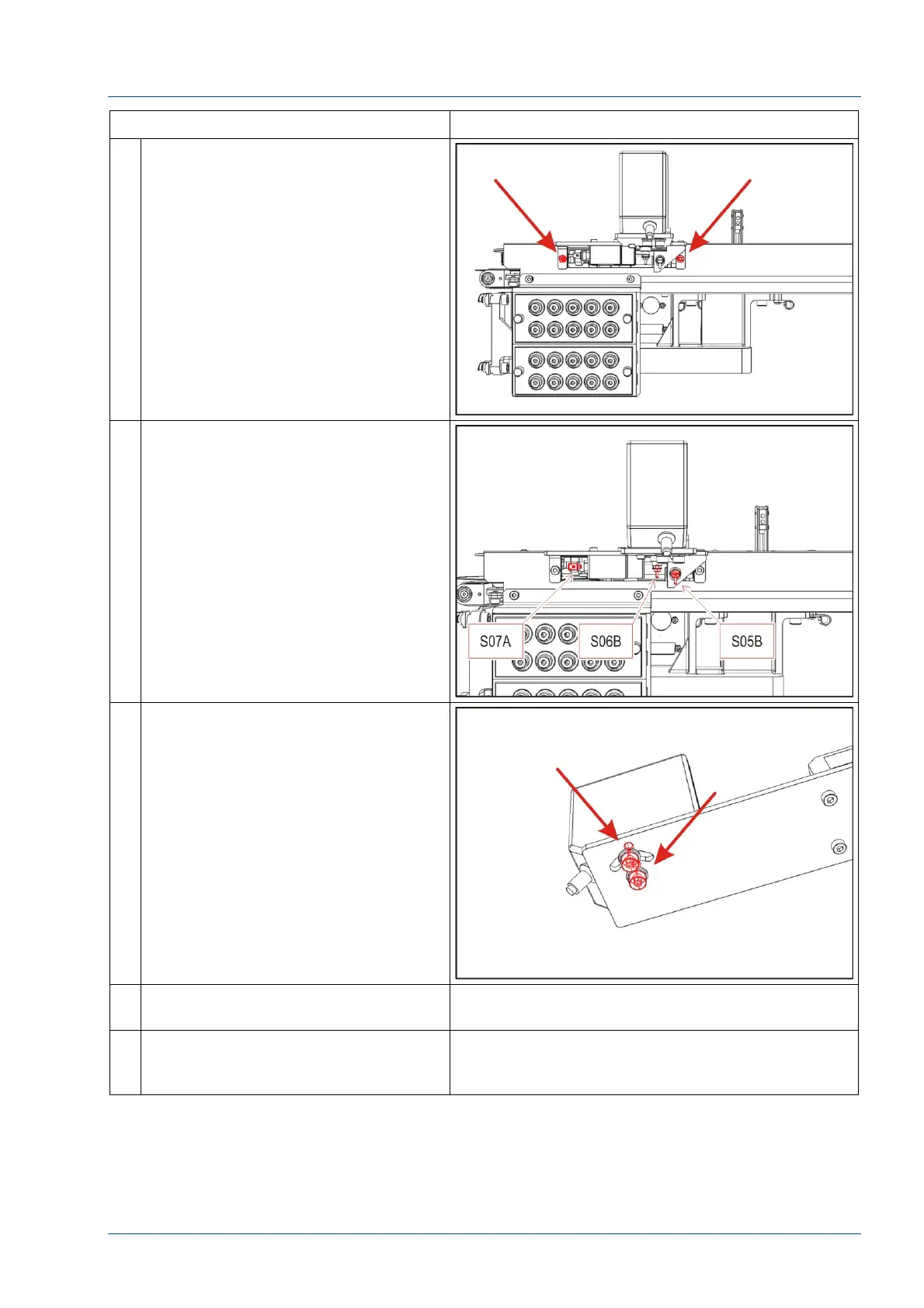
Use a 3 mm Allen key to remove the
two screws shown in figure.
12 Disconnect the three air lines from
the gates and spinner (S07A, S06B
and S05B).
13 Remove the barcode reader from the
spinning group bracket using a 3 mm
Allen key.
14 Attach the barcode reader on the new
carrier spinning group.
15 Assemble the new group on the
i2000SR IM assembly. Do not fasten
the two screws at this point.



 To Next Page