Service Manual i2000SR interface module
625798100.APS.5.doc Page 185 of 212
STEPS REFERENCES
5 Start a track i2000SR IM Track
Exercise.
Press the STOP button on the LUI Panel
when at least two carriers have been
released and routed to belt #1
(Sample (A4) and STAT (A3) pipettor
locations)
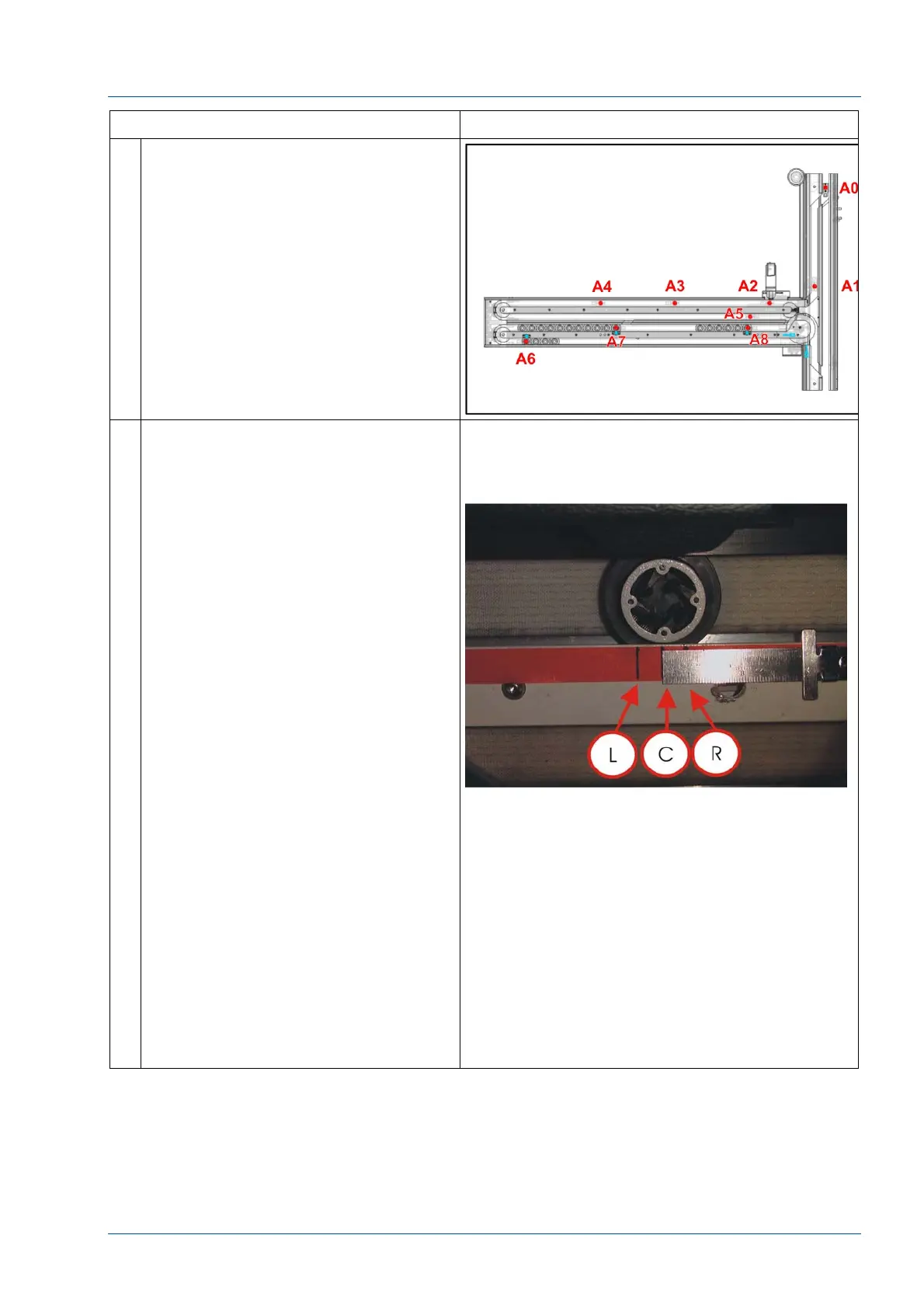
6 In the carrier guide area between belts
1 and 2 and adjacent to the Sample
(A4) and STAT (A3) gates, place two
pieces of tape.
With the carrier held firmly at the
Sample gate [A4], use a pencil to mark
the location of the center of the carrier
[C].
Observe that the LED on the Master
Tag Reader Board display is two (2). If
the display is three (3), move the
carrier at STAT (A3) location to the
right.
Move the carrier at the Sample Gate
(G4) 8 cm (3 inches) to the right. The
display should be zero (0).
Ensure that the LED does not display a
two (2) until the center of the carrier is
less than 1 cm right [R] of the marked
center position.
Move the carrier to the left of the gate.
Move the carrier to the right; ensure
that the carrier does not indicate a two
(2) until the carrier is within 1 cm left
[L] of the gate [C].
Adjust the position of the gate as
required.
SAMPLE PRESENTATION ERRORS
To reduce the potential of sample
presentation errors, the center of the
antenna sense area should be
positioned in a manner that it is
justified slightly to the left of the gate.
NOTE:
If the carrier detection at a sampling gate
location is erratic, a sample presentation or
sample queue error will occur.



 To Next Page