i2000SR interface module Service Manual
Page 192 of 212 625798100.APS.5.doc
STEPS REFERENCES
1 Perform the controlled shutdown of
the Workcell
Refer to the “Operations Manual – SECTION 5 –
Operating Instructions” to execute the “Controlled
power shutdown” of the Workcell.
2 Disconnect the Workcell and i2000SR
IM from the AC power source.
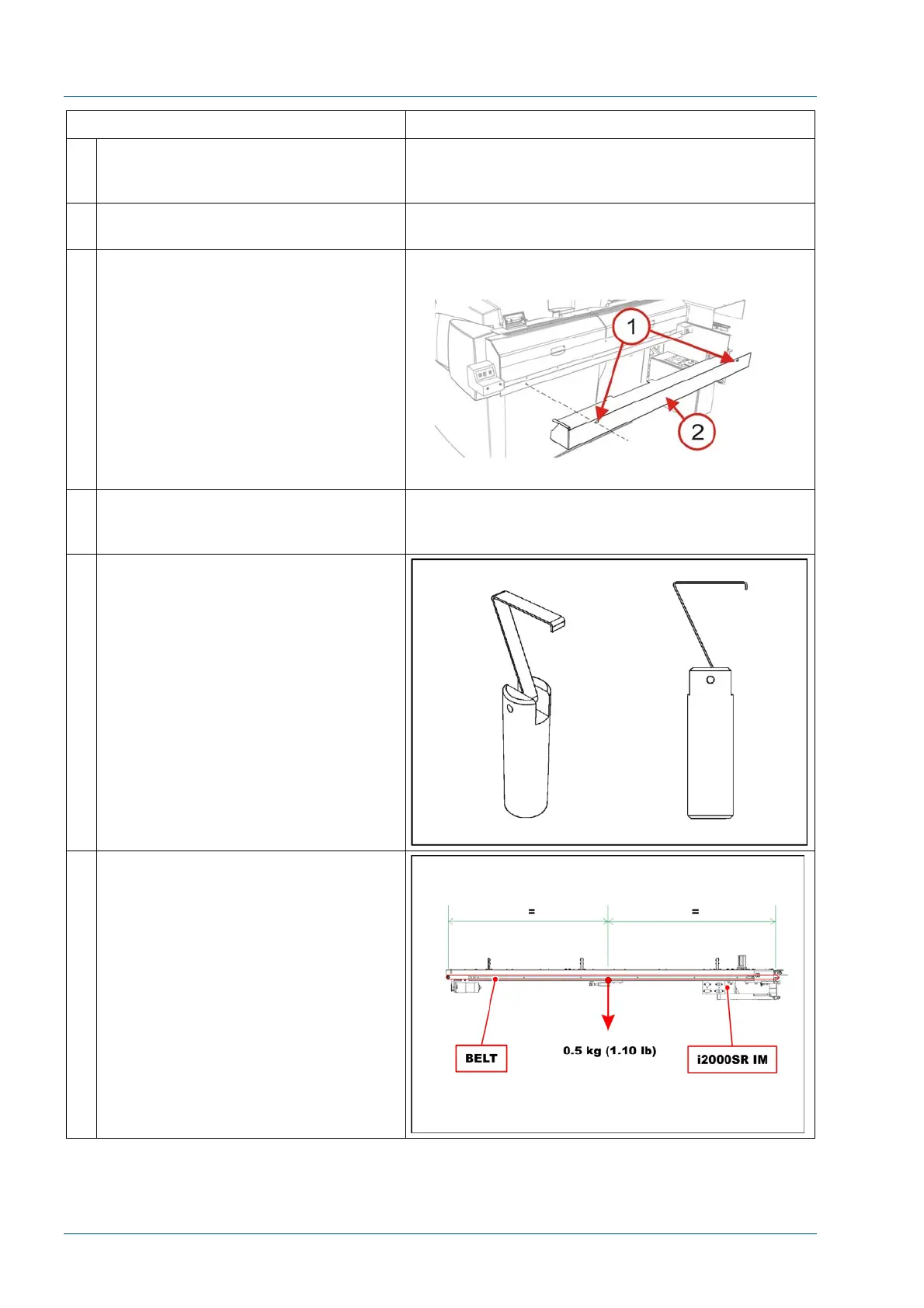
3 Loosen the two (2) screws [1] used to
secure the Lower Closeout (P/N
203717).
Slide the cover to the left to remove
the cover.
4 Disconnect all connectors that may
be in the way to perform tensioning
test.
5 Using the belt tensioning tool (P/N
475.110.190 (203930-01)) verifies
the belt tension.
6 The i2000SR IM assembly must be
placed horizontally during tensioning
verification procedure.



 To Next Page