i2000SR interface module Service Manual
Page 196 of 212 625798100.APS.5.doc
STEPS REFERENCES
5 Perform the controlled switching on of
the workcell.
Refer to the “Operations Manual – SECTION 5 –
Operating Instructions” to execute the “Restoring
Power after a Controlled Shutdown” of the
Workcell.
6 Observe the screen for error
messages.
If no error message was reported the procedure
has successfully completed.
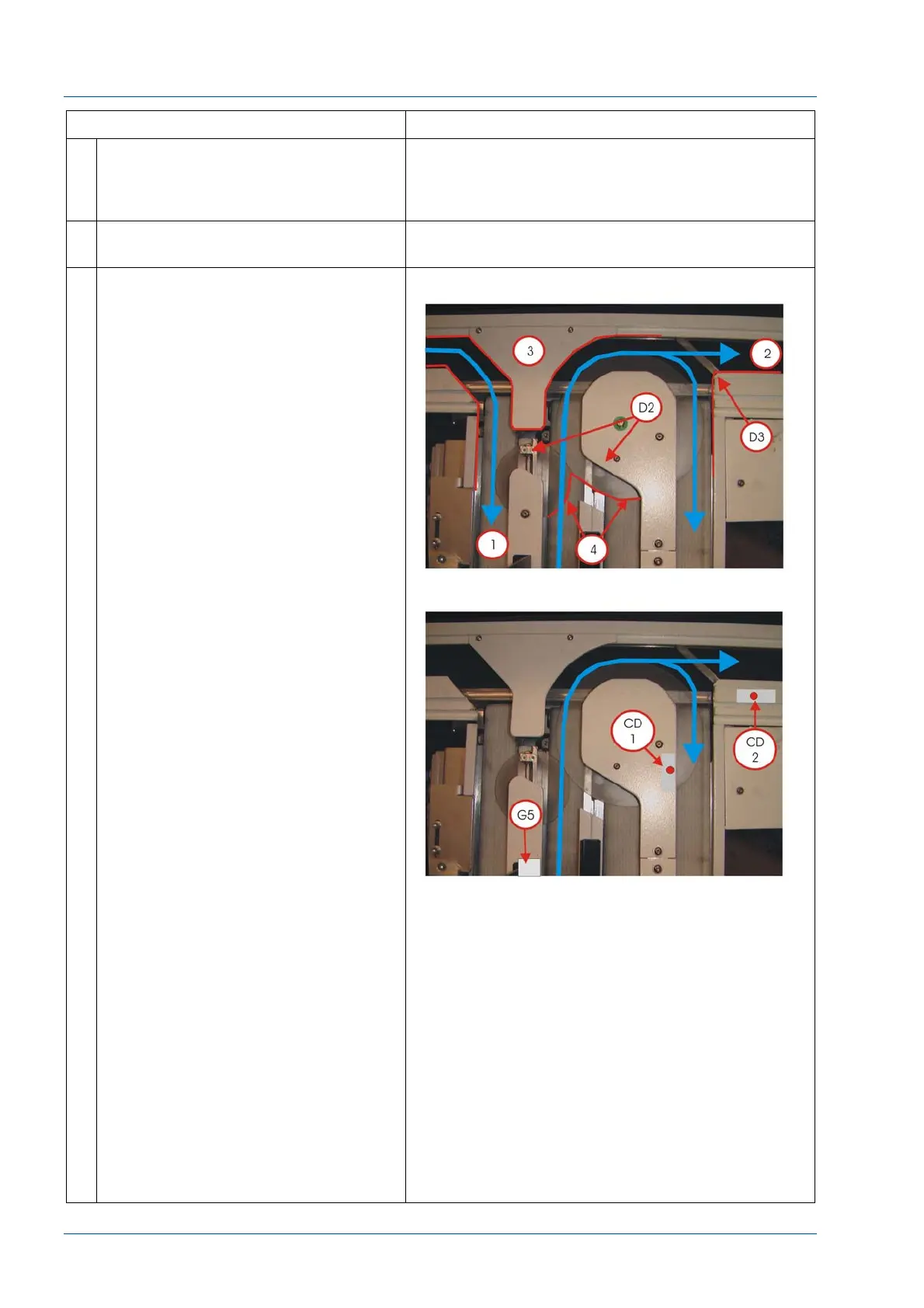
7 Perform i2000SR IM Track Exercise:
At the i2000SR IM LUI keypad press
and hold the RUN button as the
PAUSE button is pressed.
As carriers are moved, check the
following:
Belts
Travel centered on the lane. If not,
refer to the Belts idler pulley
replacement procedure
Movement is consistent If not, refer to
the Belt tensioning verification
procedure
Disks
Support bracket feet are not
contacting the belt.
Disk spin is consistent.
Carriers do not stall as they transfer
from the belt to the disk.
When a carrier is not on the disk, the
spin rate is consistent.
NOTE:
It is normal for the speed to slow
down when a carrier is on it.
When a carrier is on the disk, the disk
continues to spin
Gate Activation
During activation, a single carrier is
released
Diverter movement
One complete smooth movement
with every carrier release.
Carriers do not bind on the Disk
Cover.
Carriers do not come in contact with
a diverter.
Check Large Disk Carrier Detector
(SICK) sensor.
After a carrier is released by gate G5
to the large disk, hold the carrier at
the 3 o’clock position on the large
disk.
Ensure that no additional carriers are
released by G5 until the held carrier
is released and passes carrier detect
CD1.



 To Next Page