Service Manual i2000SR interface module
625798100.APS.5.doc Page 197 of 212
STEPS REFERENCES
8 Verify that On-line carriers properly
enter and exit the i2000SR IM.
At the i2000SR IM pneumatic panel,
reverse tubing connections at valve
EV2. This will change the state of the
diverter D0 and all On-line carriers
will be routed to the IM.
At the APS GUI, ensure that all
Instruments are Off-line.
Perform Track Exercise. Select
Diagnostic, Track, Track Exercise.
Enable the following:
Random Use of Pit Lanes
Track - Exercise
As the Carriers are routed verify the
following:
As the on-line carriers arrive at IM
entry queue, gate G1 will divert them
into IM.
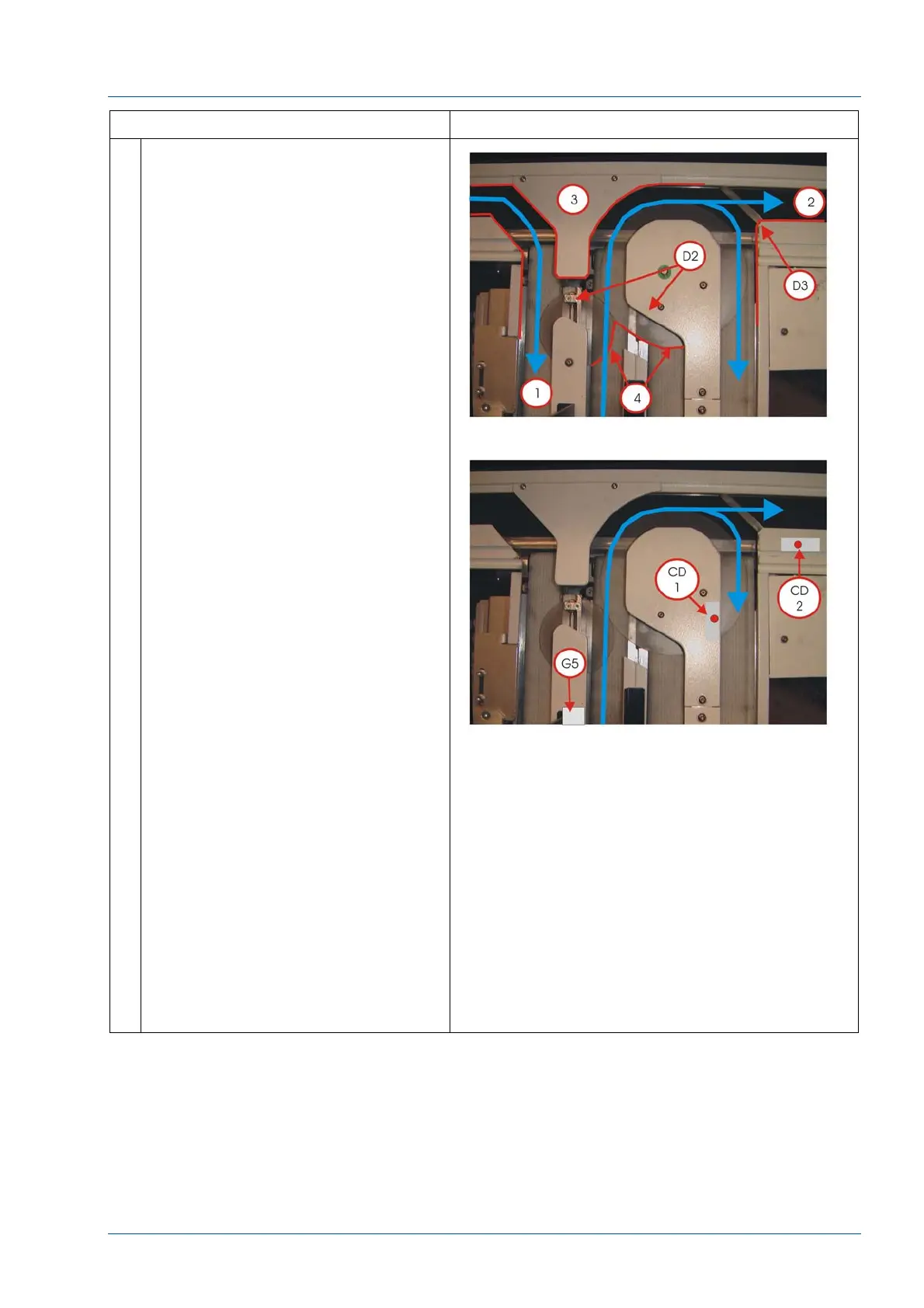
Verify that carriers enter the IM [1]
without any interference.
Verify carriers don’t bind on the disk
cover [3].
Verify carriers don’t bind at the Large
and Small Disks [4]
Verify carriers do not bind on
diverters D2 or D3.
Verify that carriers exit the IM [2]
without any interference.
Hold an On-line carrier as it leaves
gate G5, verify that no other carriers
are released by G5 until the carrier is
detected by CD2.
Ensure that no On-line carriers were
routed to lane #4.
At the APS, press PAUSE
Allow all On-line carriers to leave the
i2000SR and return to the main track
Restore the D0 tubing connections at
EV2
Stop Track Exercise. Select
Diagnostics, Track, Track Exercise,
Stop.
Restore Instrument status to On-Line.



 To Next Page