i2000SR interface module Service Manual
Page 206 of 212 625798100.APS.5.doc
STEPS REFERENCES
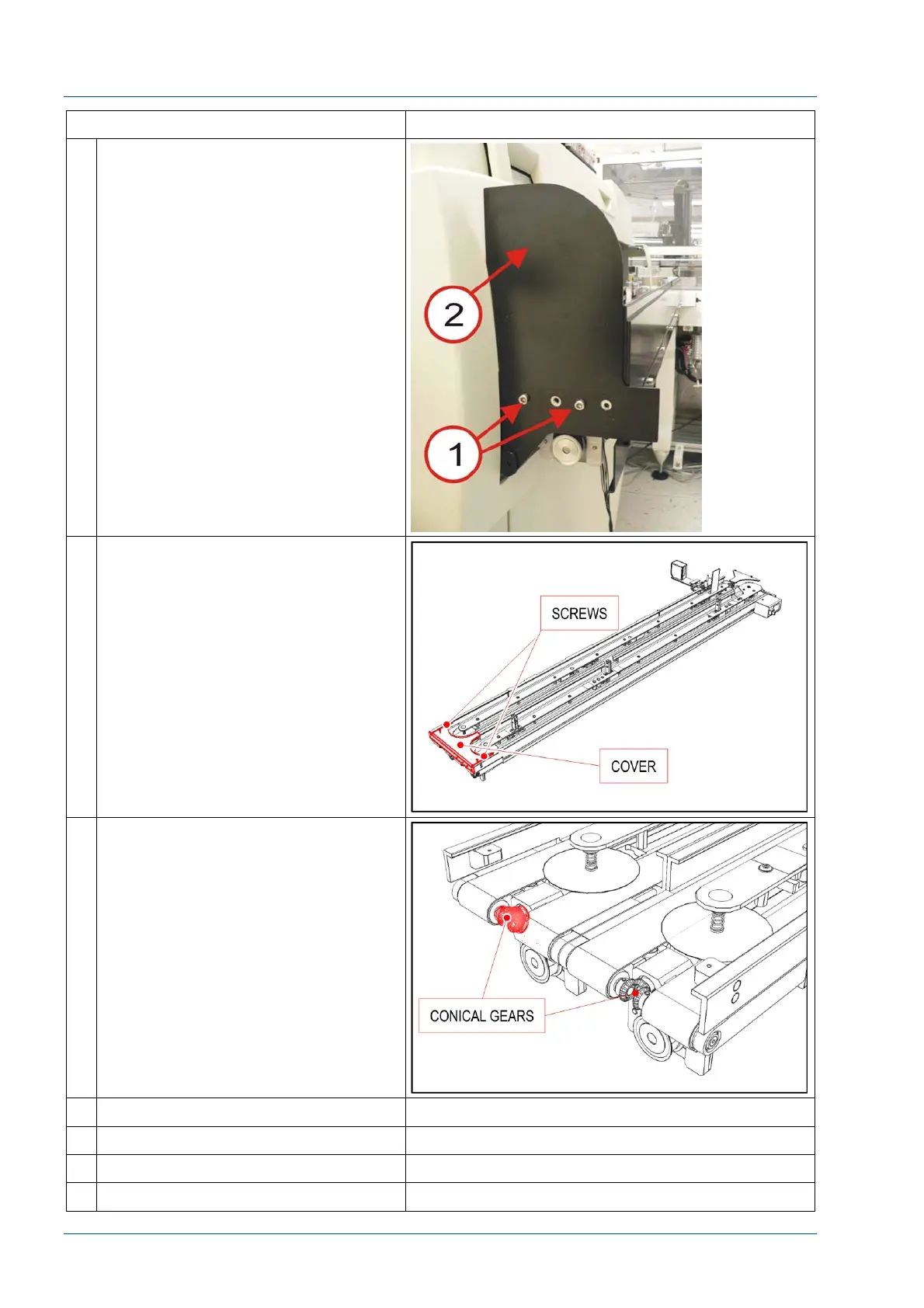
6 Remove the two screws [1] to remove
the side panel [2].
7 Remove the metal cover by loosening
the two screws.
8 Verify that the gears group has an
adequate amount of grease. If not,
use a clean cloth and remove the old
grease. Spread one milliliter of
lithium grease (P/N PFD0243
(203250)) on the gear surfaces.
Be careful to not get grease on either
the belts or disks.
9 Replace the metal cover.
10 Reinstall the LUI panel
11 Reinstall the removed covers.
12 Return APS operation to users.



 To Next Page