Operating the System
Detector, Wallstand
4.11.1.2 Change between Portrait and Landscape
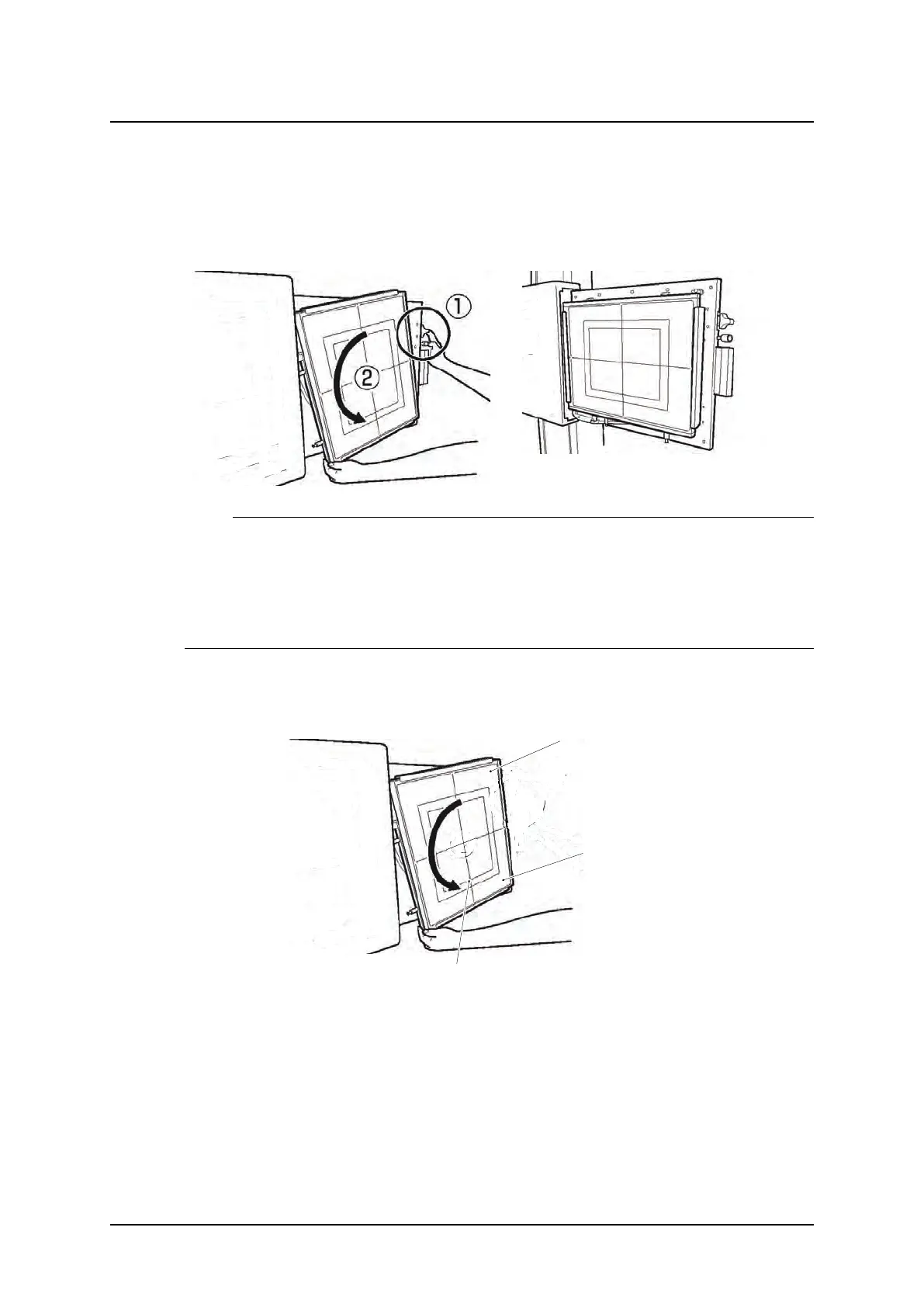
The method of rotating the detector in the detector holder, is as follows:
1. To rotate the detector by 90
o,
, in the step 2 of “Method to set the detector”, hold the lower
side of the detector and turn it from the below, clockwise or anti-clockwise (2) while pulling
the latch upward or downward of the detector tray (1) in the direction of the arrow.
Note!
• To set the detector, pull the latch:
- upward at upper position of the tray.
- downward at the center of the tray.
• Depending on left— or right—operated Wallstand, the location of the detector tray and po-
sition of button and latches is different.
Centered or Top Rotation of the Detector
In the landscape position, there is a choice between having the detector rotated through the
detector center or through the detector top.
(2) Top position landscape
(1) Center position
landscape
Portrait
Fig. 4-37 Rotating the detector
ARCOMA AB 1000-095-051-EN Rev. 1.1
Operation Manual
SWEDEN Page 124 2020-06-16



 To Next Page