User Interface
Automatic Collimator Control
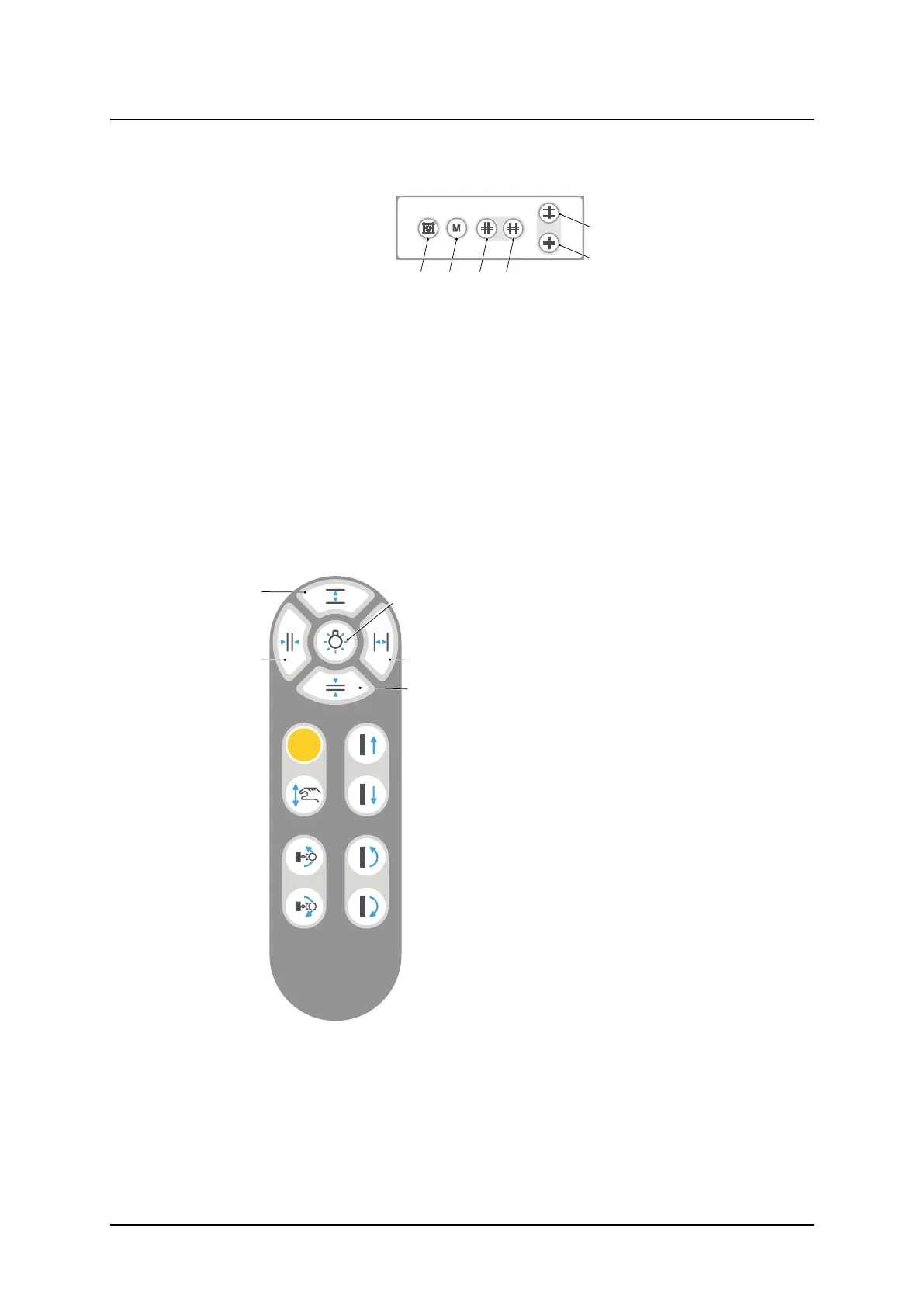
3.2.1.6 Collimator Control Handle, Table (option)
Fig. 3-4 Table collimator control handle
A. Button for switching the light and the laser line on/off. The light and laser line is automati-
cally switched off via a time switch.
B. Button for changing between Automatic mode and Manual mode. A long activation of the
M button set the light field to max image size, based on the pre-programmed SID value
and the selected receptor.
C. Button for closing the format height collimation.
D. Button for opening the format height collimation.
E. Button for opening the format width collimation.
F. Button for closing the format width collimation.
3.2.1.7 Hand control, Wall stand – collimator adjustment
Fig. 3-5 Hand control
A. Collimator light on/off
B. Adjustment height collimation
C. Adjustment width collimation
Operation Manual
1000-095-051-EN Rev. 1.1 ARCOMA AB
2020-06-16 Page 45 SWEDEN



 To Next Page