User Interface
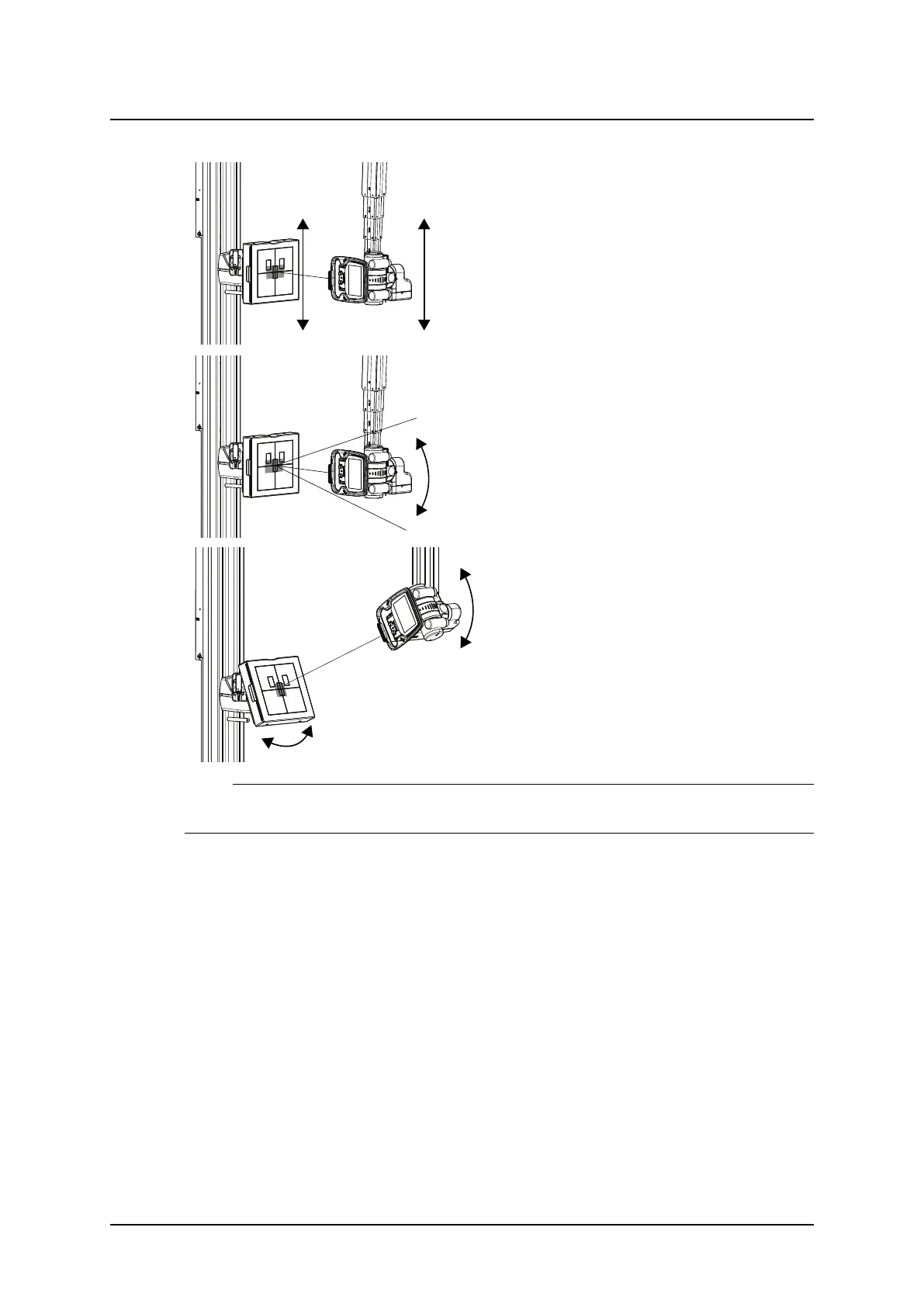
Wall stand Control Elements
Up/down
• Button G, Motorized
OTC tracking wall stand detector when au-
to-position active
• Button E, Manual
Pendulum mode wall stand
• Button F
The OTC performs a pendulum movement
in order to find correct angulation of the cen-
tral X-ray
Tilting -20° to 90°
• Button H, Motorized Tilt
OTC tracking wall stand detector when au-
to-position active
• Button E, Manual
Note!
Armrest has to be removed to allow tilt movement.
3.8.1.2 Light Indication (A)
The selected Workstation is indicated in the imaging system and with a green light on the
Wallstand.
Operation Manual
1000-095-051-EN Rev. 1.1 ARCOMA AB
2020-06-16 Page 89 SWEDEN



 To Next Page