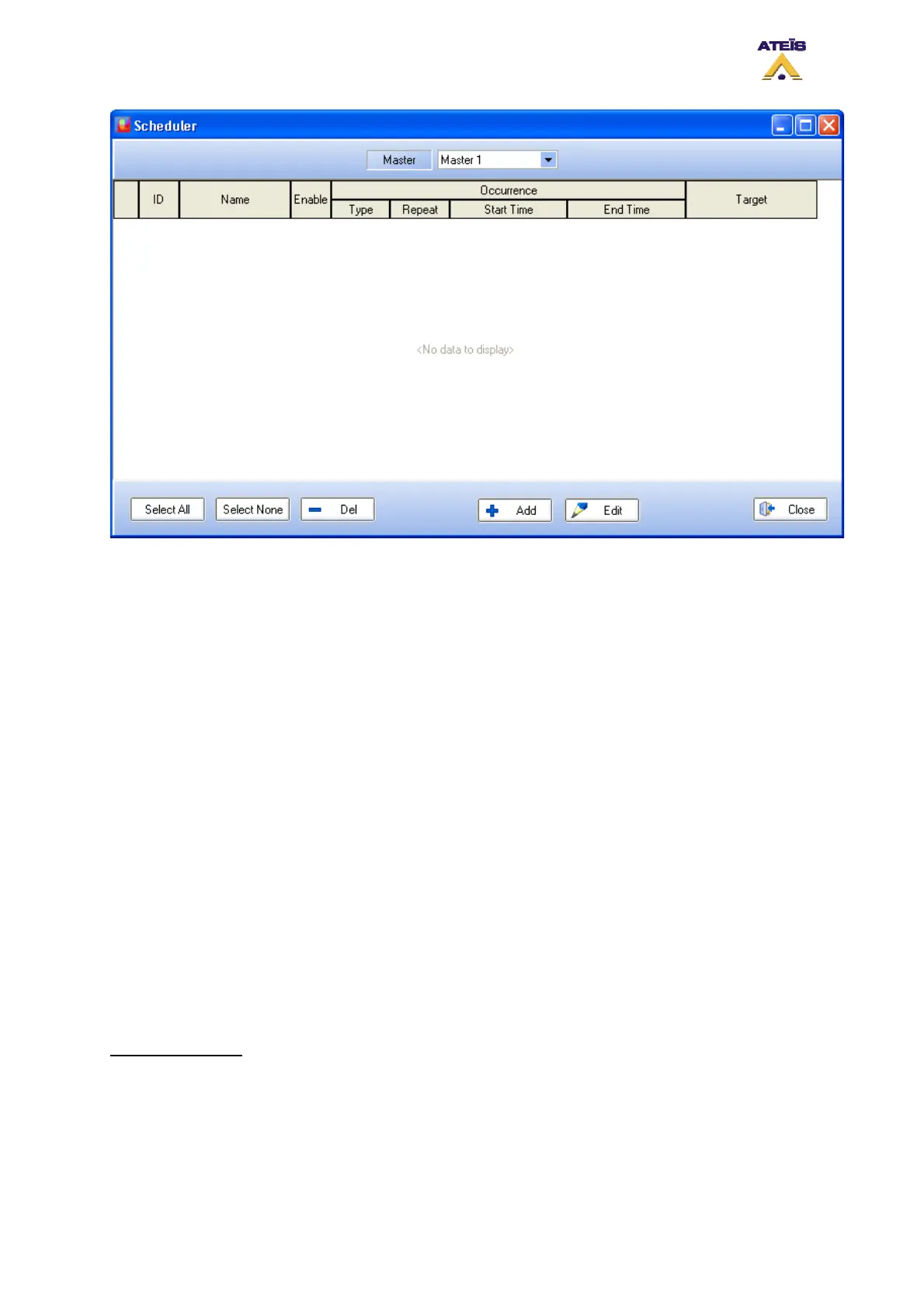
• Master: this indicates the device on which the scheduler task will happen.
• ID: displays the ID number of the task.
• Name: display the scheduler task name. This name can be entered in the scheduler task window.
• Enable: indicates if the task is enable or not (ticked means enable).
• Occurrence: under the occurrence display you will find all information about the type of event and
the way it will be triggered.
o Type: displays the type of the task: single or cycle. Single is a task that will only happen
once, cycle could be a repeating task (see below under how to set a task).
o Repeat: displays if the task is repeated daily, weekly, monthly or a single task.
o Start Time: displays the time at which the task starts.
o End Time: displays the time at which the task stops. Note: if the task is a Single task,
start time and end time will be the same.
• Target: display which event is affiliated to the task.
______________________________________
• Select All: allows to instantaneously select all the tasks from the list
• Select None: allows to instantaneously deselect task selected from the list
• Del: allows to delete selected task from the list
• Add: allows to add a new task to the scheduler
• Edit: allows to edit one task parameters
• Close: close the scheduler window.
______________________________________
How to set a task:
To add a scheduler task click on the Add button in the scheduler window. Then the Scheduler Task
window will pops up.
Ateïs International
Ch. du Dévent, 1024 Ecublens, Switzerland.
Phone : +41 21 881 25 10
113



 To Next Page