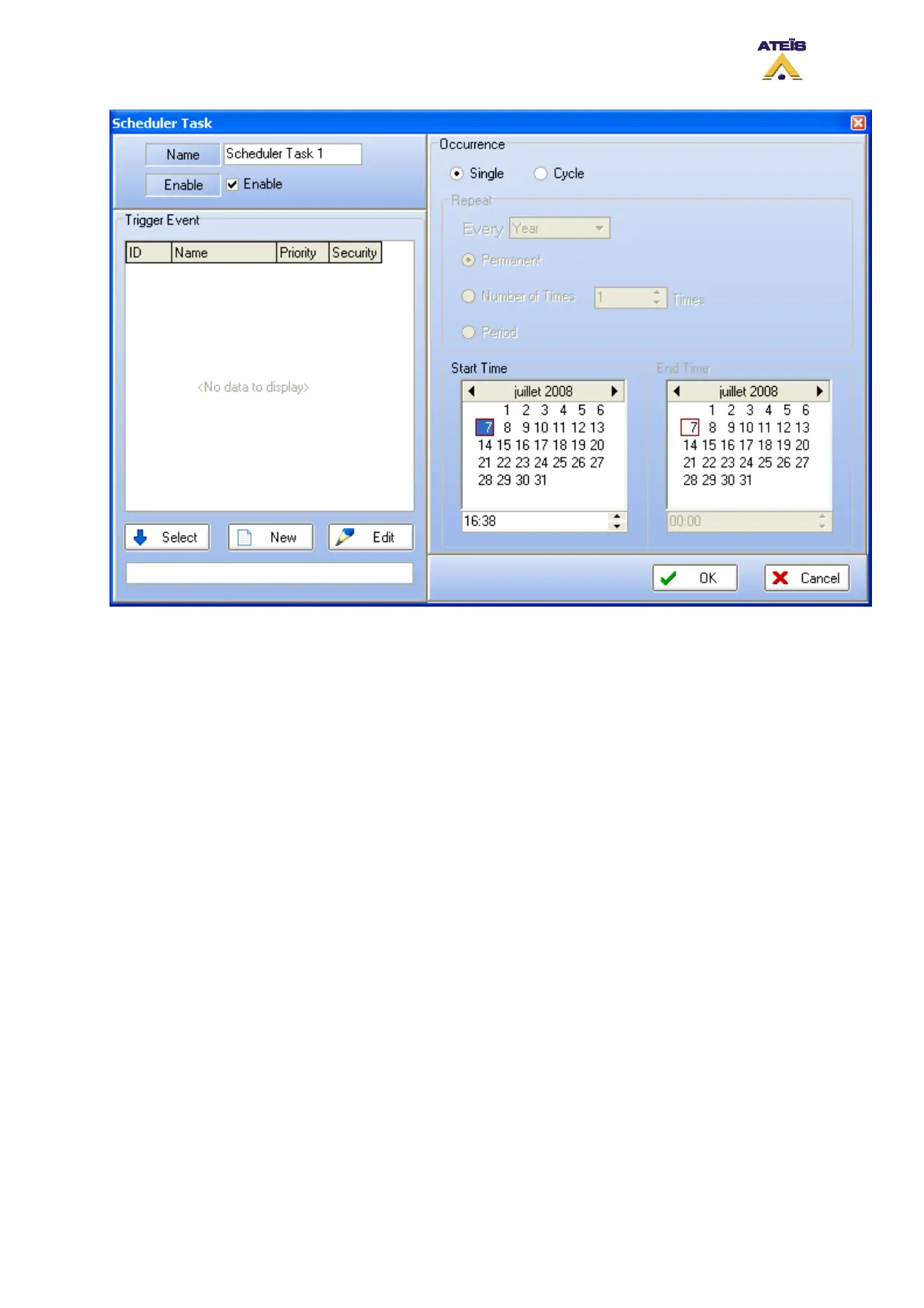
• Specify a name for the task. Default name are Scheduler Task X.
• Tick the option enable in order to make the task available.
• In the trigger event, you will find a list of all event that are existing. You can edit one existing event
by selecting it in the list and then click the Edit button
• Select one in the list or create a new event. Once the event is selected, click on the select button
to affiliate the event to the task that is created
• Select if it is a Single occurrence task or a Cycle task. For Cycle task, see picture below.
• In case of Single occurrence, follow the next few step:
o Select a month. To change the month, use the arrow keys.
o Select a day.
o Select a hour. Use the arrow keys or directly enter it by clicking in the cell
o Press Ok
o Your task is then display in the scheduler window as follow
Ateïs International
Ch. du Dévent, 1024 Ecublens, Switzerland.
Phone : +41 21 881 25 10
114



 To Next Page