Commissioning
AVENTICS | Marex 3D | R417003094–BDL–001–AA 79
English
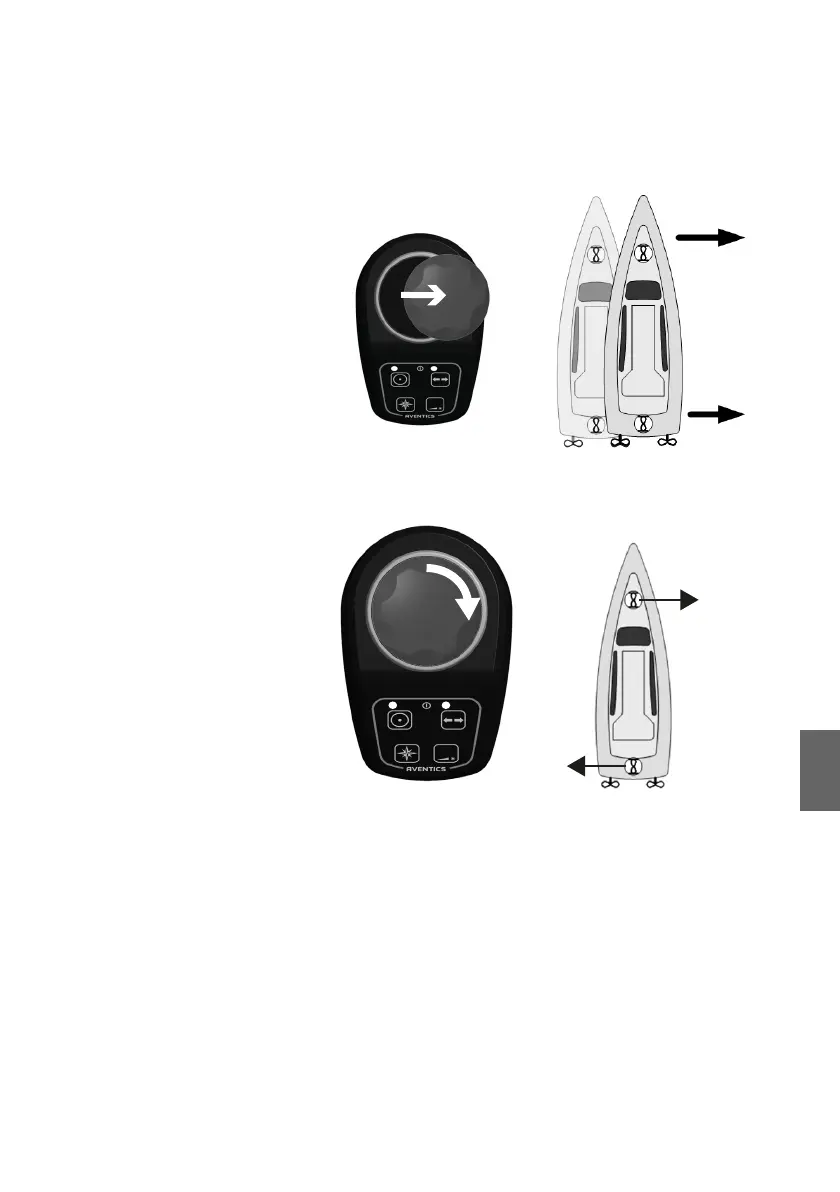
Push the thruster key at a joystick. Then move the joystick to
the right and left. See if the ship moves evenly sideways.
2. Turn the top of the joystick to the right and left. See if the
ship starts to turn on the spot in the corresponding direction.
3. Release the joystick as soon as the ship starts to move.
4. Push the thruster key at the joystick to switch the thruster
mode off. The joystick is no longer active.
Testing the 3D mode, heading mode and fine-
adjustment
The data and parameters in the 3D Controller will be fine-
adjusted during the sea trial. The computer software "3D-
Tuning" facilitates the adjustment and data entries.
O Refer to the manual "3D-Tuning" for further instructions on
the fine-adjustment via "3D-Tuning.
3D_manual_R417003094_DE_EN.book Seite 79 Freitag, 30. November 2018 11:36 11



 To Next Page